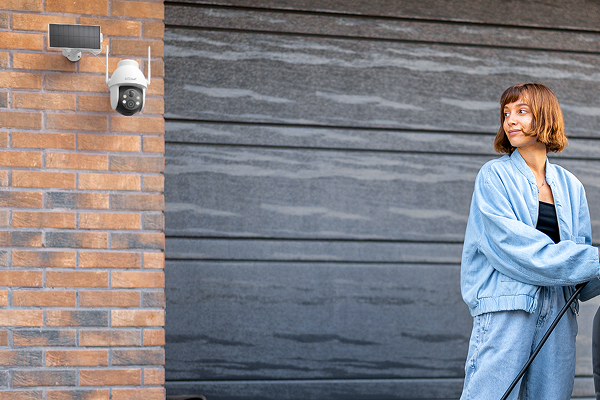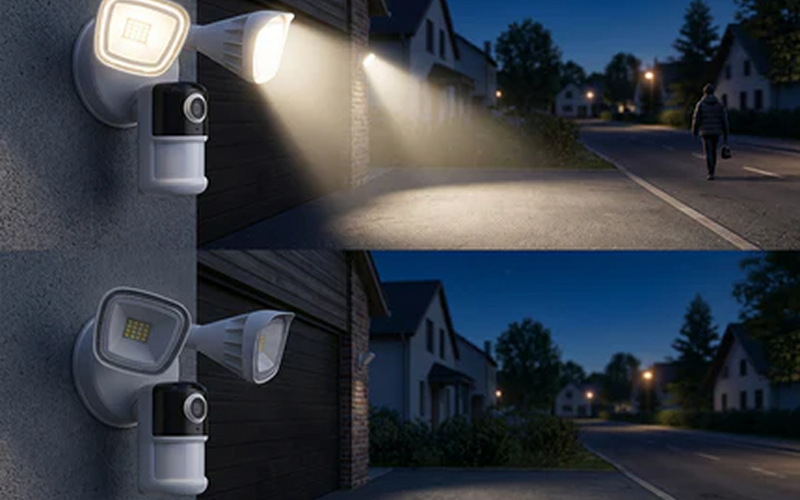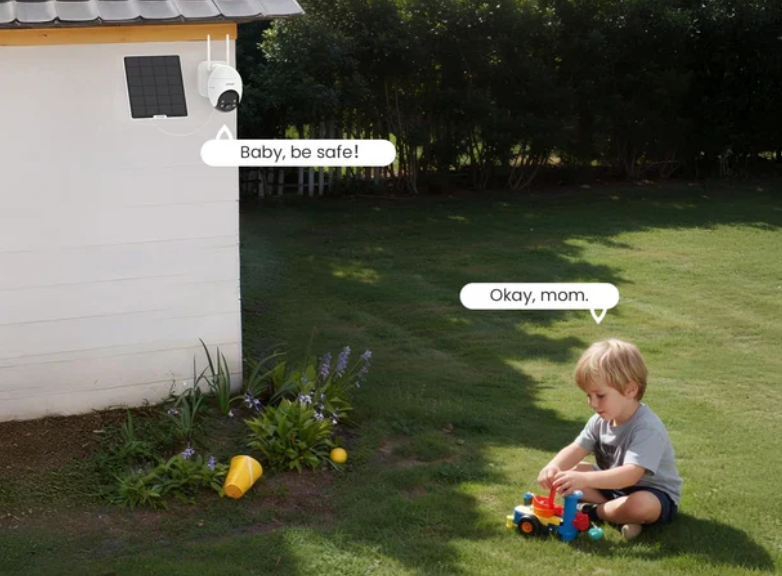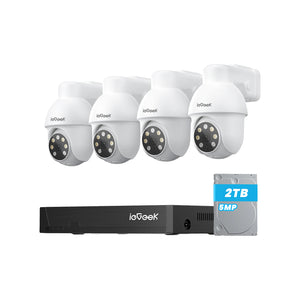




If you're looking for security cameras without WiFi or a security camera that connects to your phone without WiFi, your first option should be a 4G wireless camera. These cameras operate independently through a mobile data plan, so you can monitor your property even when you’re away from home.
There are also other options available. You can save footage to local storage, such as an NVR security system or an SD card. We’ll explain each solution in detail, so you can find the right security camera without WiFi or internet for your needs.
Key Takeaways
-
Security cameras can work without WiFi through 4G mobile networks, microSD card storage or wired NVR systems.
-
A 4G camera is the main option for live viewing, phone alerts and remote access when fixed internet isn’t available.
-
Local storage cameras can record fully offline, but you’ll usually need to access the camera or memory card to review footage.
-
Test the mobile signal, power source and storage method before installing a camera at a farm, construction site, caravan or other remote location.
-
Choose motion recording to save battery and storage, or continuous recording when you need fewer gaps in the footage.

Can a Security Camera Work Without WiFi?
Yes! When a security camera without WiFi can’t connect to a standard router, it relies on one of three main technologies to record footage or send video to your phone:
-
Cellular connection (4G/5G LTE): The camera has a built-in cellular module and SIM card slot. It works much like a smartphone, sending encrypted video through mobile networks to the cloud and then to the camera app on your phone.
-
Local wireless or AP mode: The camera creates its own short-range wireless network. You can connect your phone directly to the camera when you’re nearby, even when no internet connection is available.
-
Wired local network (PoE and NVR): The camera sends video through an Ethernet cable to a local network video recorder, or NVR. The footage stays on the recorder, so the system can operate fully offline.
Types of Security Cameras Without WiFi
Most smart home cameras depend on WiFi, but there are reliable alternatives for remote properties, rural buildings and sites where an internet connection isn’t available. When choosing a security camera without WiFi, you’ll mainly find three common types.
4G Security Cameras
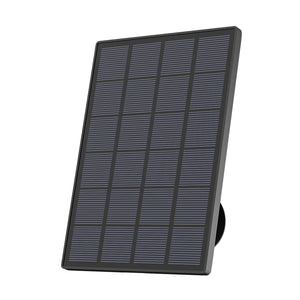
A 4G security camera avoids WiFi by using a mobile network to stream video and send alerts. It has a built-in cellular module and works with a SIM card and mobile data plan. Many models also use rechargeable batteries or solar panels, making them suitable for places with no fixed internet or power supply.
How phone access works: The camera sends compressed video through the mobile network to its app. You can then watch live footage, change settings, receive alerts and use two-way audio from almost anywhere.
Key advantage: This is the only fully wireless option that can provide remote live viewing and instant alerts when you’re far from the camera.
Limitation: You’ll need an active SIM card and data plan. Live viewing, cloud storage and app use will consume mobile data.
Local Storage Cameras
Local storage cameras record footage directly to a microSD card and can continue working without an internet connection. Unlike cloud-based cameras, they don’t need WiFi to detect movement and save video evidence.
How phone access works: Remote access usually isn’t available. You may need to connect your phone to the camera’s short-range AP mode while standing nearby, or remove the microSD card and view the recordings on another device.
Key advantage: There are no mobile data charges or cloud subscription fees, and the footage remains stored locally.
Limitation: You won’t receive real-time alerts when you’re away. You can only review an event after accessing the camera or storage card.
Wired Cameras With a Local Recorder
A wired NVR system connects several cameras to a central network video recorder through Ethernet cables. These systems can operate fully offline and store continuous footage on a built-in hard drive.
How phone access works: The recorder can display live video on a connected monitor without using the internet. For local phone access, you can connect the NVR to a router and view footage while your phone is on the same network.
Key advantage: It supports continuous 24/7 recording from several cameras without using mobile data or relying on batteries.
Limitation: Each camera needs a physical cable running back to the recorder, so installation takes more time and planning.
Where to Use a Security Camera Without WiFi?
Security cameras that don’t need an active WiFi network are useful in places where internet access is unavailable, unstable or difficult to extend. The right setup depends on the power supply, mobile signal and monitoring needs at each location.
Farms and Remote Properties
Challenge: Farms, barns and remote properties often cover large areas. Power sockets may be limited, while a home WiFi signal may not reach gates, fields or outbuildings.
Best option: Solar-powered 4G cameras can monitor entrances, livestock areas and equipment from raised positions. For barns with weak mobile reception, a wired NVR system can record footage locally around the clock.
Construction Sites and Warehouses
Challenge: Construction sites may have no fixed internet or power, while dust, changing layouts and valuable tools create extra security concerns. Large warehouses may also have WiFi dead zones.
Best option: Weather-resistant outdoor security cameras with 4G connectivity can be mounted on temporary poles, walls or fences. A wired recorder may suit permanent warehouses that need continuous footage from several cameras.
Caravans, Cabins and Other Off-Grid Locations
Challenge: Caravans and cabins may move between areas with different mobile coverage or remain empty for long periods. Battery use also matters when there is no mains electricity.
Best option: A battery-powered cellular camera lets you check the location remotely when mobile coverage is available. Models with motion-activated standby modes use power only when they detect activity, which can extend battery life in off-grid settings.
How to Connect a Security Camera to Your Phone Without WiFi?
A security camera that connects to your phone without WiFi may use AP mode, a mobile hotspot, Bluetooth or a direct cable. The correct method depends on what the camera supports and whether you need live video or only local access.
Method 1: Use AP Mode
Many offline and cellular cameras can create their own short-range wireless network. This feature is called AP mode or direct connection mode. Your phone connects straight to the camera instead of using a home router.
-
Press the camera’s AP mode button or enable the feature in its app.
-
Open the WiFi settings on your phone.
-
Select the network name created by the camera.
-
Enter the camera’s default password.
-
Open the camera app to view or download footage.
This connection won’t provide internet access. Its range is usually around 30–50 ft (10–15 m), so you need to stay near the camera. It can be useful when checking recordings at a barn, cabin or other remote location.
Method 2: Use a Mobile Hotspot
A standard smart camera that needs WiFi may connect through your phone’s mobile hotspot. The camera treats the hotspot like a normal home router.
You’ll usually need a second phone or tablet during the initial setup:
-
Turn on the hotspot on Phone A.
-
Connect Device B to Phone A’s hotspot.
-
Open the camera app on Device B.
-
Select Add New Device.
-
Enter Phone A’s hotspot name and password.
After setup, the camera should reconnect whenever you activate the same hotspot. However, live video can use significant mobile data and drain your phone battery, so this method is better for temporary use.
Method 3: Pair Through Bluetooth
Some security cameras use Bluetooth during setup. Turn on Bluetooth, open the camera app and follow the pairing instructions to let your phone detect the camera.
Bluetooth can’t carry a continuous high-resolution video stream. It normally handles initial pairing, simple setting changes or waking the camera from standby. The camera still needs cellular data, AP mode or local storage to manage video footage.
Method 4: Use a Direct USB Connection
Certain specialist cameras can connect directly to a phone through a USB cable. This requires a camera that supports USB Video Class and a phone that supports USB On-The-Go.
-
Connect the camera to your phone with a compatible USB-C OTG cable or adapter.
-
Open a camera-viewing app that supports external USB devices.
-
Allow the app to access the connected camera.
-
View the live video on your phone.
Most home security cameras don’t support direct USB viewing. This method is mainly used with inspection cameras, borescopes and other specialist devices.
How to Install an Outdoor Security Camera Without WiFi or Internet?
Installing an outdoor security camera without WiFi or internet requires a different approach from setting up a standard indoor camera. Remote locations often have limited power, weaker mobile signals and a higher risk of tampering, so you need to check each factor before fixing the camera in place.
Step 1: Test the Signal and Access
Before drilling into a wall, fence or pole, take the camera to the planned mounting point and test the connection.
For a cellular camera, insert the activated SIM card and switch on the device. Open the app and confirm that the mobile signal is stable. A weak connection can delay alerts, interrupt live viewing and increase battery use.
For an AP mode or SD card camera, stand where you expect to review the footage. Check that your phone can connect to the camera’s local wireless or Bluetooth signal from that position.
Step 2: Position the Solar Panel
If the camera uses solar power, the panel needs clear and regular access to daylight.
-
Face the panel south in the Northern Hemisphere.
-
Set it at an angle of about 30°–45°.
-
Keep it away from branches, roof edges and other sources of shade.
-
Don’t mount it flat, as water, dirt and leaves may collect on the surface.
Check the panel during different parts of the day. A location that looks clear in the morning may fall into shade later.
Step 3: Reduce the Risk of Tampering
A camera with local storage keeps its evidence inside the device. If someone removes the camera, you may also lose the recordings.
Mount it around 9–10 ft (2.7–3 m) above the ground, where it remains difficult to reach but still captures clear detail. Point the lens downward at roughly 15°–30° and aim across the route people are likely to take.
This angle can also improve motion detection because movement across the camera’s view is usually easier to detect than someone walking directly towards it.
Step 4: Protect Cables on Wired Systems
A wired PoE or NVR system doesn’t rely on WiFi, but its cables need protection from rain, sunlight and physical damage.
Create a small U-shaped drip loop before each cable enters a wall. Rainwater will fall from the lowest point instead of running towards the camera port or into the building.
Run exposed outdoor Ethernet cables through weather-resistant conduit. This protects them from UV exposure, bad weather and accidental cuts while keeping the installation neater.
WiFi vs Non-WiFi Security Cameras
WiFi and non-WiFi security cameras may look similar, but they use different methods to record and transfer video. The main difference is how footage travels from the camera to your phone, monitor or storage device.
WiFi cameras usually connect to a nearby router and may upload footage to an app or cloud service. Non-WiFi cameras use other routes, such as a 4G mobile network, Ethernet cables, an NVR or a microSD card.
|
Feature
|
WiFi Security Cameras
|
Non-WiFi Security Cameras
|
|
Data transmission
|
Sends video through a 2.4 GHz or 5 GHz home WiFi network.
|
Sends video through a 4G or 5G network, Ethernet cables or local storage.
|
|
Internet requirement
|
Usually needs stable internet for remote viewing, app alerts and cloud recording. Some models can still record locally during an outage.
|
Optional. Local SD card and NVR systems can work fully offline, while cellular cameras need mobile coverage.
|
|
Installation flexibility
|
Easy to place within range of the home router, but walls and distance may weaken the signal.
|
Can be installed at farms, construction sites, cabins and other places beyond home WiFi range.
|
|
Remote phone access
|
Available through the camera app when the camera and phone have internet access.
|
Available on cellular models. Fully offline cameras normally require local access to view recordings.
|
|
Risk of signal interference
|
WiFi congestion, weak coverage or network outages may interrupt the connection.
|
Cellular models use mobile networks, while wired NVR systems send footage through physical cables.
|
|
Power use
|
Battery models may need regular charging because they maintain a WiFi connection.
|
Cellular cameras often use standby modes, while wired systems receive continuous power through cables.
|
|
Ongoing costs
|
May include an optional cloud storage subscription.
|
Local storage may have no monthly fee, while 4G cameras require a SIM card and mobile data plan.
|
|
Best suited for
|
Homes and flats with stable broadband and good router coverage.
|
Remote properties, temporary sites and locations with limited or no fixed internet.
|
How to Choose the Right Security Camera Without WiFi?
The right security camera without WiFi depends on the connection, power source and type of monitoring you need. Use these five points to narrow down your options:
-
Check the mobile signal: If the site has reliable 4G coverage, choose a cellular camera for remote viewing and instant alerts. If there’s no mobile signal, an SD card camera or wired NVR system will be more suitable.
-
Review the available power: For locations with no mains electricity, look for battery-powered or solar security cameras. Where fixed power is available, a wired camera can support longer recording periods.
-
Decide how you want to view footage: Choose a 4G camera if you need live access from another location. Select local storage if you only need to review recordings while standing near the camera or after removing the memory card.
-
Consider the recording schedule: Motion-activated recording uses less power and storage, making it suitable for gates, cabins and quiet sites. Continuous recording is better for warehouses or busy areas, but it usually requires a wired power supply and a larger storage drive.
-
Check the outdoor conditions: Choose a weather-resistant camera for exposed areas and position any solar panel where it receives regular daylight. For sites at higher risk of tampering, mount the camera above reach and protect visible cables with conduit.
Top ieGeek Picks for Security Without WiFi
ieGeek offers several 4G cameras for places where a home router can’t provide a stable connection. Each model uses a mobile network for remote access, but the right choice depends on how you plan to install the camera and how much recording coverage you need.
ieGeek 4G LTE Camera S11
The ieGeek 4G LTE Camera S11 is suited to farms, building sites and other locations with no fixed WiFi or nearby power socket. It connects through a mobile network and uses a 10,000mAh rechargeable battery with a 5W solar panel.
How connection to your phone works: The camera sends video and alerts through 4G LTE to the ieGeek app. You can check the live view and respond through two-way audio while away from the property.
Key advantage: Its 350° pan and 90° tilt let you check a broad area from one mounting point. Person detection also filters general movement, which can reduce unnecessary alerts.
Consideration: The camera needs an active SIM card and a reliable mobile signal. Live viewing and cloud use will consume data.

ieGeek 4G LTE Security Camera ZY-G2
The ieGeek 4G LTE Security Camera ZY-G2 is a compact option for caravans, cabins, gates and temporary sites. Its magnetic base makes it easier to adjust or move the camera when the monitoring area changes.
How connection to your phone works: The 4G connection sends motion alerts and video to the app. From there, you can view the camera, change detection settings and use two-way audio remotely.
Key advantage: The camera combines a quick magnetic mount with 355° horizontal and 120° vertical movement. Its rechargeable battery and solar charging also reduce the need for frequent removal.
Consideration: Recording is triggered by motion rather than running continuously. This saves battery and storage but may not suit a site that needs an uninterrupted video record.

ieGeek 4G 24/7 Recording Camera ZY-G4
The ieGeek 4G 24/7 Recording Camera ZY-G4 is designed for locations that need broader and more consistent monitoring. It uses 4G LTE, solar charging and AOV recording to maintain coverage where WiFi isn’t available.
How connection to your phone works: The camera sends alerts and remote video access through the ieGeek Cam app. It also supports two-way audio and shared viewing for more than one user.
Key advantage: Its 24/7 AOV recording and 360° panoramic view suit entrances, yards and remote work areas where gaps between motion clips may matter. Footage can be stored in the cloud or on an SD card of up to 256GB.
Consideration: Continuous recording needs more power, storage and mobile data than motion-only recording. Place the solar panel in regular sunlight and select a data plan that matches how often you’ll access the camera.
FAQs
Are there security cameras that work without Wi-Fi?
Yes. Several types of security cameras can work without WiFi. A 4G cellular camera uses a SIM card and mobile network, while a PoE camera sends footage through an Ethernet cable to an NVR. Cameras with microSD card storage can also record locally without connecting to a router.
Do security cameras still work without Wi-Fi?
Yes, but the available features depend on the camera type. A local storage camera can still detect motion and save recordings without WiFi, while a 4G camera can send alerts and live video through a mobile network. A WiFi-only camera may lose remote access during an internet outage, although some models can continue recording to a memory card.
How do I connect my security camera to my phone without Wi-Fi?
You can connect a 4G security camera to your phone through its mobile app and an active SIM card. Some offline cameras also offer AP mode, which creates a short-range network that your phone can join directly. A mobile hotspot may work with certain WiFi cameras, but it can use a large amount of phone data and battery power.
How to install a security camera without Wi-Fi?
First, choose a location with a stable mobile signal if you’re using a 4G camera. Insert and activate the SIM card, add the camera to its app and test the live view before mounting it. For an SD card camera or wired NVR system, install the storage device, confirm that recording works and then secure the camera above easy reach.
What cameras can I use without internet?
You can use 4G cellular cameras, traditional CCTV systems, PoE cameras connected to an NVR and cameras that record to a microSD card. Choose a cellular model when you need remote viewing and live alerts. Select local storage or an NVR when you need offline recording and don’t require access from another location.
Conclusion
So, even when WiFi, internet access or power outlets are limited, you can still protect your family and valuables with a security camera without WiFi. After reading this guide, you should be ready to make an informed choice and find the right camera for your needs. We’d also like to hear about your experience with cameras that work without WiFi. Have you found a reliable option that meets your requirements? Share your experience in the comments below.
Author Intro
 |
Developed by the ieGeek content team, combining hands-on experience with smart devices and insights into real user needs. ieGeek is widely known for smart security, our solutions are also designed for a variety of real-life scenarios, including travel, outdoor monitoring, pet care, and family safety. We focus on delivering simple, dependable solutions that fit seamlessly into daily life. |