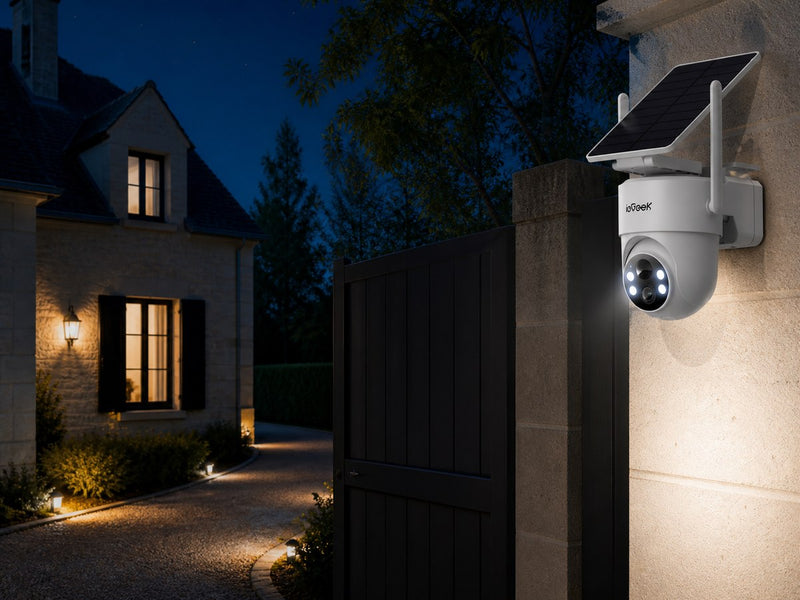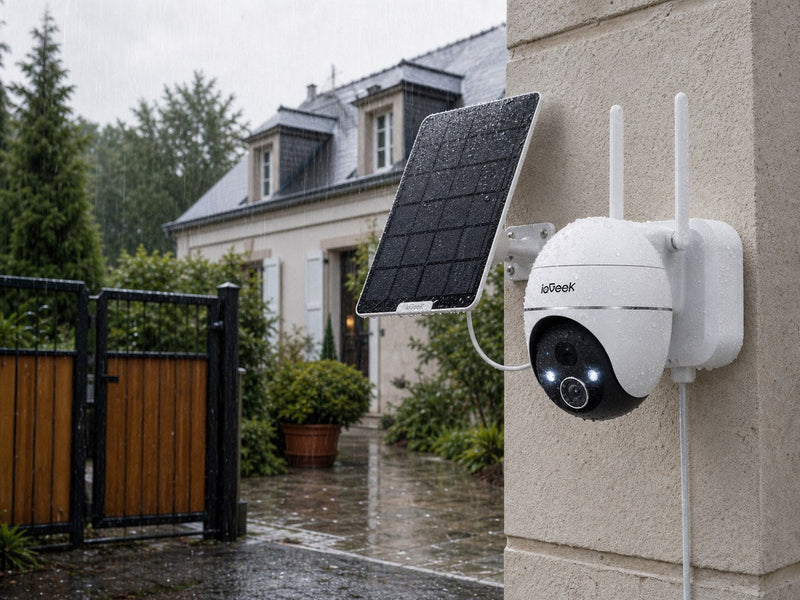




A parked car can be damaged, broken into or approached while no one is watching. A driveway security camera can help by recording activity around the vehicle, sending alerts and providing footage after an incident. Some models can also activate a spotlight, siren or two-way audio warning.
The right model depends on the size of the driveway, lighting, recording needs and available internet or mobile connection. This guide compares three CCTV cameras for outdoor home use across different driveway set-ups and explains how to choose and position a camera.
Key Takeaways
- A driveway camera can help protect a parked car by sending early alerts, acting as a visible deterrent and preserving footage after an incident.
- Choose the ieGeek ZS-GX4S for wider driveways, the spotlight-equipped ieGeek ZS-GQ4 for dark parking areas and the 4G-enabled ieGeek ZY-G4 for locations beyond home Wi-Fi coverage.
- Motion-triggered recording uses less battery and storage, while AOV 24/7 recording provides more context before and during an incident.
- Infrared night vision supports discreet monitoring, while a spotlight can improve colour detail and provide a visible deterrent.
- Wi-Fi models suit driveways near the house, while 4G models require mobile network coverage, a SIM card and a data plan.
- Test every approach route, night footage and connection strength before relying on the camera for monitoring a parked car.

How a Driveway Camera Protects a Parked Car
A car security system camera installed to cover a driveway can support parked-car security in several ways:
- Early alerts: Motion detection can notify the owner when a person or vehicle enters the driveway.
- Recorded evidence: Footage may preserve a person’s appearance, actions and direction of travel after theft, vandalism or a collision.
- Fewer unnecessary notifications: Person and vehicle detection can filter some movement caused by animals, branches or changing light.
- Better night monitoring: Infrared or colour night vision helps record activity when the driveway is dark.
- Active deterrence: Spotlights, sirens and two-way audio may discourage someone from approaching or remaining near the car.
A driveway camera cannot physically prevent damage, but it can provide earlier warning, deter criminals and provide evidence that would otherwise be unavailable.
Recommended Security Cameras for Different Driveway Set-Ups
These protective functions work differently depending on the layout of the driveway. The following outdoor security cameras address three common needs: wider coverage, clearer night monitoring and operation beyond the range of your home Wi-Fi.
Security Cameras for Parked Cars at a Glance
|
Model |
Suitable Parking Area |
Recording Mode |
Viewing Coverage |
Night Monitoring |
Connection |
|
ieGeek ZS-GX4S |
Wider driveway or front garden |
Motion-triggered |
355° pan, 120° tilt |
Infrared up to 10 m; best colour night vision within 8 m |
2.4GHz Wi-Fi |
|
ieGeek ZS-GQ4 |
Dark side parking space or small driveway |
AI motion-triggered |
PTZ with automatic tracking |
Spotlight and colour night vision |
Wi-Fi |
|
ieGeek ZY-G4 |
Rural driveway or detached garage |
AOV 24/7 recording |
355° pan, 90° tilt; detection up to 30 m |
Smart, colour and black-and-white modes |
4G LTE |
ieGeek ZS-GX4S for Wider Driveways
Wider home driveways, front gardens and two-car driveways require both image detail and flexible coverage. The ieGeek Solar Security Camera ZS-GX4S records in 5MP and can pan 355° or tilt 120°. Automatic tracking adjusts the view as activity moves across the driveway, reducing the blind spots of a fixed camera.
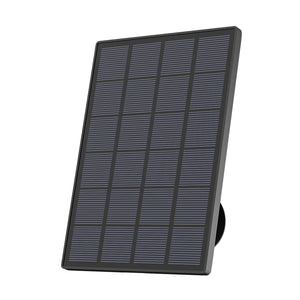
Its 9000mAh rechargeable battery and 3W solar panel also allow wireless installation with less frequent charging.
Key features:
- 5MP resolution at 2976 × 1696
- 355° pan and 120° tilt
- Automatic tracking
- 9000mAh rechargeable battery
- 3W solar panel
- MicroSD storage up to 128GB

ieGeek ZS-GQ4 for Dark Parking Areas
Limited lighting is often the main concern around garage entrances, side parking spaces and small driveways. When activity is detected, the ieGeek Spotlight Camera ZS-GQ4 can activate its built-in spotlight to illuminate the monitored area and support colour night vision.
AI motion detection helps reduce unnecessary alerts, while two-way audio and a siren allow the owner to react to suspicious activity near the car. The focused spotlight makes this model more appropriate for a defined parking space than a large open driveway.
Key features:
- 5MP resolution
- Built-in spotlight
- Colour night vision
- AI motion detection
- Automatic tracking
- Two-way audio and siren

ieGeek ZY-G4 for No-Wi-Fi Driveways
Where home Wi-Fi does not reach, 4G LTE allows the ieGeek 4G 24/7 Recording Camera ZY-G4 to operate around rural driveways, detached garages and remote parking areas. Its AOV 24/7 recording keeps a more continuous record of activity, reducing the chance of missing the beginning of an event.
For larger areas, the camera offers 355° pan, 90° tilt and detection at distances of up to 30 metres. Solar charging reduces wiring requirements, although operation still depends on reliable mobile network coverage, a SIM card and a data plan.
Key features:
- 4G LTE connectivity
- AOV 24/7 recording
- 3MP resolution at 2304 × 1296
- 355° pan and 90° tilt
- Detection distance up to 30 metres
- Person and vehicle detection
- MicroSD storage up to 512GB

How to Choose a Camera for a Parked Car
Choose according to the required recording length, distance from the car, night-time conditions and the type of connection available at the property.
Motion-Triggered vs Continuous Recording
For a short driveway with one entrance, motion-triggered clips will usually provide enough coverage while using less battery and storage. If several routes lead to the car or earlier activity needs to be retained, AOV or continuous recording offers a more complete timeline.
Resolution and Monitoring Distance
Higher resolution can preserve more detail, but only when the car remains within a practical viewing distance. A camera mounted too far away or at a steep angle may still struggle to show faces and number plates clearly.
Night Vision and Active Deterrence
Infrared night vision works well for discreet monitoring in darkness. Where clearer colour footage or a visible deterrent is needed, a spotlight is more useful. Two-way audio and a siren also allow the owner to respond when someone remains near the car.
Power, Connection and Storage
Battery and solar models are easier to place where no outdoor mains socket is available. Wi-Fi works best near the house, while 4G is more suitable outside the router's reliable range.
Storage needs also depend on the recording mode: short motion clips use less space, whereas AOV recording requires a larger MicroSD card.
How to Position a Driveway Camera
A good security camera can still miss important activity if it is mounted in the wrong place. Its view should cover the parked car and each route someone could use to approach the vehicle.
Choose the Right Mounting Height
A camera mounted too low may be easy to reach, while an excessively high position mainly captures the tops of heads. Use a sensible mounting height with a slight downward angle so faces and activity beside the car remain visible.
Avoid allowing the vehicle to fill the entire frame. Leave enough space around the doors, boot and driveway entrance to record someone approaching.
Test Every Approach
Walk towards the vehicle from the pavement, side gate, garage and any shared access point. Then move around both sides and behind the car. Reviewing these clips can reveal blind spots before the installation is finalised.
For a PTZ camera, test its automatic tracking and default viewing position. The resting angle should face the most important entrance because the camera may temporarily follow movement away from the car.
Check Night Footage and Wi-Fi
Night footage should be tested with a vehicle entering and leaving the driveway. Headlights, wet surfaces, pale walls and reflective number plates can affect exposure. Spider webs close to infrared lights may also obscure the image.
Connection strength must be checked after installation. A camera that works during indoor set-up may become unreliable outside when the signal has to pass through brick walls or near a metal garage.
Where possible, angle the camera so that it does not record more of neighbouring properties, the pavement, road or shared access areas than is necessary for protecting your driveway. If a domestic CCTV system records beyond your property boundary, UK data protection requirements may apply.
FAQs
Can a camera see through car windows at night?
Usually not clearly. Infrared light and headlights often reflect from the glass, while tinted or wet windows further reduce visibility. A driveway camera is more reliable for recording activity around the car than inside it.
Can motion detection capture someone keying a car?
Yes, if the detection zone covers the person’s approach and the camera can see the relevant side of the vehicle. AOV or continuous recording is more reliable when the beginning of the incident also needs to be captured.
Should I use a dash cam or outdoor camera?
Use an outdoor camera for general driveway protection because it records the car, the surrounding area and anyone approaching. A dash cam with parking mode can provide additional coverage from inside the vehicle.
Can a camera record without Wi-Fi?
Yes. A camera can save footage locally to a MicroSD card without Wi-Fi, while a 4G model can provide remote viewing and alerts through a mobile network. Local-only recording will not provide remote access when the camera is offline.
How much storage does a driveway camera need?
A 128GB card may be sufficient for motion-triggered clips, depending on the camera settings and how often events are recorded. AOV or continuous recording produces more footage, so 256GB or 512GB can provide more recording capacity where supported. Actual recording time depends on resolution, frame rate, bitrate and clip length.
Conclusion
A driveway camera can provide earlier warning, act as a deterrent to suspicious activity and preserve evidence after theft, vandalism or accidental damage. Its practical value depends on whether it can clearly capture both the parked car and the route used to approach it.
Before relying on the camera, test motion detection, night footage and connectivity under normal parking conditions. A well-positioned camera with suitable recording coverage will be more useful than one chosen only for impressive headline specifications.
About the Author
 |
Written by the ieGeek team, a brand dedicated to making smart security simple and accessible for everyone. With experience in designing easy-to-install security cameras, we aim to provide practical advice based on real user scenarios. Our goal is to provide reliable, easy-to-use technology that helps users stay connected and protected in different environments. |