



If you’ve ever looked through security camera options and wondered, “What is a PTZ camera?”, you’re asking a common question. At first glance, these cameras look much like the standard models you see in shops or outside homes. The difference is what they can do.
A PTZ, or pan-tilt-zoom, camera can move from side to side, look up and down, and zoom in when you need a closer view. As a result, one camera can monitor areas that might otherwise need several fixed cameras. This guide explains how PTZ cameras work and when they may suit your home or workplace.
Key Takeaways
-
A PTZ camera can pan from side to side, tilt up and down, and zoom in for a closer view.
-
One camera with PTZ can cover a wider area than a fixed camera, making it useful for gardens, driveways, garages, and shops.
-
Features such as clear video, night vision, motion detection, auto tracking, and app control affect how well the camera performs.
-
Battery and solar-powered PTZ cameras are easier to install in places where running power cables is difficult.
-
Before choosing a model, match its viewing range, video quality, power source, and alert settings to the area you need to monitor.
 What Is a PTZ Camera?
A PTZ camera is a motorised security camera that can pan, tilt, and zoom. Instead of showing one fixed angle, it can move across an area, look up or down, and zoom in for a closer view. Small motors inside the camera control these movements, while an app or control panel lets you adjust the view remotely.
Many PTZ cameras can rotate close to 360°, tilt through a wide vertical range, and provide optical or digital zoom. This combination allows one camera to monitor a wider space that might otherwise need several fixed outdoor security cameras.
You may also come across ePTZ cameras. These models use digital cropping and zoom rather than physically moving the camera. They offer more control over the frame, but digital zoom usually loses more image detail than optical zoom.
When you need wide coverage, close-up views, or the ability to follow movement, a camera with PTZ combines these functions in one unit.
How Does a PTZ Camera Work?
A PTZ camera uses built-in motors to change the direction of its lens. You can usually control these movements through a mobile app, security recorder, or computer interface. Some models also move automatically when they detect a person or vehicle.
The three main movements are pan, tilt, and zoom. Each function changes a different part of the camera view.
Pan
Pan describes the camera’s horizontal movement from left to right. Many PTZ cameras rotate close to 360°, while some can continue turning without stopping at either side.
The motor may move slowly to scan an area or turn quickly towards activity. In practice, the pan function allows you to:
-
Scan across a driveway, garden, car park, or shop floor from one mounting point
-
Follow a person or vehicle moving between different parts of the area
-
Set the camera to sweep across selected positions at regular intervals
Tilt
Tilt refers to the camera’s vertical movement up and down. The available range varies by model, but many cameras can tilt between about 60° and 180°.
This movement is useful when you:
-
Install the camera high on a wall and need it to look down towards a gate or entrance
-
Want to view both the ground and higher areas from one position
-
Need to move between nearby and distant areas without adjusting the mounting bracket
Zoom
Zoom controls how close an object appears in the camera view. It lets you inspect activity at a distance without moving closer to the camera.
There are two main types of zoom:
-
Optical zoom: The lens changes its focal length to enlarge the subject while retaining more image detail.
-
Digital zoom: The software crops and enlarges part of the image, which may reduce clarity.
Professional PTZ cameras may offer 10x, 20x, or 30x optical zoom. Home security models often use a lower optical range or digital zoom, which is usually enough for checking a visitor, vehicle, gate, or movement around a garden. The exact level of detail will still depend on the camera resolution, distance, lighting, and zoom type.

Key Features to Look for in PTZ Cameras
To choose the right PTZ camera, look beyond its ability to move. Viewing range, video clarity, night vision, motion tracking, and power source all affect how well the camera covers your space.
Wide Viewing Range and Clear Video
A wide viewing range allows the camera to monitor more of the area from one mounting point. Many PTZ cameras can rotate close to 360° and tilt through a broad vertical angle, although the exact range varies by model.
Video resolution also matters. A wider view isn’t as useful when faces, vehicles, or objects appear blurred. Higher-resolution video gives you more detail when watching live footage or reviewing a recording.
Before choosing a camera, check:
-
Its horizontal pan and vertical tilt range
-
The video resolution
-
Whether zoom uses optical or digital technology
-
How much detail remains when you zoom in
-
Whether the app lets you adjust the viewing angle remotely
Match these features to the size of the area. A small front entrance may only need a modest viewing range, while a large garden or driveway may need wider rotation and clearer long-distance video.
Night Vision
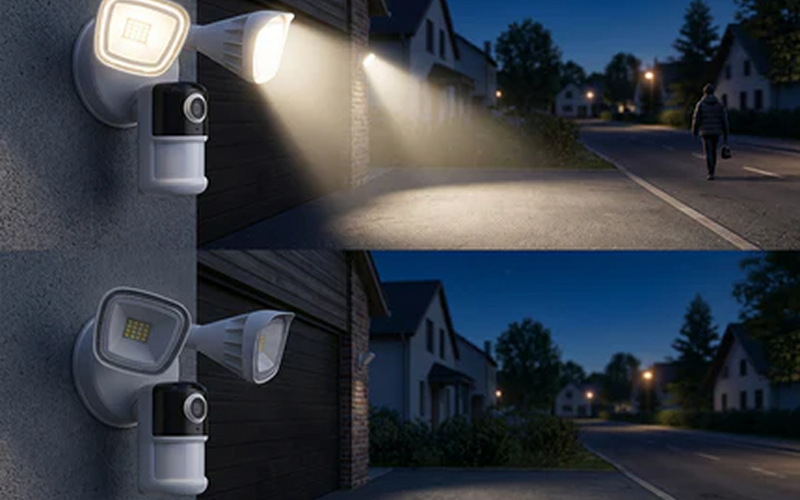
Night vision allows a PTZ camera to continue monitoring after daylight fades. Most models use infrared lights, spotlights, or a combination of both.
Infrared night vision usually produces a black-and-white image. It can show movement in low light without keeping a visible light switched on. Colour night vision uses a spotlight or other available light to retain more colour and detail.
When comparing night vision, consider:
-
The stated viewing distance
-
Whether the image remains clear near the edge of the frame
-
How the camera handles faces and moving subjects
-
Whether a spotlight turns on automatically
-
Whether you can adjust the night vision settings in the app
The actual result will depend on the mounting position, nearby lighting, weather, and distance from the subject. A quoted night vision range doesn’t always mean every object within that distance will appear equally clear.
Motion Detection and Auto Tracking
Motion detection alerts you when the camera notices activity. Auto tracking takes this further by moving the lens to follow a person, vehicle, or other detected subject.
With auto tracking enabled, a camera with PTZ may:
-
Detect movement within its field of view
-
Pan and tilt to keep the subject centred
-
Continue following the subject across the monitored area
-
Record the event and send an alert to your phone
Some cameras can distinguish between people, vehicles, animals, and general movement. This can reduce alerts caused by leaves, shadows, or changes in light. Detection accuracy still depends on the camera model, sensitivity settings, distance, and surroundings.
Check whether the app lets you create detection zones or exclude busy areas. For example, you may want the camera to monitor your driveway while ignoring movement on a nearby pavement.
Power and Installation
PTZ cameras may use mains power, rechargeable batteries, or solar charging. The right option depends on where you plan to install the camera and whether a power socket is available nearby.
Mains-powered models can support continuous operation, but they may require cables and a suitable outdoor connection. Battery-powered wireless security cameras are easier to place around entrances, garages, and rented homes because they don’t need a fixed power cable.
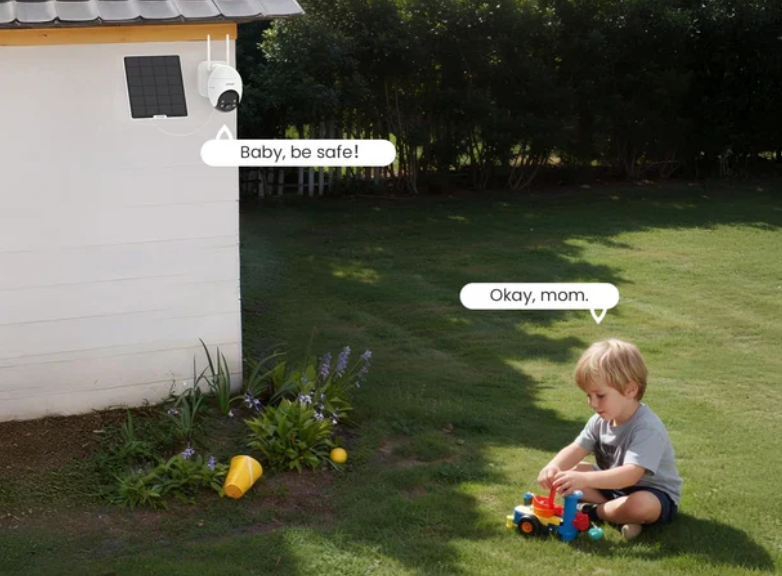
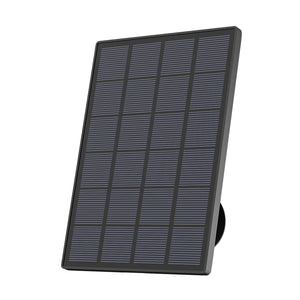
For areas with regular daylight, solar security cameras can use a solar panel to recharge the battery. This reduces how often you need to remove the camera for charging, although the panel still needs a position with enough direct sunlight.
Before installation, check:
-
Whether the mounting surface can hold the camera securely
-
Whether the camera can reach the full pan and tilt range
-
Whether walls, roofs, or branches block the view
-
Whether the Wi-Fi signal reaches the installation point
-
Whether a solar panel can receive enough daylight
-
Whether the camera and cables have a suitable weather-resistance rating
Mount the camera high enough to reduce tampering, but keep it within reach for cleaning and maintenance. Test the live view, motion detection, and movement range before tightening the bracket fully.

Best Places to Use a PTZ Camera
When you ask, “What is a PTZ camera used for?”, these cameras suit places that need flexible coverage or the ability to follow activity. Their mix of movement, zoom, and automatic tracking makes them useful for both homes and small businesses.
Garden and Driveway
A single PTZ camera can watch a garden, driveway, gate, or shed. You can move the view around, zoom in on a vehicle or delivery, or let motion tracking follow someone across the area. Many home models also offer simple control through a mobile app.
Garage and Side Entrance
PTZ cameras can cover garage doors, side gates, paths, and nearby storage areas from one position. Presets let you switch quickly between key points, while pan and tilt controls make it easier to follow movement from the entrance towards the house.
Small Business or Shop
Shops, offices, and small warehouses use PTZ cameras to monitor open floors, aisles, entrances, tills, and shared areas. Presets help staff move quickly between important zones, while the same camera can show a wide overview or a closer view when needed.
When a PTZ Camera May Not Be the Right Choice
A PTZ camera can cover wide spaces and zoom in for more detail, but it isn’t suitable for every setting. In some cases, a fixed or panoramic camera may provide more reliable coverage.
-
You need a constant view of one area: A camera with PTZ only records the direction it’s facing. When it turns or zooms towards one point, it may miss activity elsewhere. A fixed camera is often a better choice for doors, gates, tills, or other areas that need continuous monitoring.
-
A wide fixed view can cover the space: If you only need an overview of a room or garden, a panoramic camera may provide 180° or 360° coverage with no moving parts. It also removes the risk of the camera facing the wrong direction when something happens.
-
Your budget or maintenance options are limited: PTZ cameras often cost more because they contain motors and moving components. Several fixed cameras may offer better value when you need simple coverage across a few clear positions.
-
The location is exposed or difficult to reach: Strong wind, dust, and vibration can affect moving parts over time. For a camera mounted on a high wall, pole, or other hard-to-reach position, a sealed fixed model may require less maintenance.
PTZ Camera vs Fixed Camera
A PTZ camera offers flexible movement, while a fixed camera keeps one area in view. The table below compares their main differences.
|
Feature
|
PTZ Camera
|
Fixed Camera
|
|
Viewing angle
|
Can pan, tilt, and zoom to cover different directions
|
Records one fixed view
|
|
Area coverage
|
Covers a wider area from one mounting point
|
May require several cameras for wider coverage
|
|
Remote control
|
You can move a camera with PTZ through an app or control system
|
You can view footage remotely, but the angle stays the same
|
|
Motion tracking
|
Some models can follow a person or vehicle automatically
|
Detects movement within its fixed field of view
|
|
Zoom
|
Often includes optical or digital zoom
|
Usually offers digital zoom only
|
|
Continuous coverage
|
May miss activity while facing another direction
|
Keeps the same area in view at all times
|
|
Installation
|
Requires enough space for the camera to move freely
|
Easier to position in small or narrow areas
|
|
Maintenance
|
Motors and moving parts may need more care
|
Fewer moving parts and usually less maintenance
|
|
Cost
|
Often costs more because of its movement and control features
|
Usually more affordable
|
|
Best for
|
Gardens, driveways, car parks, shops, and other wide areas
|
Doors, gates, tills, hallways, and other fixed points
|
How to Choose the Right PTZ Camera?
Now that you know what a PTZ camera is and where it can be useful, the next step is choosing the right model. Focus on the area you need to monitor, the image quality, the power source, and the controls available in the app.
Match the Camera to the Area
Start with the size and shape of the space. A wider or full 360° pan range allows the PTZ camera to scan more of a garden, driveway, or shop, while a broad tilt range helps it view both nearby ground and higher points. Also check that walls, branches, or roof edges won’t block its movement.
Check Video Quality and Viewing Range
Higher resolution provides clearer detail, especially when you zoom in. Look for at least 1080p video, although a higher resolution may be useful for larger areas or longer distances. Optical zoom retains more detail than digital zoom, while good night vision helps a camera with PTZ capture clearer footage after dark.
Choose the Right Power Source
Choose between mains power, a rechargeable battery, or solar charging based on the installation point. A wired camera can provide steady power but requires a nearby connection. Battery and solar models offer more placement options, especially around gardens, garages, and other areas where running cables is difficult.
Check App Control and Alerts
The app should let you pan, tilt, and zoom the camera without complicated controls. Look for saved viewing positions, motion zones, adjustable alert sensitivity, and auto tracking. These features make it easier to return to key areas and reduce unnecessary notifications caused by movement outside your property.

Best ieGeek PTZ Cameras to Consider
If you like the idea of PTZ control but don’t want a complex wired system, ieGeek offers several practical options. You get pan-and-tilt movement, remote app control, night vision, and solar charging. Here are three PTZ camera models designed for slightly different areas around the home.
ieGeek ZS-GX4S PTZ camera with Panel 5MP
The ieGeek ZS-GX4S PTZ Camera with Panel 5MP combines 5MP video with 355° pan, 120° tilt, and 4× digital zoom. You can move the view through the ieGeek Cam app to check different parts of a driveway, garden, or front entrance.
Colour night vision reaches up to 50 ft (15 m), while PIR detection sends an alert when the camera notices movement. The spotlight and siren can also switch on to warn someone away. Its included solar panel recharges the battery, so you don’t need to run a power cable to the installation point.
Best for: You want clearer video and wide PTZ coverage for a driveway, garden, or front-of-house area.
What’s useful:
-
5MP video for clearer recorded detail
-
355° pan and 120° tilt
-
4× digital zoom
-
Solar and rechargeable battery power
-
PIR alerts, colour night vision, spotlight, and siren
ieGeek S5 PTZ camera with Panel
The ieGeek S5 PTZ Camera with Panel is a wire-free camera with PTZ control and a detachable solar panel. It records in 2K 3MP resolution and offers 355° horizontal movement, 90° vertical movement, and 4× digital zoom.
The separate solar panel can be placed where it receives more direct sunlight, even when the best camera position is in partial shade. Colour night vision shows more detail after dark, while human detection and adjustable alerts help you focus on activity around the property.
Best for: You need a flexible solar camera for a garden, garage, or side path where running a cable would be difficult.
What’s useful:
-
2K 3MP video with 4× digital zoom
-
355° pan and 90° tilt
-
Detachable 3.2W solar panel
-
Human detection and phone alerts
-
IP65 weather protection
ieGeek ZY-C2 5MP PTZ Camera
The ieGeek ZY-C2 combines high-resolution video with 355° pan, 120° tilt, and 4× digital zoom. The wide movement range lets you check cars, gates, gardens, and garages from one mounting point.
Built-in infrared and white lights provide colour night vision, while smart detection can identify people, vehicles, pets, and packages. The camera sends alerts through the app and supports adjustable detection zones. It doesn’t include auto tracking, so you control the viewing direction manually.
Best for: You want broad app-controlled coverage and more detailed alert settings for the outside of your home.
What’s useful:
-
355° pan and 120° tilt
-
4× digital zoom and colour night vision
-
Person, vehicle, pet, and package detection
-
Adjustable detection zones and alert schedules
-
Solar charging with no fixed electrical wiring
FAQs
Is a PTZ camera hard to install?
Most home PTZ cameras aren’t difficult to install, especially battery or solar-powered models. You normally fix the mounting bracket, attach the camera, connect it to Wi-Fi, and complete the setup in the app. Before securing a camera with PTZ, check that nearby walls, gutters, and branches won’t block its movement.
Is it legal for my neighbour to record me with their Ring camera?
In the UK, a neighbour can use a smart doorbell or security camera to protect their property. If it records beyond their boundary, including your home or a public area, data protection rules may apply. The recording should have a clear purpose, capture no more than necessary, and remain securely stored.
Can my neighbour have a camera pointed at my front door?
A camera facing your front door isn’t automatically unlawful, but your neighbour should limit the view to what they need for security. Recording directly into windows or capturing excessive footage may raise privacy concerns. You can first ask them to adjust the angle or privacy zones, then contact the ICO if the issue isn’t resolved.
Can someone secretly record you and use it against you?
A secret recording may sometimes be accepted as evidence in a UK court or employment tribunal, but this isn’t guaranteed. The court considers the circumstances, privacy rights, relevance, and rules of evidence. Recording, sharing, or using footage may also create separate legal issues depending on where it was made and what it contains.
What is it called when someone is recording you without permission?
Recording someone without telling them is usually called a covert recording or secret recording. The lack of permission doesn’t automatically make every recording illegal, as the setting, purpose, audio content, and later use all matter. Repeated or intrusive recording may also raise concerns about privacy, data protection, or harassment.
Conclusion
Understanding what a PTZ camera is can help you decide when this type of security camera makes sense. PTZ models offer flexible coverage, closer views, and motion tracking that fixed cameras can’t always provide. They can monitor homes, gardens, driveways, garages, and small businesses, especially when you need one camera to cover several areas. The key is choosing a camera with PTZ movement, video quality, power, and app features that match your space.
Author Intro
 |
Created by the ieGeek editorial team, drawing on hands-on product experience and ongoing research in Smart Security solutions. As a brand focused on simple, reliable, and affordable wireless security systems, ieGeek combines practical insights with real-world use cases to help users make informed decisions. |