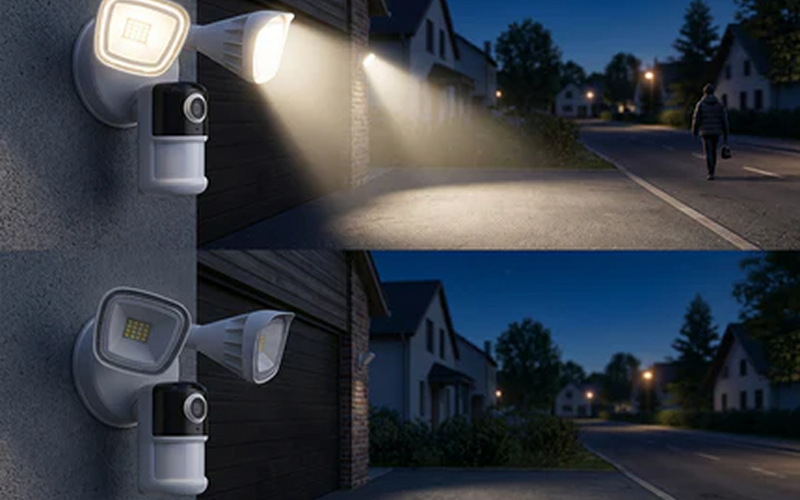





According to recent data from the Office for National Statistics (ONS), property crime and residential burglaries remain a top priority for British neighbourhoods, driving a massive surge in domestic surveillance installations. However, many UK homeowners quickly become frustrated after installing standard smart cameras, only to discover lagging video feeds, dropped Wi-Fi signals through solid cavity walls, and costly monthly cloud subscription fees just to review their own footage.
A common misconception is that all digital security systems store their footage in the cloud or require an active internet connection to safeguard your home. This comprehensive guide will strip away the confusing networking jargon to explain exactly how a network video recorder operates, contrast it with older technologies or other recording solutions, outline UK privacy compliance, and help you select the ideal system layout for your specific property type.
Key Takeaways
-
An NVR (Network Video Recorder) stores and manages footage from IP-based security cameras over a network.
-
Compared with traditional DVR systems, an NVR offers higher image quality, greater flexibility and easier remote access.
-
The best NVR setup depends on your property size, camera count and recording requirements.
-
Storage capacity, PoE support, remote viewing and AI-powered detection are among the most important features to consider.
-
Many UK homeowners choose NVR systems for reliable recording, even when internet connectivity is interrupted.
-
NVR-based CCTV systems are suitable for homes, small businesses, holiday properties and larger outdoor areas.
-
Choosing compatible cameras and planning storage requirements in advance helps avoid costly upgrades later.

What Is an NVR?
A nvr, or Network Video Recorder, is a specialized computer appliance that acts as the central brain of a modern IP (Internet Protocol) surveillance system. It receives digital video streams over a local network, saves that data onto internal hard drives, and allows users to manage multiple camera feeds simultaneously. Because it processes digital data directly from the source, it ensures your high-definition footage retains its crisp quality from the lens to the screen.
How Does a Network Video Recorder Work?
A network video recorder receives video streams from compatible IP cameras through a local network. The cameras capture and process footage before transmitting it to the recorder.
Unlike analogue systems, which send raw video signals to a DVR, an NVR works with digital video data. This enables higher image quality, advanced camera features and more flexible installation options. The recorder stores footage on internal hard drives and allows users to access recordings through apps, web browsers or dedicated software.
What Is the Difference Between an NVR Camera and an NVR?
The term NVR camera can be confusing because the camera itself is not the recorder. Instead, it refers to an IP camera designed to work with an NVR system.
The camera captures footage, while the recorder stores, organises and manages it. Many modern IP cameras also support intelligent features such as person detection, vehicle recognition and activity zones. Together, the cameras and recorder create a complete surveillance system.
Why Are NVR Systems Becoming More Popular?
NVR systems have become increasingly popular because modern homeowners expect more than basic video recording.
Users want high-resolution footage, smartphone notifications, remote viewing and intelligent event detection. NVR platforms support these features while maintaining reliable local storage. They also scale easily, allowing homeowners to add cameras as security requirements change.
NVR vs DVR: What’s the Difference?
Both NVR and DVR systems record security footage, but they use different technologies. NVR systems are generally considered more suitable for modern IP-based surveillance.
Comparison Table: NVR vs DVR
| Feature | NVR (Network Video Recorder) | DVR (Digital Video Recorder) |
| Camera Type | IP security cameras | Analogue CCTV cameras |
| Video Quality | Supports HD, 2K, 4K and higher | Usually limited by analogue camera resolution |
| Connection | Ethernet cable or local network | Coaxial cable |
| Power Supply | Often supports PoE (Power over Ethernet) | Separate power cable required |
| Installation | Simpler with a single Ethernet cable per camera | More cabling required |
| Remote Viewing | Easy via apps and web browsers | Available, but often less flexible |
| AI Features | Supports person, vehicle and pet detection on many models | Limited AI capabilities |
| Scalability | Easy to add more IP cameras | Expansion is more limited |
| Best For | Modern homes, businesses and large properties | Existing analogue CCTV systems |
| Cost | Higher initial investment, lower long-term flexibility costs | Lower upfront cost but fewer advanced features |
Advantages of an NVR System
An NVR offers several advantages for modern security applications.
Higher-resolution recording enables better identification of faces, vehicles and property details. Network-based systems also support advanced analytics such as motion zones, human detection and vehicle recognition. Many systems provide centralised management of multiple cameras across different locations.
These features make NVR solutions particularly attractive for larger homes and business premises.

Potential Limitations to Consider
Despite their benefits, NVR systems are not perfect.
Installation can be more complex for users unfamiliar with networking equipment. Storage requirements also increase significantly when recording multiple high-resolution cameras continuously. Additionally, compatibility between different camera brands may vary, so careful planning is important.
Understanding these limitations helps users choose a system that matches their technical comfort level and budget.
Understanding CCTV NVR Systems
A CCTV NVR combines digital recording technology with modern IP cameras, providing a comprehensive surveillance solution for residential and commercial properties.
What Makes a CCTV NVR Different?
Traditional CCTV often refers to analogue camera systems. Modern CCTV NVR setups use network-connected cameras instead.
The result is improved image quality, more intelligent monitoring features and greater flexibility when positioning cameras. Many systems support recording resolutions of 5MP, 8MP and beyond, allowing users to capture finer details across wider areas.
Local Storage vs Cloud Recording
Many homeowners ask whether they still need a security camera recorder if cloud storage is available.
Cloud recording offers off-site backup and convenience. However, local NVR storage provides several advantages:
-
No recurring subscription fees
-
Faster access to recordings
-
Greater control over data privacy
-
Continuous operation during internet outages
For many UK users, combining local recording with selective cloud backup provides the best balance.
Common Mistakes When Choosing an NVR
Several mistakes occur repeatedly when homeowners purchase recording systems.
The most common include:
-
Underestimating storage requirements
-
Buying too few recording channels
-
Ignoring camera compatibility
-
Choosing insufficient hard drive capacity
-
Overlooking future expansion needs
Planning ahead can prevent costly upgrades later.
Where Are NVR Systems Most Useful?
NVR systems are highly versatile and can protect a wide range of property types, from urban flats to rural holiday homes.
Detached Houses and Larger Properties
Detached homes often require multiple camera positions covering entrances, driveways, side access routes and gardens.
An NVR allows homeowners to manage all cameras from a single platform while retaining long-term recording capability. For larger outdoor spaces, PoE or wireless IP cameras connected to an NVR can provide comprehensive coverage without excessive complexity.
Driveways, Garages and Gardens
These locations frequently experience theft, trespassing or vehicle-related incidents.
A properly configured NVR system enables continuous recording and event-based searches. Features such as motion zones help reduce false alerts caused by wildlife, weather conditions or passing traffic.
For areas without convenient power access, solar-powered security cameras can supplement a wider surveillance setup. For example, products such as the ieGeek ZS-GX4S 5MP solar camera are designed for outdoor monitoring scenarios where traditional wiring may be difficult.

Holiday Homes and Small Businesses
Holiday properties and small businesses often remain unoccupied for extended periods.
An NVR system allows owners to review footage remotely and maintain a historical record of events. In rural locations with limited broadband infrastructure, combining local recording with 4G-connected cameras can provide additional flexibility.
How to Choose the Right NVR System
The channel count of your network video recorder determines exactly how many cameras you can connect to the system. And it depends on your property, camera requirements, storage needs and future expansion plans.
How Many Channels Do You Need?
NVRs are typically sold in 4-channel, 8-channel, 16-channel and larger configurations.
A four-camera system may be sufficient for a small terraced house, while detached properties often benefit from eight or more channels. It’s usually advisable to leave spare capacity for future camera additions.
Choosing too few channels is one of the most common purchasing mistakes. It is highly recommended for UK homeowners to purchase an NVR with more channels than they initially plan to use; for instance, buying an 8-channel model even if you are only starting with four cameras allows you to easily add extra units later to cover blind spots like side pathways or new extensions.
Which Features Matter Most?
Not all NVR systems offer the same capabilities.
Key features worth prioritising include:
- High-Resolution Recording Support
- Sufficient Storage Capacity
- PoE (Power over Ethernet)
- Remote Access via Mobile App
- AI-Powered Motion Detection
- Flexible Camera Compatibility
- Reliable Local Recording
- Expandable Channel Capacity
Advanced systems may also support facial recognition, licence plate recognition and integration with smart home platforms.
How Much Storage Do You Need?
Storage requirements vary significantly depending on:
-
Camera resolution
-
Number of cameras
-
Recording schedule
-
Retention period
For example, an eight-camera 4K system recording continuously may require several terabytes of storage. Users who only record motion-triggered events can often retain footage for much longer periods using the same storage capacity.
Calculating storage requirements before purchase prevents unexpected limitations later.
Recommended NVR-Based Security Solutions
Different properties require different camera and recording combinations. The goal should be matching the system to the security challenge rather than buying the most expensive equipment.
For Standard Family Homes
Most UK family homes benefit from an NVR system combined with outdoor security cameras covering:
-
Front door
-
Driveway
-
Rear garden
-
Side access routes
A balanced approach provides comprehensive visibility without unnecessary complexity.
For Larger Properties
Larger homes often require wider coverage and higher-resolution recording.
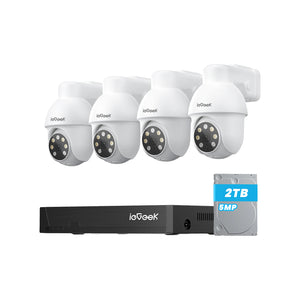
A PoE-based setup using 8MP cameras connected to a central NVR can deliver detailed footage while maintaining reliable performance. For example, the ieGeek IE82 POE system represents the type of PoE camera solution suitable for users seeking centralised NVR management across multiple camera locations.

For Remote or Off-Grid Monitoring
Some locations lack reliable broadband or mains power. In these scenarios, 4G-connected or solar-powered cameras may complement a broader surveillance strategy. The objective is ensuring critical areas remain monitored even when traditional infrastructure is unavailable. The most effective security system is usually the one that matches the property’s specific risks and practical constraints.
FAQs
Can an NVR work perfectly without an internet connection?
Yes, a network video recorder can operate completely offline because it acts as a closed local network loop. The connected IP cameras will continuously transmit video data over your local Ethernet cables or Wi-Fi directly to the internal hard drive. However, you will need to temporarily connect the NVR to your internet router if you wish to view live feeds remotely or receive real-time motion alerts on your smartphone while away from home.
Is an NVR better than a DVR?
The primary difference lies in where the video data is processed. For most modern installations, an NVR offers advantages such as higher image quality, easier remote access and better support for intelligent security features. However, DVR systems may still be suitable for existing analogue camera setups.
Can an NVR work without internet?
Yes. Most NVR systems continue recording locally even if the internet connection fails. Internet access is generally only required for remote viewing and notifications.
How long can a typical security camera recorder hold footage?
The retention period depends entirely on the size of your internal hard drive, the number of connected cameras, their resolution settings, and whether you choose continuous or motion-triggered recording. For a standard four-camera 4K setup, a 2TB to 4TB surveillance-rated hard drive will comfortably store approximately 10 to 14 days of continuous footage before automatically overwriting the oldest files.
Do all IP cameras work with any NVR?
Not always. Compatibility varies between manufacturers and protocols. Checking ONVIF support and verified compatibility lists before purchase is recommended.
How many cameras can an NVR support?
This depends on the recorder’s channel capacity. Common models support 4, 8, 16 or more cameras. Always consider future expansion when selecting a system.
Is cloud storage still necessary if I have an NVR?
Not necessarily. Many users rely entirely on local NVR storage. However, cloud backup can provide additional protection if the recorder is damaged, stolen or compromised.
Do I need to register my home NVR system with the UK Government or the ICO?
You do not need to register or pay a fee to the Information Commissioner's Office (ICO) if your security cameras only capture images within the strict physical boundaries of your own private property. However, if your cameras overlook public spaces, pavements, streets, or a neighbour's property, you must comply with UK data protection laws by putting up clear CCTV warning signs, ensuring data is kept securely, and using privacy masking to respect your neighbours' privacy.
Conclusion
For most UK homeowners, an NVR-based setup offers clear advantages over older DVR systems, including better image quality, greater flexibility and stronger support for intelligent detection features. However, choosing the right system requires careful consideration of camera compatibility, storage requirements, property size and future expansion plans.
Before purchasing, identify the areas you need to monitor, estimate how many cameras will be required and consider whether continuous recording or event-based recording best suits your needs. By focusing on practical requirements rather than marketing claims, you can choose a network video recorder system that delivers reliable protection for years to come.
Author Intro
 |
Developed by the ieGeek content team, combining hands-on experience with smart devices and insights into real user needs. ieGeek is widely known for smart security, our solutions are also designed for a variety of real-life scenarios, including travel, outdoor monitoring, pet care, and family safety. We focus on delivering simple, dependable solutions that fit seamlessly into daily life. |