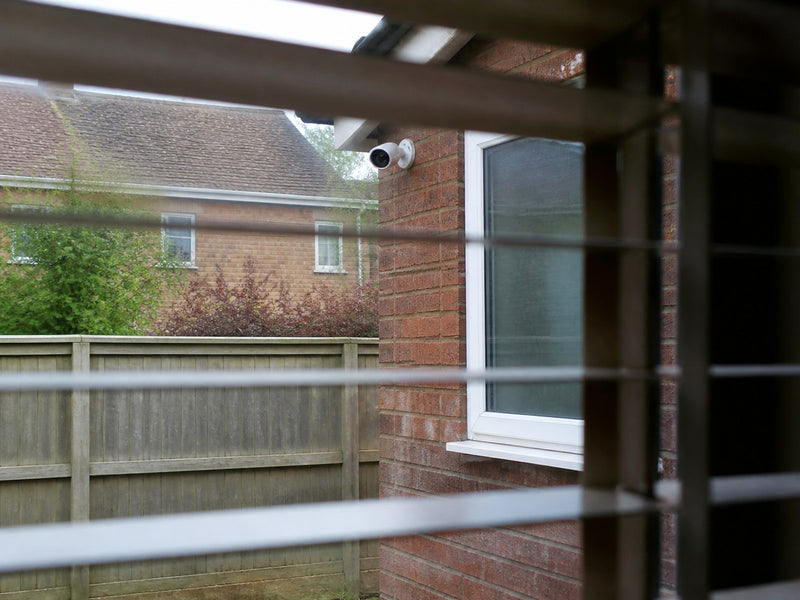


For UK households monitoring the front door, driveway, rear entrance and garden, a four-camera CCTV kit is often worthwhile because each camera can cover a separate priority area.
One or two cameras may be enough for a small flat, a single-entrance home or one specific location. When comparing CCTV camera kits, start with where each camera would go. Four cameras are worth paying for when each one gives you a view you actually need.

Key Takeaways
- A four-camera system is most useful when the front door, driveway, rear entrance and garden each need a separate view.
- Complete CCTV kits offer unified setup, storage and management, while individually selected cameras better suit locations with different connection or recording needs.
- Event recording uses storage only when activity is detected, while 24/7 recording generally needs more storage for the same retention period. Check whether a microSD card or HDD is included and whether the recorder has spare channels for expansion.
- Position each camera so that people or vehicles enter the frame before reaching the monitored area. Test Wi-Fi strength, night-time visibility and detection zones at the final mounting position.
- Choose the ieGeek ZY-Q5 for centralised four-area monitoring, the ieGeek POE System IE82 for wired continuous recording, the ieGeek S7 for Wi-Fi AOV coverage, or the ieGeek ZY-G4 for locations without Wi-Fi.
- UK users should minimise recording outside their property and follow ICO guidance when public or neighbouring areas are captured.
What Does a 4-Camera Home CCTV Kit Include?
A four-camera home CCTV kit usually includes four cameras, mounting accessories and a central recorder or base station. Wired PoE kits commonly use an NVR, Ethernet cables and a hard drive, while a wireless CCTV kit may use a hub, mobile app and microSD storage. Storage may be built in, supplied separately or purchased by the user, so check the package contents before buying.
CCTV Kits vs Buying Cameras Individually: Key Differences
A four-camera setup can use either a complete CCTV kit or several security cameras purchased separately. The simpler choice depends on your home: do all four positions need similar features, or does each one need something different?
| Factor | Complete Four-Camera CCTV Kit | Multiple Cameras Bought Separately |
|---|---|---|
| Initial Cost | Bundle pricing can reduce the cost per camera, but the full system is purchased at once | Cameras can be added gradually, spreading the cost over time |
| Device Management | The four cameras normally use the same app or recorder | Same-brand cameras may share one app; mixed brands may use separate platforms |
| Storage Management | Recordings are usually saved to one base station, DVR or NVR | Users can choose local storage for each camera or compatible central storage |
| Installation | Compatible components may be pre-paired or use the same setup process | Cameras can be installed one at a time, but each model may have different requirements |
| Flexibility | Cameras and future additions must be supported by the system | Each location can use a camera with the most suitable connection and features |
| Best For | Detached or semi-detached homes covering the front door, driveway, rear entrance and garden with one system | Homes combining a doorbell camera, a Wi-Fi garden camera and a 4G camera at a detached garage or outbuilding |
Different Usage Scenarios
A complete kit suits a household that wants to monitor several areas around the same property under similar conditions. For example, four outdoor cameras can cover the front door, driveway, rear entrance and garden while sharing the same app, recording settings and storage location.
Buying cameras separately is more suitable when the positions have different purposes. A doorbell camera may be needed for visitors and parcel deliveries, a PTZ camera for a wide garden, and a 4G camera for a garage beyond the home Wi-Fi network.
Limitations of Each Buying Option
A complete kit is easier to manage, but additional cameras usually need to be designed for the same system. Check the supported device limit rather than assuming it matches the number of cameras supplied. Using the same camera model in every position may not suit areas with different viewing or night-vision needs.
Buying separately allows each camera to match its location, and compatible models can still share one app. However, mixing brands may divide alerts and recordings across different apps, while separate mounts, storage cards, hubs or mobile-data plans can increase the total cost.
How to Choose Between Both Options
Start by listing the purpose and conditions of each position. If all four areas have a reliable connection to the base station or recorder and need similar recording features, a complete kit is usually the simpler option. If one area needs a 4G camera, another needs continuous recording and the front entrance needs a doorbell view, purchasing different cameras is likely to provide a better fit. Compare the full cost, including storage, installation accessories, subscriptions and future expansion, rather than judging either option by the camera price alone.
Which CCTV Setup Offers the Best Value for Your Home?
Think about what you would want to check after an alert: a short clip of a visitor, or the sequence of events around a parked car? The ieGeek options below address four common home security needs.
| System | System Type | Resolution | Recording | Connectivity | Storage | Best For |
|---|---|---|---|---|---|---|
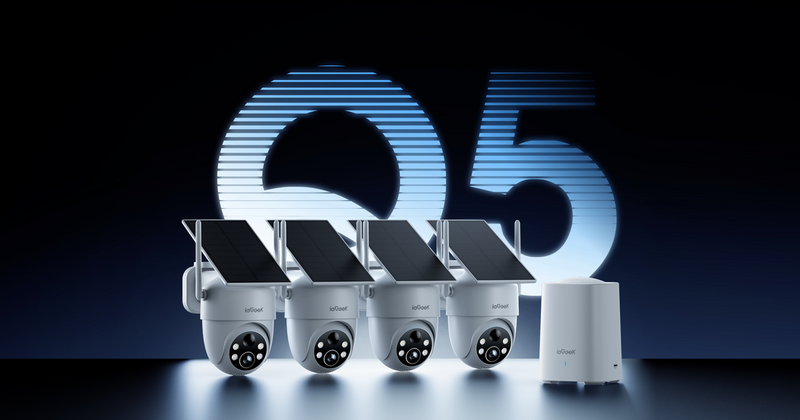
| ieGeek ZY-Q5 | Four-camera base-station kit | 5MP | Event recording | 2.4GHz Wi-Fi and Ethernet | Base microSD up to 512GB | Homes covering several entrances, a driveway and a garden |
| ieGeek POE System IE82 | Wired four-camera PoE kit | 8MP | 24/7 continuous | Ethernet for power and data | 2TB HDD; expandable to 10TB | Homes requiring continuous footage from several areas |
| ieGeek S7 | Wi-Fi AOV camera | 4MP | AOV 24/7 recording | Wi-Fi | microSD up to 256GB | Entrances and gardens within Wi-Fi range |
| ieGeek ZY-G4 | 4G AOV camera | 3MP | AOV 24/7 recording | 4G LTE | microSD up to 256GB | Garages and buildings without Wi-Fi |
Best 4-Camera Wireless CCTV Kit: ieGeek ZY-Q5 Security Camera System
Checking the front door, driveway and back garden becomes easier when you can see them in one place. After an alert, you want to find the right camera and recording without switching between apps.
The ieGeek ZY-Q5 Security Camera System addresses this need with four pre-paired cameras and one base station. Users can view four live feeds simultaneously and manage alerts, playback and camera settings through the same app.
Event recordings are stored on a base-station microSD card up to 512GB. If the internet connection is interrupted, local event recording can continue while the cameras and base station remain powered and connected to each other. This helps preserve event footage during a temporary network outage, although phone notifications will be unavailable until the connection returns.
Key features
- Simultaneous four-channel live view
- Centralised base-station management
- Base-station microSD storage up to 512GB
- Local recording during internet disconnections
- Pre-paired cameras for simpler setup
- Smart alerts and video playback
- Customisable detection zones and schedules
- Adjustable voice alerts and siren
Best for: Detached and semi-detached homes where multiple entrances, a driveway and a garden need to be checked and managed through one system.

Best Wired 4-Camera CCTV Kit: ieGeek POE System IE82
A short clip may show someone beside your car without showing how they got there or what happened next. Recording continuously across several cameras also requires sufficient local storage and a connection that can carry video throughout the day.
The ieGeek POE System IE82 combines four 8MP cameras with an 8-channel NVR and a pre-installed 2TB hard drive. Each Ethernet cable carries both power and video data, while 24/7 recording allows users to review activity before, during and after an event.
Storage can be expanded to 10TB when a longer recording history is required. The 8-channel NVR also provides space for additional compatible cameras, making the system suitable for households that may extend coverage later. Ethernet cables must be routed from the NVR to each camera position.
Key features
- Four 8MP security cameras
- 8-channel NVR
- Pre-installed 2TB HDD
- Storage expansion up to 10TB
- PoE power and data connection
- 24/7 continuous recording
- 355° horizontal and 90° vertical PTZ
- AI detection for people, vehicles, pets and packages
Best for: Homeowners who need continuous footage, central hard-drive storage and the option to add more compatible cameras later.

Best for Continuous Recording: ieGeek S7 and ieGeek ZY-G4 Security Cameras
A property may have reliable Wi-Fi around the house but little or no coverage at a detached garage, farm building or warehouse. If the signal does not reach the place you want to monitor, the connection needs as much attention as the recording mode.
The ieGeek S7 and ieGeek ZY-G4 provide two AOV recording options for these conditions. AOV maintains a low-frame-rate timeline and switches to a higher frame rate when an event is detected, helping users review activity around an alert while controlling battery and storage use. This differs from recording at a full frame rate throughout the day.
ieGeek S7 Wireless 24/7 Recording Camera
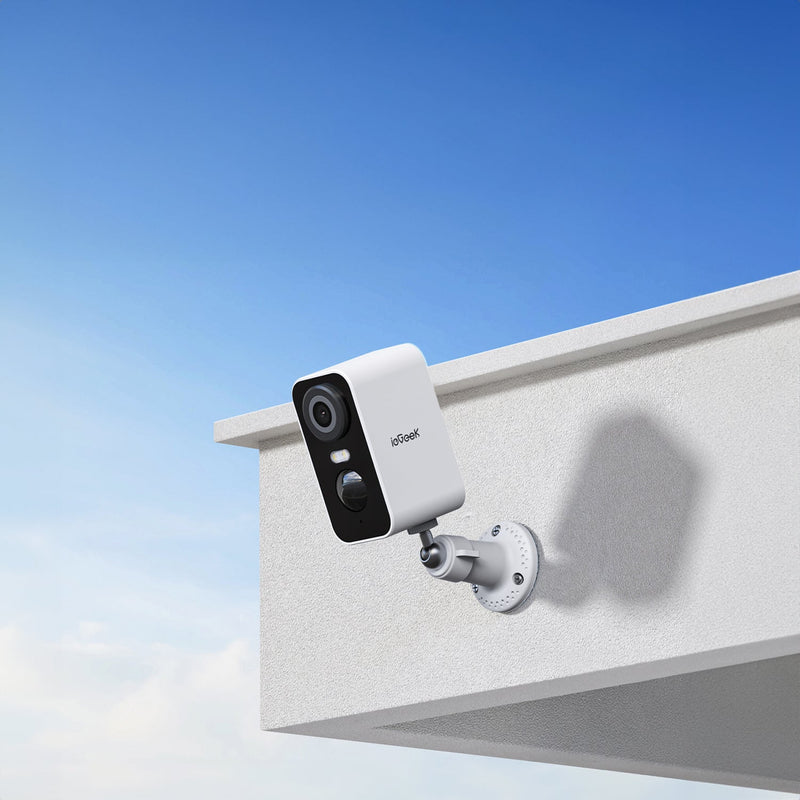
The ieGeek S7 Wireless 24/7 Recording Camera uses home Wi-Fi and suits front entrances, driveways and rear gardens within network range. Its 4MP video and remote PTZ viewing allow users to check different directions through the app. A 9,000mAh battery and solar-assisted charging can reduce the need for frequent manual charging. During shorter UK winter days, keep an eye on battery levels, particularly if the panel is shaded or the camera records frequent activity.
Key features
- 4MP video resolution
- AOV 24/7 recording
- Wi-Fi connectivity
- PTZ remote viewing
- Local microSD storage up to 256GB
- Solar-assisted power
- 9,000mAh battery
ieGeek ZY-G4 4G 24/7 Recording Camera
For locations outside home Wi-Fi range, the ieGeek ZY-G4 4G 24/7 Recording Camera uses 4G LTE to provide remote access. It is suitable for detached garages, farms, warehouses and other outdoor locations where household broadband is unavailable, provided there is a usable mobile signal.
Its 360° PTZ function helps cover a wider area, while the 9,000mAh battery and solar-assisted power support independent outdoor installation. Local footage can be stored on a microSD card up to 256GB. Remote access requires a compatible SIM and mobile-data plan.
Key features
- 4G LTE connectivity
- AOV 24/7 recording
- 3MP video resolution
- 360° PTZ monitoring
- 9,000mAh battery
- Solar-assisted power
- Local microSD storage up to 256GB
Best for: Properties that need AOV recording across areas with different network conditions, using ieGeek S7 near the home and ieGeek ZY-G4 where Wi-Fi is unavailable.

How to Set Up a 4-Camera CCTV System
Set up each camera around a defined monitoring area, then confirm its connection, recording and alerts before relying on the system.
Step 1: Plan Camera Placement
Assign one camera to each priority area, such as the front door, driveway, rear entrance and garden. Position it so that people or vehicles enter the frame before reaching the target area, while avoiding direct lights and heavily overlapping views. For a terraced house, check whether the rear view includes a shared alley or neighbouring garden. Keep recording within your property where possible; otherwise, follow the ICO’s home CCTV guidance.
Step 2: Connect the Cameras
The connection method depends on the system type. With a base-station kit, only the base station connects to the router; the cameras connect wirelessly to the base. The ieGeek ZY-Q5 Security Camera System follows this method: connect the powered base station to a router LAN port with an Ethernet cable, then add it in the ieGeek Cam App. The four pre-paired cameras should connect automatically. With a PoE camera system, connect each camera to a PoE port on the NVR using an Ethernet cable. Standalone Wi-Fi cameras are usually paired individually through their mobile app.
Step 3: Configure Recording Settings
App-based wireless systems usually manage recording through a mobile app, while PoE systems use the NVR menu on a connected monitor or app. Check that the microSD card or hard drive is recognised, back up any existing footage before formatting, and select the available recording mode. Then set detection zones, alert sensitivity, monitoring schedules and automatic overwriting. Check the UK time zone and daylight-saving settings so recordings show the correct time when the clocks change. On the ieGeek ZY-Q5 Security Camera System, detection zones, schedules, alerts and playback are managed through the ieGeek Cam App.
Step 4: Test the System and Check Camera Views
Walk through each monitored area during the day and check the night vision camera view after dark, then confirm that the correct camera sends an alert and saves a playable recording. Review all four live views for blind spots or excessive overlap, and adjust the camera angles if necessary. If the system supports offline local recording, briefly disconnect the internet without switching off the base station or recorder, and confirm that recordings remain available after reconnection.
FAQ
What is the price of a CCTV kit?
UK prices vary by camera count, storage and installation requirements. Check the complete-kit price and ask installers for an itemised quote showing whether VAT is included. The lower advertised price of some cheap CCTV camera kits may exclude storage, cables, mounts or installation, so compare the total cost before buying.
How long can a 4-camera CCTV system store footage?
There is no fixed retention period for an event-recording system. The ieGeek ZY-Q5 stores motion-triggered footage from its cameras on a base-station microSD card of up to 512GB. How long that storage lasts depends on how often each camera detects activity and the length of each recording; cameras facing a busy driveway will use capacity faster than those monitoring a quiet garden.
Can I add more cameras to a 4-camera CCTV kit later?
Yes, as long as the recorder has unused channels and the new cameras are compatible. Planning for spare capacity avoids replacing the recorder when coverage needs grow. The ieGeek POE System IE82 starts with four cameras connected to an eight-channel NVR, allowing up to four compatible cameras to be added later.
Do CCTV kits require a monthly subscription?
Not necessarily. Kits that record to a microSD card or hard drive can usually be used without a monthly fee. For example, the ieGeek ZY-Q5 stores event footage on the base station, so users only pay a subscription if they choose optional cloud storage.
Do you legally have to tell people you have CCTV?
Usually not for purely household use where cameras record only within your property. If they capture public, communal or neighbouring areas, UK rules require clear signage, secure storage and responsible deletion. You must also respond appropriately to requests from people recorded. Detection zones control triggers and may leave the full view visible in recordings; use camera positioning or supported privacy masking to exclude unnecessary areas.
Conclusion
Choose four cameras because you have four useful views to cover. First map the areas that genuinely need monitoring, then check the available network, required recording history and installation conditions at each point. A complete kit is a practical choice when those areas have similar needs, while a mixed setup offers more flexibility when they do not. If only one or two locations require coverage, starting with fewer well-positioned cameras will usually provide better value.
About the author
 |
Developed by the ieGeek content team, combining hands-on experience with smart devices and insights into real user needs. ieGeek is widely known for smart security, our solutions are also designed for a variety of real-life scenarios, including travel, outdoor monitoring, pet care, and family safety. We focus on delivering simple, dependable solutions that fit seamlessly into daily life. |