



Wireless security cameras have become the default choice for UK homes and small businesses, prized for quick installation and remote monitoring from a phone. That convenience comes with a less obvious weakness: an illegal jamming device can flood the 2.4 GHz or 5 GHz band your camera relies on, severing its link to your router at the worst possible moment. This is a wifi jammer, and its appeal to opportunistic burglars is exactly the gap between a camera "going offline" and footage being lost when it matters most.
Burglary remains a real concern across England and Wales, with police recording 223,456 burglary offences (residential and non-residential combined) in the year ending March 2026 (ONS). When only around 5% of residential burglaries result in a charge (Home Office crime outcomes), the footage your cameras capture often becomes your best evidence. This guide explains how a wifi jammer works, how to tell jamming from ordinary faults, and how to build a setup that keeps recording when the wireless link is attacked.
Key Takeaways
-
A wifi jammer attacks the wireless link, not the camera itself. It floods the 2.4 GHz or 5 GHz band so cameras cannot reach the router, stopping live view, alerts and cloud uploads while locally stored footage stays intact.
-
Most cameras that go offline are not being jammed. Router faults, broadband outages, weak signal and everyday interference are far more common, and checking a wired device first tells them apart.
-
Resilience comes from layers rather than a single setting. Wired PoE, local microSD/NVR recording, a cellular backup path, network hardening and signal-loss alerts together keep footage and warnings working during an attack.
-
WiFi-only, cloud-only cameras are the most exposed setups. Models with local storage preserve evidence even when the cloud upload is severed, so they should not be your only option for critical positions.
-
Using a jammer is a criminal offence in the UK. Under Section 68 of the Wireless Telegraphy Act 2006, use is illegal, Ofcom enforces the rules, and an April 2026 UK Government call for evidence examined whether possession should become a specific offence.
-
If you suspect jamming, preserve evidence first. Keep logs and footage, contact Ofcom and the police, and avoid resetting devices or confronting anyone you suspect.

What Is a WiFi Jammer and Why It Targets Security Cameras
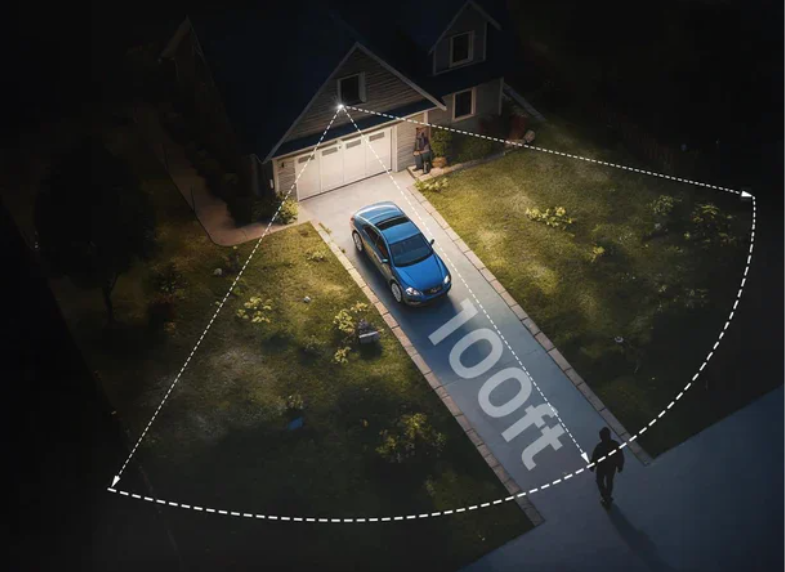
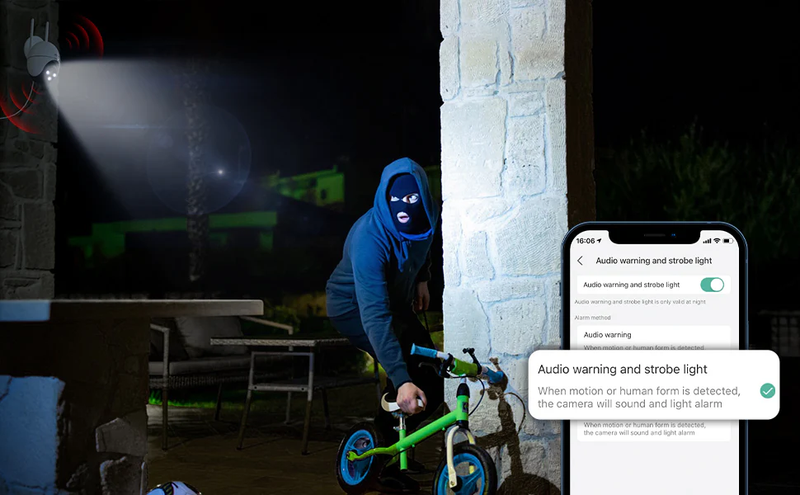
A wifi jammer is a device that transmits radio "noise" on the same frequencies your wireless equipment uses, overwhelming legitimate signals so cameras, doorbells and phones can no longer communicate with the router. Rather than damaging the camera itself, it attacks the invisible link between the camera and your network. Burglars favour this approach because a camera that cannot upload or stream is, for the duration of the attack, effectively blind.
Which Camera Setups Are Most at Risk
Setups that depend entirely on a single 2.4 GHz WiFi link and cloud-only storage are the most exposed. A battery-powered wifi camera placed at a side gate, or a wireless doorbell on the front door, typically has no wired fallback, so losing the wireless connection means losing live view, motion alerts and cloud uploads simultaneously. Cloud-only recording is particularly fragile, because once the connection drops nothing is uploaded at all.
Devices locked to the 2.4 GHz band are also more vulnerable than dual-band alternatives, since 2.4 GHz is often more congested and commonly affected by such devices. The risk is not purely theoretical: a doorbell that reliably streams by day but "disconnects" the instant someone approaches the porch is a signature worth investigating, not dismissing as a glitch.
Understanding Wireless Internet Jammer Technology
-
Sending video footage to cloud storage
-
Providing live viewing through a smartphone app
-
Uploading motion detection recordings
-
Sending push notifications when movement is detected
If the wireless connection becomes unstable, these functions may be delayed or temporarily unavailable.
However, it is important to understand that WiFi jamming does not normally mean the camera itself has been accessed. The device may still be operating correctly, but its connection pathway has been interrupted. For this reason, professional security planning focuses not only on the camera itself but also on the overall system design, including network reliability, recording methods and backup options.
Which Home & Business Devices Are Most Vulnerable to WiFi Jammer Attacks
Opening summary: This segment ranks security hardware by jamming susceptibility, clearly separating high-risk wireless IoT equipment from interference-resistant wired or cellular alternatives suitable for UK residential and small business sites.
High-Risk Wireless CCTV & Smart Security Gear
Single-band 2.4GHz wifi camera represents the highest risk category, alongside battery-operated wireless doorbell camera units that lack secondary connectivity pathways. Budget indoor plug-in cameras relying solely on Wi-Fi transmission and older-generation smart alarm motion sensors also suffer total failure during WiFi jammer activation. Many entry-level surveillance kits marketed for UK renters depend entirely on wireless communication and cloud-only recording, leaving zero tangible footage if a burglar deploys a jammer for WiFi to sever the network link during an attempted break-in. These devices remain popular due to easy installation but carry critical security drawbacks in high-crime postcodes.
Other IoT Devices Affected by Wireless Internet Jammer
The ripple effect of a wireless internet jammer extends far beyond CCTV hardware to the broader smart home ecosystem installed across British households. Bluetooth-enabled smart locks, wireless window contact sensors, smart lighting hubs and Wi-Fi connected intruder alarm control panels all cease communicating with the central hub once radio frequencies are blocked.
For small retail shops running integrated wireless stock tagging systems and remote alarm setups, a single jamming device can disable multiple layers of loss prevention technology simultaneously, creating a wide operational and security blind spot that intruders can exploit without detection by property owners.
Low-Risk Equipment Immune to Signal Jammer WiFi
Any device transmitting data through physical cabling or independent cellular networks remains fully protected against signal jammer WiFi radio frequency blocking. Hardwired PoE IP cameras connected via ethernet cables to an on-site NVR recorder cannot be disrupted by over-the-air interference, alongside standalone wired alarm control panels with hardwired sensor circuits.
4G security camera models with embedded mobile data modems operate entirely separate from domestic Wi-Fi infrastructure, switching automatically to cellular data when local wireless networks are compromised. Newer Wi-Fi 6E cameras utilising the 6GHz band also avoid most consumer jamming hardware limitations for users unwilling to undertake full wired renovation work.
Vulnerability Comparison Against WiFi Jammer for UK Security Devices
| Device Type | Susceptibility to WiFi Jammer | Anti-Jamming Advantage | Ideal UK Usage Scenario |
| 2.4GHz Single-Band Battery WiFi Cameras | Very High | None | Low-risk back garden monitoring only |
| Dual-Band 2.4GHz/5GHz Wi-Fi 6 Cameras | Medium | 5GHz band less commonly jammed | Suburban semi-detached homes |
| PoE Wired Ethernet CCTV | Zero | Physical cable data transmission | High-value homes, corner shops, pubs |
| 4G Cellular Security Cameras | Zero | Independent mobile network | Remote farms, outbuildings, holiday lets |
| Wi-Fi 6E 6GHz Surveillance Cameras | Very Low | Rarely targeted by budget jammers | Premium residential full perimeter coverage |
How to Prevent a WiFi Jammer from Blinding Your Cameras
Move Critical Cameras to Wired Ethernet (PoE)
Power-over-Ethernet cameras connect to your router through a data cable rather than WiFi, placing them entirely outside the reach of a wifi jammer. For the cameras that matter most — covering front doors, driveways and main entry points — a wired connection is the single most effective defence, because it removes the vulnerable wireless link altogether.

PoE does require cabling to each camera and a PoE-capable switch or injector, which makes it more involved to install than a wireless camera. The trade-off is worthwhile for fixed, high-priority positions where reliability matters more than convenience. Where cabling is genuinely impractical, treat that camera as wireless-only and compensate with the local-storage and backup measures below.
Keep Footage Locally with microSD or NVR
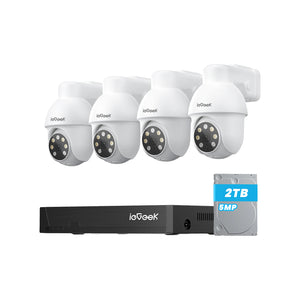
Local recording means footage is written to a card or recorder inside your home, so it survives even when a wireless internet jammer prevents cloud upload. A solar-powered camera such as the ieGeek ZS-GX4S 5MP Solar Security Camera records motion events to a microSD card (up to 128 GB) alongside its cloud option, so the clip of an incident is preserved on the device itself when the network drops.
For continuous coverage rather than event-only clips, a model advertised for 24-hour recording such as the ieGeek S7 Wireless 24-hour Recording Camera is suitable for all-day monitoring — confirm local microSD or NVR recording is enabled so footage is kept on-site during connectivity gaps. Pairing cameras with an NVR further strengthens this layer, because recordings are centralised on a wired recorder that a wireless attack cannot reach. The principle is simple: never let the only copy of your footage depend on a connection an attacker can cut.

Add Cellular or Dual-Path Backup
A camera that can fall back to a 4G or 5G connection keeps reporting when your broadband or WiFi is down, whether through an outage or an attack. A 4g security camera with its own SIM provides a second path to the internet that does not share the vulnerable WiFi link, so alerts and uploads can still reach your phone during a jamming attempt.
Dual-path designs are common in professional alarm systems for exactly this reason: if the primary route fails, the backup takes over automatically. For homeowners who cannot run Ethernet to every camera, adding one cellular-connected camera covering the most critical angle is a practical middle ground. A security camera that connects to phone without wifi through cellular is also useful where there is no reliable home broadband at all, such as a remote garage or allotment.
Harden Your Wireless Network
Network hardening reduces everyday interference and blocks related attacks, though it will not stop raw RF jamming. Enabling WPA3 with Protected Management Frames guards against deauthentication attacks, while disabling WPS, changing default admin credentials and turning off remote management close common entry points. Locking cameras to 5 GHz where supported also helps, because 5 GHz is less congested and harder to overwhelm than 2.4 GHz.
Good router placement matters too: positioning the router centrally, away from thick walls and competing 2.4 GHz devices, improves signal margin so that ordinary interference is less likely to be mistaken for a deliberate attack. Treat these settings as necessary hygiene rather than a jamming cure.
Treat Signal Loss as an Alarm Event
Many modern systems can be configured so that the loss of a camera's connection raises an alert, rather than failing silently. When your camera drops offline, a notification to your phone — or, better, a signal to a monitored alarm panel — turns a passive gap into an active warning that something may need attention.
This is how professional monitored alarms already behave: communication loss with the monitoring centre is itself treated as a potential intrusion and investigated. Bringing the same logic to home cameras means that a wifi jammer cannot disable your system quietly. Even if footage is interrupted, the alert gives you time to check, and the local recording ensures the moments before the dropout are not lost.
Are WiFi Jammers Legal in the UK?
Using a wifi jammer in the UK is a criminal offence. Under Section 68 of the Wireless Telegraphy Act 2006, using apparatus that interferes with wireless telegraphy is against the law, and Ofcom is the body responsible for enforcing the relevant regulations. Supplying non-compliant radio equipment is also prohibited under the relevant UK regulations.
The legal position on merely possessing a jammer is more nuanced. According to the UK Government's April 2026 call for evidence, possession is not currently a specific standalone offence, but that document examined whether it should become one. This is not a green light to own one — it signals the law may tighten, and any actual use already carries criminal liability.
What to Do if You Suspect a Jammer Is Being Used Against You
If you believe a jammer is being used against your property, start by preserving evidence rather than resetting anything. Keep local recordings and router or camera logs, note the times and durations of the dropouts, and list which devices were affected. Avoid powering off the router or cameras, as this can overwrite the very logs that would support a report.
In a genuine emergency, or if a break-in appears to be in progress, dial 999; for non-urgent suspicious circumstances, use 101. Report suspected interference to Ofcom, which investigates such complaints, and contact your broadband provider to rule out a network fault. If anything is taken, your insurer will value a clear timeline and preserved footage, so keep copies before handing anything over.
What NOT to Do
Do not buy, borrow or "test" a jammer — using one is a criminal offence regardless of intent. Trying to jam back or use a similar device against a suspected attacker simply creates a second offence and risks disrupting neighbours' broadband, emergency communications and other services.
Avoid confronting anyone you suspect directly; leave that to the police. Equally, do not accuse neighbours or specific individuals without evidence, and resist the urge to reset your router or restore cameras to factory settings before logs and footage are safely backed up.
Building a Jam-Resilient Security Camera Setup
Resilience comes from layering independent defences rather than relying on any single feature. The most robust setups combine wired backhaul for critical cameras, local recording, a cellular backup path, and alerting that treats any communication loss as significant. The aim is that no single failure — jamming, a power cut, or a broadband outage — leaves you with neither footage nor warning.
For an outdoor layer, exterior house cameras on PoE where cabling allows — with a wireless doorbell camera covering the front door — or solar-powered wireless cameras with local storage where cabling does not, give continuous coverage of approaches and entry points. Indoors, a model such as the ieGeek ZY-G4 4G 24/7 Recording Camera offers 24/7 recording to a microSD card (up to 256 GB, around 30 days) and supports 5 GHz as well as 2.4 GHz, while integrating with an ieGeek NVR for centralised, wired storage.

When choosing any camera, the megapixel ip resolution matters for evidence quality, but resilience features matter more against jamming. The table below summarises how common setups compare.
| Camera setup | Jamming resilience | Footage if WiFi drops | Best suited to |
| WiFi-only, cloud recording | Low | Lost | Casual monitoring only |
| WiFi + local microSD/NVR | Medium | Preserved locally | Most homes; good cost/resilience balance |
| PoE + NVR + cellular backup | High | Preserved & still uploaded | High-risk homes, businesses, key entry points |
Quick Checklist — Make Your Security Cameras Jam-Resistant
-
Prioritise a wired Ethernet (PoE) connection for the cameras covering main entry points.
-
Ensure every camera records locally to microSD or an NVR, not to the cloud alone.
-
Add at least one cellular (4G/5G) camera or backup path for critical angles.
-
Enable WPA3 with Protected Management Frames, and disable WPS and remote management.
-
Lock cameras to 5 GHz where supported and position the router centrally.
-
Configure your system to alert you when a camera goes offline, not fail silently.
-
If you suspect jamming, preserve logs and footage, then contact Ofcom and the police.
Frequently Asked Questions
Can a wifi jammer really disable my security camera?
Yes, but only its wireless link. A wifi jammer floods the 2.4 GHz or 5 GHz band so the camera cannot reach your router, which stops live view, motion alerts and cloud uploads. A wired (PoE) camera and any footage stored locally are unaffected, because neither relies on the wireless link the jammer targets.
Is owning a signal jammer wifi device legal in the UK?
Using one is a criminal offence under Section 68 of the Wireless Telegraphy Act 2006. Possession is not currently a specific standalone offence; an April 2026 UK Government call for evidence examined whether it should become one. The safest and only lawful position is not to buy, own or use one.
Do wired security cameras get affected by wifi jammers?
No. PoE and Ethernet-connected cameras send data over a cable, so a wifi jammer has no way to interrupt their connection. They continue streaming and recording normally, which is why wired backhaul is recommended for the cameras that matter most.
How do I know if my camera dropped offline due to jamming or just my internet?
Check a wired device first. If an Ethernet-connected PC or TV still has internet but only wireless devices drop, the problem is on the wireless layer. If wired devices lose connectivity too, it is a router or broadband fault — the most common explanation — not jamming.
What is the most jam-resistant home security camera setup?
A PoE camera connected to a wired NVR, with local recording and a cellular backup path, is the most resilient configuration. It removes the wireless link a jammer targets, keeps footage on-site, and can still alert you over 4G/5G if the main connection fails.
Conclusion
A wifi jammer can affect how wireless security cameras communicate, but it does not automatically mean a camera system has been hacked or completely disabled. The real impact depends on the camera design, recording method and overall security setup. For UK homeowners, the most practical approach is creating a balanced system that combines convenience with reliability. Wireless cameras are suitable for many everyday situations, while local recording, secure networks and wired connections can provide additional protection for important areas.
Author Intro
 |
Developed by the ieGeek content team, combining hands-on experience with smart devices and insights into real user needs. ieGeek is widely known for smart security, our solutions are also designed for a variety of real-life scenarios, including travel, outdoor monitoring, pet care, and family safety. We focus on delivering simple, dependable solutions that fit seamlessly into daily life. |