

If your CCTV records only your home, private garden or driveway, UK law does not usually require a sign. If it captures a pavement, road, neighbouring property or communal area, the UK GDPR and Data Protection Act 2018 apply, and you should display a clear CCTV notice.
This guide explains when a sign is needed, what it should say and where to place it, as well as the rules on recording areas, storage and footage sharing.
Key Takeaways
-
You do not usually need a CCTV sign if the camera records only your home, private garden or driveway. A sign is needed if identifiable people may be recorded beyond your property boundary.
-
UK data protection rules may apply when CCTV captures areas outside your property, as footage of passers-by, neighbours or people using shared spaces can count as personal data.
-
Place the notice where people can see it before entering the monitored area. It should state that CCTV is in operation, explain the purpose of the recording and provide a suitable contact method.
-
Keep the camera’s field of view as narrow as reasonably practical, use privacy zones where needed and avoid recording audio unless you have a specific reason to do so.
-
Keep footage secure, limit access and use a reasonable retention period. Save relevant clips separately where an incident needs further investigation or may be required as evidence.

UK CCTV Laws for Homeowners
The answer to “Do I need to display a CCTV sign at home?” depends mainly on what the camera records, not where you mount it. Even a camera fixed to your own wall falls under data protection law if its view extends beyond your property.
Within Your Property
CCTV that records only your front door, enclosed garden or private driveway normally falls under the household exemption, so you do not usually need a sign. Within this private area, choose the camera according to the space you need to cover.
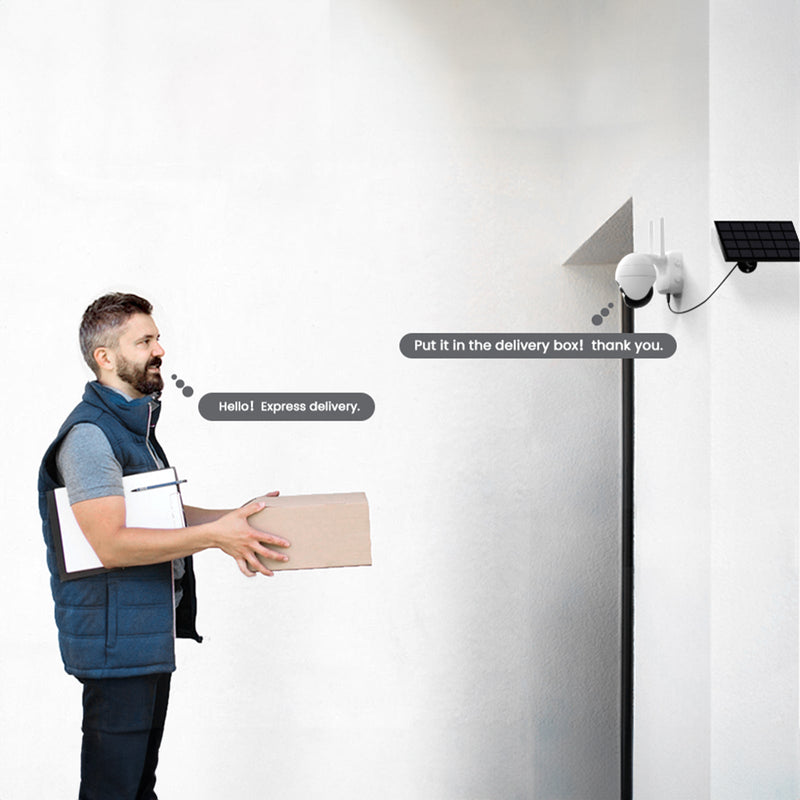
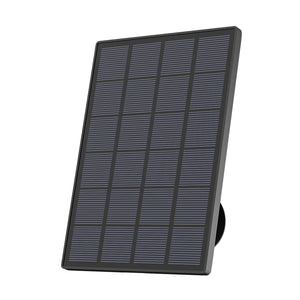
For a compact garden, side gate or short driveway, the ieGeek Solar Security Camera S5 combines 2K video with 355° pan-and-tilt control. Its PIR sensor and AI human detection capture people entering the area, while the rechargeable battery and detachable solar panel allow installation without an outdoor power socket.
For a larger front garden or private driveway, the ieGeek Wireless 24/7 Recording Camera S7 provides AOV 24/7 recording, remote playback and 360° tracking. It retains a fuller timeline of vehicles, deliveries and visitors moving across the property rather than only a short motion-triggered clip.
In either case, a sign is normally unnecessary while all footage remains within your property; that changes once the camera records a public, neighbouring or shared area.
Beyond Your Boundary
If your CCTV captures a pavement, road, neighbouring property or another area beyond your boundary, the UK GDPR and Data Protection Act 2018 apply. Such recording is not automatically illegal, but you must have a clear security reason.
According to the ICO guidance on home CCTV, you should:
- display a visible CCTV sign;
- record no more than necessary;
- keep footage secure and delete it when no longer needed;
- respond to requests from identifiable people in the footage.
Avoid recording audio unless you have a specific reason for doing so, as microphones may capture unrelated private conversations.
Shared Residential Areas
Shared driveways, communal landings and residents’ car parks do not belong exclusively to one household. If your camera records these areas, data protection law applies even when you install it on your own door or wall.
You should have a justified security purpose, display a CCTV sign and limit the recording to the area you need to protect. Tenants and leaseholders should also check whether their landlord, freeholder or managing agent requires permission for installation.

What Should a Home CCTV Sign Say?
A CCTV sign should tell people about the recording before they enter the monitored area. Use plain language rather than relying on a camera symbol or a general security warning.
A suitable notice could say:
- CCTV is in operation for the security of this property.
- Images are recorded.
- For enquiries, contact: [email address]
Where the system records sound, state this clearly. You can also identify the purpose as property protection or crime prevention.
|
Sign element |
What to include |
|
Recording notice |
“CCTV is in operation” |
|
Purpose |
Security or crime prevention |
|
Recording type |
Images and, where relevant, audio |
|
Contact method |
An email address or another suitable option |
No single wording suits every home, but the notice should accurately reflect what your system does. Avoid displaying more personal information than necessary; a dedicated email address allows people to contact you without revealing your private telephone number.
How to Display a CCTV Sign at Home
Correct wording will not help if visitors cannot see the notice. Position it before the point where people enter the camera’s recording area.
Choose a Visible Location
A front gate, driveway entrance or wall beside the main approach usually works well. When planning your home CCTV installation, check the position from the pavement, since a notice that appears prominent from inside the garden may disappear behind a hedge, parked vehicle or open gate when viewed from outside.
Keep It Clear and Readable
Visitors should be able to read the wording from a normal approach distance. Simple lettering and strong colour contrast work better than decorative fonts or patterned backgrounds. Choose a weather-resistant sign and replace it when fading, dirt or damage affects its readability.
Cover Every Entrance
One notice may be enough for a house with a single path to the front door. Properties with a side gate, rear lane or separate driveway may need additional signs so that delivery drivers, visitors and contractors can see a notice before entering the monitored area.
What Else Must Homeowners Do When Recording CCTV?
A sign tells people that recording takes place, but it does not make an intrusive camera position acceptable. You must also control what the system records and how you handle the resulting footage.
Limit the Recording Area
Use the narrowest view that still protects your property. When positioning outdoor security cameras, adjust the mounting angle and apply privacy zones to block neighbouring windows or gardens. PTZ and auto-tracking cameras require particular attention because their view can change after installation; pan limits and tracking zones can prevent the camera from following someone along the pavement after they pass your entrance.
Review the live image during both day and night. A view that appears reasonable during setup may reveal more once streetlights, vehicle headlights or the camera’s night vision activate. If the settings cannot exclude unnecessary areas, reposition the camera.
Set a Retention Period
UK law does not impose one retention period on every home CCTV system. Your security purpose should determine how long you keep recordings. Storage capacity and recording settings affect how quickly a security camera with an SD card overwrites older footage. Many homeowners use automatic overwriting after 14 or 30 days, then save a relevant clip separately following a break-in, damaged vehicle or missing parcel. These are practical examples rather than legal limits.
Continuous recording produces more footage than motion-triggered recording, so check your storage settings and choose a reasonable overwrite period. Keeping months of routine activity without a specific reason may be difficult to justify where data protection law applies.
Secure and Share Footage
Protect the account connected to your security cameras with a strong, unique password and enable two-step verification where available. Only give access to household members who need it, and avoid posting clips online simply because someone looks unfamiliar.
The footage may identify innocent passers-by, children, addresses or vehicle registration numbers, so send relevant evidence directly to the police or your insurer instead.
People recorded outside your boundary may request footage in which they appear. You will usually need to respond within one calendar month, and footage containing other identifiable people may require editing before you provide a copy.
FAQs
Is It Illegal to Have CCTV Without Signage?
Not in every case. You normally do not need a sign if the camera records only your house, private garden or driveway. A sign becomes necessary when identifiable people may be recorded on a pavement, road, neighbouring property or communal area. Operating such a system without giving clear notice may breach UK data protection law.
Do I Have to Tell My Neighbours I Have CCTV?
You do not normally have a legal duty to notify each neighbour personally when CCTV records only your private property. If it captures a neighbouring, public or shared area, data protection law requires you to provide clear notice, usually through a visible CCTV sign. This does not necessarily require speaking to every neighbour individually.
My Neighbour Is Filming Me on Their Property. What Should I Do?
First, ask the neighbour why they need the camera, what it records and whether they can block your windows or garden from view. You may also request a copy of footage in which you appear; they will usually need to respond within one calendar month.
If the issue remains unresolved, keep copies of your correspondence and complain to the ICO. Contact the police when the recording forms part of harassment, stalking or threatening behaviour.
Where Not to Put Security Cameras?
Do not place a camera where it records inside a neighbour’s home or regularly monitors their private garden. Cameras should also avoid bathrooms, changing areas and other places where people have a strong expectation of privacy.
In flats, communal landings and shared entrances fall under data protection law, and the lease or tenancy agreement may require permission before installation.
Who Can View CCTV Footage in the UK?
CCTV footage should only be viewed by the homeowner and people authorised by them to access the system. Relevant clips may also be shared with the police or an insurer where they are needed to investigate a crime, accident or insurance claim.
A person recorded by the camera may request footage in which they appear, but this does not give them access to all recordings. You may need to blur or otherwise obscure other identifiable people before providing a copy.
Conclusion
Before relying on your home CCTV, check the system from a visitor’s point of view. Walk each route leading to the property, confirm that any required sign is easy to see, and review the camera view in daylight and after dark. Adjust the angle, privacy zones and tracking limits if the camera captures more than is needed for your security purpose.
Set a reasonable overwrite period, restrict access to the account and review the setup whenever you move the camera or change its recording settings. These simple checks help protect your home while limiting unnecessary recording of neighbours, visitors and passers-by.
Author Introduction
 |
Written by the ieGeek team, a brand dedicated to making smart security simple and accessible for everyone. With experience in designing easy-to-install security cameras, we aim to provide practical advice based on real user scenarios. Our goal is to provide reliable, easy-to-use technology that helps users stay connected and protected in different environments. |