

Have you ever worried about who pays for your security footage every month? Many homeowners don‘t realise that simple cloud storage fees can quietly add up. Nowadays, More people are choosing local storage for its privacy and lower cost. The global SD card market was $11.38 billion in 2025, and will grow from $11.89 billion in 2026 to $17.07 billion by 2034. A security camera with SD card, often called an sd card surveillance camera, gives you full control over your footage. No monthly bills. No third‑party servers. Just your data, on your terms.
This guide explains why SD card surveillance cameras are a smart choice for UK homes. You’ll learn how they work, how to pick the right card, and which models fit your needs.

What is an SD Card Surveillance Camera?
An SD card surveillance camera records video onto a memory card. The card sits inside the camera. It does not rely on a remote server to save your footage. You buy the camera and the memory card. After that, you own the storage outright.
These cameras capture video when they detect motion or sound. The internal processor compresses the video file. It then saves this file directly to the inserted micro SD card. You can view saved footage later using a smartphone app. Or insert the card into a computer.
Key Benefits of Security Cameras with SD Cards
Why does a security camera with SD card make sense for your home?? Let’s look at five real advantages.
Better privacy
A security camera with SD card keeps your footage private. Your footage never leaves your property. No cloud server, no third‑party access, no risk of a data breach exposing your home videos. Local storage gives you full control over who sees your recordings. For many security experts, keeping footage on a physical card in your home is the most private option available.
No monthly fees
Cloud subscriptions charge you every month, even if nothing happens. With an SD card, you pay once and that is it. No recurring bills. No surprise price increases. Your security camera keeps working year after year without asking for more money. You buy the card, insert it, and own your storage forever. That is the real cost saving of local recording.
Easy setup
Local storage cameras are incredibly easy to install. You just insert the memory card and turn the device on. No account creation. No Wi‑Fi configuration for cloud uploads. Just insert the card and go. Most SD card cameras work right out of the box. You can set them up in minutes, even if you are not tech‑savvy.
Works without internet
SD card models can record even if your home Wi-Fi drops. The camera continues to detect motion and save clips to the card. This feature is perfect for garden sheds or allotments where Wi‑Fi cannot reach.
Convenient access and Flexible capacity
You choose how much storage you need. If you only want a few days of video, a small memory card works perfectly. If you want weeks of recording, upgrade from 32GB to 128GB or 256GB. You can swap cards to expand storage or move footage to a computer.
SD Card vs. Cloud Storage: Which Is Best for Your Needs?
Both options have their strengths. The right choice depends on what you value more: low cost and privacy, or convenience and off‑site backup. Here is a side‑by‑side comparison.
|
Feature |
SD Card Storage |
Cloud Storage |
|
Monthly Fees |
None |
£3 to £10+ per month |
|
Privacy |
Footage stays local. No remote access without a physical card. |
Encrypted, but the provider holds your data on servers. |
|
Internet Need |
No internet required |
Needs internet (Wi‑Fi or 4G/5G) |
|
Storage Limit |
Depends on card size |
Often unlimited (Subscription-based) |
|
Theft Risk |
Footage lost if the camera is stolen |
Footage safe off‑site |
|
Remote Access |
Live view & playback via app (camera on your network) |
Live view & past clips from anywhere |
In short, security cameras with SD cards are best for renters, budget-conscious buyers, and privacy advocates. Cloud cameras suit people who want off-site backups and do not mind paying monthly fees.
4 Top Types of Best Security Cameras with SD Card
Not every security camera fits the same situation. Where you need to place it matters. Below are four top types, each with a real‑world example.
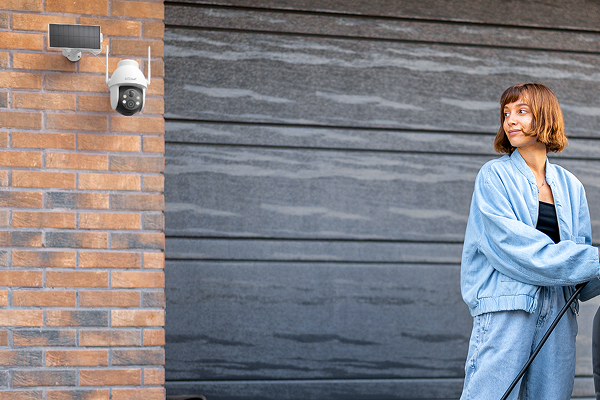
Best Wireless Security Camera with SD Card - ieGeek Solar Security Camera ZS-GX4S

The ZS-GX4S records 5MP ultra HD video directly to a microSD card. No subscription, no third‑party server. It runs on solar power with three built‑in rechargeable batteries.
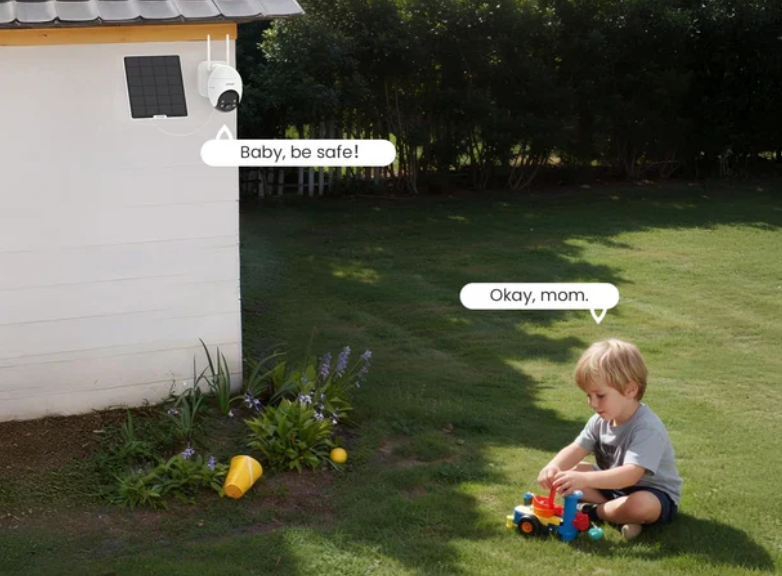
The free app lets you pan the camera 355° horizontally and 120° vertically for 360° coverage. Intelligent PIR motion detection triggers a floodlight and siren. It also sends instant alerts to your phone. You can get two‑way audio and encrypted video sharing. It supports microSD cards up to 128GB for daily recordings. Also includes free lifetime cloud storage (6‑second clips, 7‑day loop).
Battery Operated Security Camera with SD Card - ieGeek 4G Cellular Camera S11
The S11 records video directly to a microSD card. No Wi‑Fi needed. It runs on 4G LTE. This makes it perfect for barns, construction sites, or any location without internet. Even if the mobile signal drops, the camera continues recording to the card. A 5W solar panel and a 10000mAh battery keep it powered continuously.
The camera features smart person detection. You receive alerts only when people are detected. No false alarms from animals or passing cars. With an IP66 weatherproof rating, it stands up to UK rain and cold. The rugged design ensures reliable outdoor protection. The S11 supports microSD cards up to 128GB. It also offers free lifetime cloud storage (6‑second clips, 7‑day loop).
Indoor Security Camera with SD card - ieGeek Indoor Camera SC1 Pro
The SC1 Pro records 5MP UHD video directly to a microSD card. No monthly fees. It supports dual‑band Wi‑Fi (2.4GHz and 5GHz) for a stable live feed. Simply plug it in, and setup takes less than five minutes.
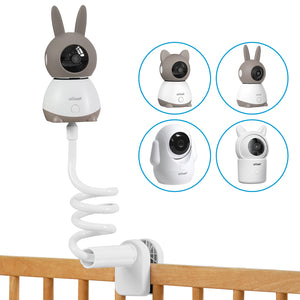
The camera features auto‑tracking with 360° horizontal and 55° vertical movement. When motion is detected, it follows the action and sends real‑time alerts to your phone. Auto IR night vision works up to 50ft, so you can see clearly even in the dark. Perfect for watching pets, babies, or elderly relatives. The SC1 Pro supports microSD cards up to 256GB (not included). It also offers free lifetime cloud storage (6‑second clips, 7‑day loop).
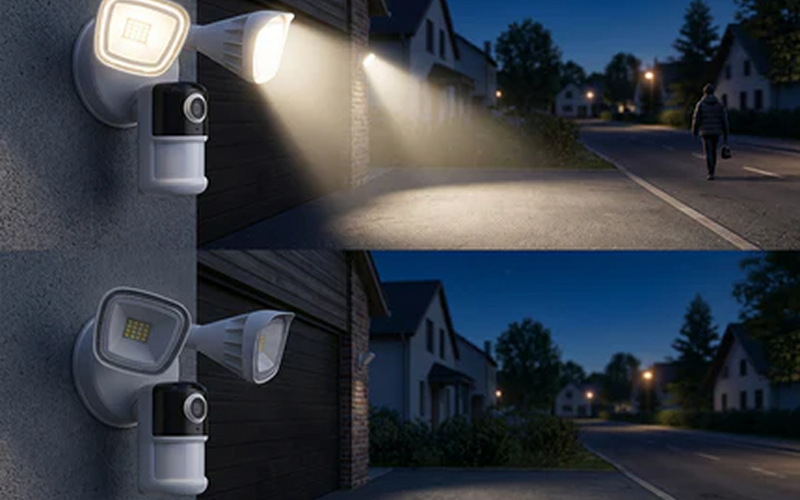
Floodlight Security Camera with SD Card - ieGeek Floodlight Camera ZY-E2
The ZY-E2 records 5MP video directly to a microSD card. No monthly fees. It has a hard‑wired design. Installation takes under five minutes on an existing junction box. Dual‑band Wi‑Fi (2.4GHz and 5GHz) ensures a stable connection for live viewing and alerts.
A 150° PIR motion sensor detects when someone enters the range. It then triggers two 2600‑lumen floodlights and a 110dB siren. You receive instant alerts on your phone. The camera also supports two‑way audio, custom detection zones, and adjustable sensitivity. At night, advanced IR lights provide clear vision up to 15m (49ft). The ZY-E2 supports microSD cards from 10GB to 128GB (not included). It also offers free lifetime cloud storage (6‑second clips, 7‑day loop).
How to Choose the Right SD Card for Your Security Camera
Picking the right SD card is just as important as choosing the camera itself. Get it wrong, and you may face lost footage or card failure. Here’s what you need to know.
Storage Capacity Recommendations
Most modern cameras support cards up to 128GB. A 32GB card is usually enough for standard motion detection in a quiet home. A 128GB card is better for busy areas like a front driveway facing a main street. Always check your specific camera manual for the maximum supported capacity.
Types of SD Cards for Different Cameras
-
Choose High Endurance cards.
Security cameras write and rewrite data constantly. This wears out standard SD cards quickly. High-endurance models are built to handle years of continuous recording.
-
Match the speed class to your video quality.
For 1080p, use at least Class 10. For 2K or 4K, choose U3 and V30 ratings to avoid dropped frames. ieGeek accessories offers reliable high‑endurance options.
-
Check your camera‘s max supported capacity.
Some older cameras only accept 32GB or 64GB. Always verify before buying to avoid compatibility issues.
Maintenance Tips for Your SD Card Surveillance Camera
Keeping your SD card camera in good shape doesn't take much time. Follow these three maintenance habits to avoid lost footage and unexpected failures.
Choosing the Right Location
Mount your camera under an eave or porch roof to protect it from direct rain. Keep the SD card slot cover securely closed. For outdoor placement, ensure the outdoor camera has an IP65 or higher weather rating. Don’t point the lens at bright lights or strong reflections. That confuses motion sensors.

Cleaning and Care
Dust and spider webs can trigger false alerts or blur footage. Wipe the lens gently every few weeks with a microfiber cloth. Check the SD card slot for debris. If your camera uses a battery, recharge it before it drops below 20%. Clean the solar panel every month for solar‑assisted camera models. It keeps charging efficiently.
Regular Updates and Checks
Open your camera app once a month to check the SD card status. Ensure the camera is still recording properly. You should format the SD card through the ieGeek app every six months. Formatting keeps the memory card running smoothly and prevents file errors.
Frequently Asked Questions
What Size SD Card is Best for Security Cameras?
For most users, a 64GB High Endurance micro SD card balances price and storage well. If your camera records 2K or 4K video, or if you face a busy street, consider 128GB or 256GB.
How many days of video can the included 32GB or 64GB card record?
24/7 continuous recording (one camera):
-
1080p: 32GB ≈ 7–10 days | 64GB ≈ 15–20 days
-
2K/3MP: 32GB ≈ 5–7 days | 64GB ≈ 11–15 days
-
5MP: 32GB ≈ 4–6 days | 64GB ≈ 9–12 days
-
Motion-only mode easily lasts 3–8 weeks.
What happens when the SD card becomes full?
The camera automatically uses a loop recording feature. It deletes the oldest video clip to make room for the newest recording. You do not need to manually delete files.
How Long Can Footage Be Stored?
Footage remains on the card until the loop recording overwrites it. If you want to keep a specific clip forever, copy footage to your computer via an SD card reader or web interface. You can also download files to your phone using the app.
Can I access my SD card security camera remotely?
Yes. Wi-Fi or 4G SIM card cameras both support remote access. You can view live streams and playback recorded clips through the camera‘s mobile app. The key difference is that video is stored locally on the card, not in the cloud. As long as your camera is powered and online, you get remote access without a subscription.
Can someone steal the camera and take the footage?
Yes, this is the main downside of SD‑only storage. If a thief takes your camera, they also take the SD card containing the footage. For highly vulnerable areas, consider models with an optional cloud backup plan. That plan works alongside the local storage. Some cameras automatically upload motion events to free cloud storage. This serves as a backup (7‑day rolling). That way, you have footage even if the camera is stolen.
Conclusion
A security camera with an SD card gives you control, privacy, and savings. No monthly fees. No third‑party servers. Just reliable local storage that works even when your internet goes down. Pair it with a camera that offers remote app access. Then you get local privacy and convenient viewing.
Pick a high‑endurance card and follow basic maintenance. You will have peace of mind for years. Choose a security camera with an SD card today. Keep your data where it belongs — in your hands, not on someone else‘s server.
Author Intro
|
|
Developed by the ieGeek content team, combining hands-on experience with smart devices and insights into real user needs. ieGeek is widely known for smart security; our solutions are also designed for a variety of real-life scenarios, including travel, outdoor monitoring, pet care, and family safety. We focus on delivering simple, dependable solutions that fit seamlessly into daily life. |