



Does your phone buzz constantly, only to show a stray cat or a passing bus? Missing a real delivery because you ignored a false alert is frustrating. You are not alone in this struggle. Since over two-thirds of respondents reported experiencing delivery issues, the smart security market is booming. People need affordable ways to protect their porches. That is where a reliable doorbell with a camera shines. It lets you chat with couriers right from your sofa and spot unusual activity.
However, to make it work, you must set up your motion zones correctly. This guide shows you how to block out street noise, reduce annoying pings, and secure your front door stress-free.
Key Takeaways
-
Custom zones tell your doorbell camera to ignore swaying trees and heavy traffic. You only get alerts that matter.
-
Drawing zones help you comply with the UK Information Commissioner’s Office (ICO) rules. This step keeps public pavements out of your daily recordings.
-
You need good WiFi and a smartphone app. Hang the device, draw your digital box on the screen, and test it out.
-
Body-heat (PIR) sensors spot real humans rather than blowing leaves, which saves your battery.
-
Forget forced monthly fees. Free cloud storage loops let you review video clips without paying extra.

Why Motion Zones Matter for Doorbell Cameras
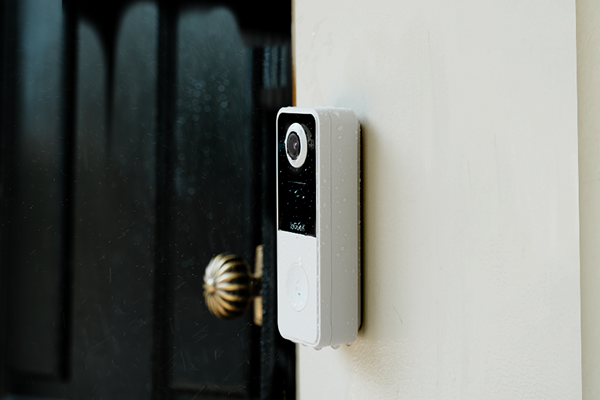
A doorbell camera sitting near the pavement sees constant movement. This usually has nothing to do with your safety. Without motion zones, every passing bus becomes an annoying notification, a saved video clip, and wasted battery life. By setting up these custom areas, you transform a basic lens into a smart security guard.
Reduce False Alerts on Your Camera Doorbell
-
You can customize activity zones. Draw precise digital shapes on your screen to block out the busy road.
-
The sensitivity is adjustable. Choose from levels 1 to 5 to stop heavy rain or wandering foxes from setting off the alarm.
-
It features PIR humanoid detection. The sensor detects human body heat, so blowing leaves will no longer bother you.
Improve Home Safety with a Safe Doorbell
This fast reaction matters most when you are sleeping or away on holiday. A properly tuned doorbell camera wireless gives you a trustworthy warning. It stops you from scrolling through useless video clips and keeps your family secure.
What You Need Before Setting Up Your Doorbell with Camera
Compatible Doorbell Camera
-
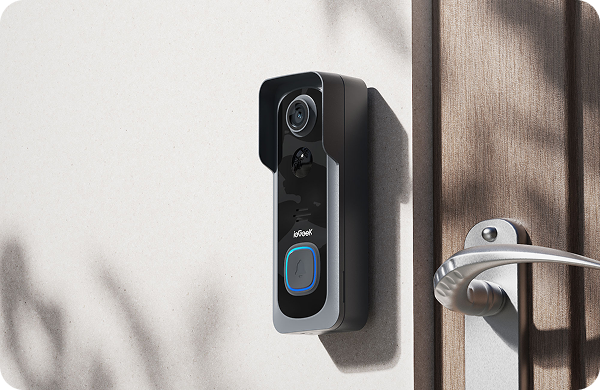
Custom Activity Zones: You can outline your porch area to block out the busy public street.
-
PIR Humanoid Recognition: It senses real body heat and sends you instant, 3-second alerts when a person arrives.
-
166° Wide-Angle Lens: A wider, taller view gives you plenty of space to draw your digital boundaries.
-
Crisp 5MP Resolution: The ultra-sharp picture makes it much easier to see where your garden path ends, and the pavement begins.

Strong WiFi Signal for Your Doorbell Camera Wireless
Before you mount anything, grab your phone. Stand right on your front step, shut the door, and check your WiFi bars. If the signal looks weak, move your home router closer to the front window.
Mobile App Access for the Best Doorbell Experience
Keep your phone in your hand during the installation process. This lets you watch the live video feed while you drag your digital lines into place. Once you have a compatible device, a sturdy wireless connection, and the control app ready to go, you are prepared.
Step-by-Step Guide to Set Up a Doorbell with Camera Motion Zones
Install Your Doorbell Camera Wireless Safely
Because modern units are wire-free, installation is incredibly fast. For example, a wireless doorbell camera runs on a 4800mAh rechargeable battery. You can install it in about 3 minutes without touching any dangerous electrical wires. If you rent your home, you can even use strong adhesive mounts instead of drilling holes into the door frame.
Open the App & Enable Motion Detection
Make sure you also enable PIR humanoid recognition. This is a vital step. PIR sensors look for human body heat. Therefore, this smart feature filters out moving shadows, passing pets, or blowing leaves before they ever trigger an alarm on your phone.
Draw Custom Doorbell Motion Zones
-
Start drawing. Tap the screen to create your digital boundary.
-
Target your property. Drag the corners to trace your porch, doorstep, or garden path.
-
Exclude the noise. Keep the busy public street or your neighbour’s driveway outside this shape.
Most apps let you save multiple zones. This means you can create one box for your main doorstep and a separate box for your side gate if needed.

Test & Adjust Your Camera Doorbell
-
Too many alerts? Lower the detection sensitivity by a level or two.
-
Missing real visitors? Slightly increase sensitivity and make your zone box a little wider.
The Bell J9 Plus offers 5 different sensitivity levels. This gives you plenty of room to fine-tune your alerts without needing to redraw your zones from scratch every time.
Best Doorbell with Camera Practices for UK Homes
UK housing styles vary widely, and your motion zone strategy should reflect that. A terraced house on a busy street needs a very different setup from a detached home with a long driveway. Setting up your zones correctly ensures that your doorbell with a camera works for your specific space.
For Terraced Houses
The Problem
-
Constant Interruptions. Your phone buzzes every time a neighbor or dog walker passes by.
-
Irrelevant Alerts. Most notifications are triggered by activity on the public sidewalk.
-
Notification Fatigue. You begin to ignore alerts, which could lead to missing a real visitor.
The Solution
-
Draw a Tight Motion Zone. Open your app settings and create a custom detection area.
-
Focus on Your Steps. Ensure the zone covers only your doorstep and the immediate front step.
-
Exclude the Public Pavement. Carefully pull the zone boundaries back from the sidewalk or street.
-
Filter for Accuracy. This setup ensures that notifications are strictly for people who are actually approaching your door.
For Detached Homes
-
180° Head-to-Toe View: See the visitor’s face clearly and check for any parcels left on the floor.
-
20-Foot PIR Detection: Catch human movement early, giving you plenty of time to react before someone reaches the door.
-
Drill-Free Setup: The included wireless chime means you do not have to damage expensive brickwork to hear alerts inside.
-
Dual Zones: You can set separate motion zones for the driveway and the front step, ensuring security across a larger area.

For Apartments
For wider outdoor coverage, pairing your doorbell with a separate battery powered security camera covers blind spots that a front-door lens cannot reach. If you still get false alerts after zoning, learning more about movement sensitive cameras will help you adjust the tricky settings.
FAQs
How do I change doorbell motion zones?
Open your smartphone app and tap the motion settings. You will see a live video feed on your front porch. Tap and drag the colourful boundary lines to box in your welcome mat, then hit save. It is easy to customise your view.
How to reduce false alerts on my device?
Make your digital limits smaller, so they are far from the crowded public sidewalk. Next, reduce the sensitivity settings. Then, enable humanoid detection using PIR. Blown branches won’t awaken you because they also detect body heat.
Do doorbells support human detection?
Yes, they do! Quality models use smart PIR sensors to detect the body heat of a real person. This means your device easily ignores wandering foxes, heavy rain, or passing cars. You receive a ping when a human arrives at your door.
Is there a monthly subscription for zones?
Not at all. Within the mobile app, creating personalised boundaries is free. Reputable manufacturers, such as ieGeek, offer a free 7-day cloud storage cycle. This allows you to see previous videos without ever having to sign up for a monthly subscription.
Does a doorbell with a camera work at night?
Absolutely. A modern doorbell with a camera can shoot in the dark. At dusk, certain infrared (IR) lights come on automatically. This clever technology protects your house overnight by cutting through the darkness and providing sharp black-and-white video up to 30 feet away.
How many motion zones can I create?
You can draw multiple shapes at the same time. For example, you might drop one box on your doorstep and another on your side gate. This flexibility helps you monitor your property whilst complying with UK privacy rules for shared spaces.
Conclusion
Visible security naturally discourages intruders, making your property much safer. You can feel at ease once you’ve figured out your zones. To experience a quieter front door, check your settings, or explore new doorbell cameras.
Author Intro
 |
Developed by the ieGeek content team, combining hands-on experience with smart devices and insights into real user needs. ieGeek is widely known for smart security, our solutions are also designed for a variety of real-life scenarios, including travel, outdoor monitoring, pet care, and family safety. We focus on delivering simple, dependable solutions that fit seamlessly into daily life. |