



Worried that your security camera could accidentally break privacy rules? Millions of UK households are slapping smart lenses onto their porches to catch parcel thieves and monitor midnight visitors. The smart security market is projected to reach USD 150.5 billion by 2030 as families ditch expensive, wired systems in favor of quick DIY protection.
But here is the catch. If your lens accidentally records too much of the public pavement or peers into your neighbour’s rose garden, you could face serious legal trouble and hefty fines. This guide breaks down UK door camera laws. We will show you how to protect your home, respect privacy rules, and choose a safe setup without needing a law degree.
Key Takeaways
-
Your door camera is legal as long as it only watches your own driveway or porch.
-
The moment your lens peeks onto the public pavement, or a neighbour’s rose garden, UK GDPR laws apply.
-
Recording audio is risky. Catching private chats on a doorbell camera breaches privacy rules much faster than silent video does.
-
Always use digital privacy masking to black out shared spaces. This simple step prevents massive legal fines.
-
Choosing a wire-free, safe doorbell setup gives you instant peace of mind without frustrating your neighbours.

The Household Exemption: When Does UK GDPR Apply to Your Door Camera?
You might be wondering whether you need a law degree to find out who left a parcel on your porch. Thankfully, the answer is no. It all comes down to where your lens points. UK privacy law includes a handy rule called the “household exemption.” Let’s look at how this simple rule affects your home setup.
Enjoying Complete Privacy Inside Your Home
This rule is straightforward. If your cameras record your own private property, data protection laws don’t apply to you. For instance, if you want to watch your muddy puppy while you are at the office, placing an indoor security camera in your kitchen is fine.
When the Rules Change for a Doorbell With Camera
-
The busy public pavement outside your front gate.
-
The main street where cars park.
-
A shared gravel driveway you use alongside your neighbour.
-
The communal hallway just outside your flat.
-
Your neighbour’s blooming rose bushes or front windows.
Picture Your Own Front Garden
Now, picture a house tucked behind a long, winding private driveway. The camera only films your lawn and your own parked car. Here, the household exemption protects you. You have zero GDPR worries.
Quick Check: Does GDPR Apply to You?
| Where is the camera? | What does it actually see? | Do GDPR rules apply? |
| Hallway table | Only your indoor stairs and rugs | No |
| Back patio | Just your grass, fence, and shed | No |
| Front porch | Your car and the public road | Yes |
| Flat front door | The shared hallway outside | Yes |
| Side wall | The alley and a neighbour's window | Yes |
If your home falls into the “Yes” column, take a deep breath. Filming these areas is legal. It means you need to stick up a clear warning sign and handle your video clips responsibly.

Key Legal Rules for Operating a Doorbell With Camera in the UK
Because of this, you must respect their privacy. Here are the simple rules you need to follow:
Always Have a Lawful Reason
You need a solid legal excuse to record people. Protecting your family and preventing burglaries are valid reasons. However, your setup must remain sensible. Pointing a high-powered door camera down the entire street to watch a single parked car go too far. Keep your focus tight on your own property lines as much as possible.
Put Up Clear Warning Signs
-
Stick a clear sign on your front gate or near the door.
-
Make sure delivery drivers can spot it instantly.
-
The text must state that CCTV is running.
-
It should explain why, such as “Recording for crime prevention.”
Be Careful With Audio Recording
Instead, rely on your camera’s two-way talk feature. That way, you only use the microphone when you chat with someone, ringing the bell.
Do Not Keep Old Videos Forever
You cannot hoard video clips on your hard drive for years. The law insists you delete footage once you no longer need it. If no crime happened this week, you have no reason to keep videos of the postman. Most experts suggest holding onto clips for about 7 to 30 days.
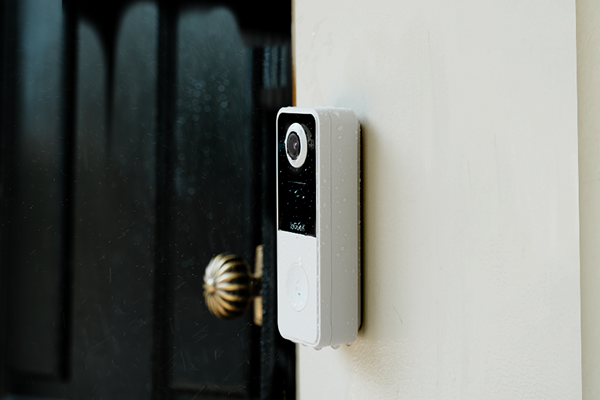
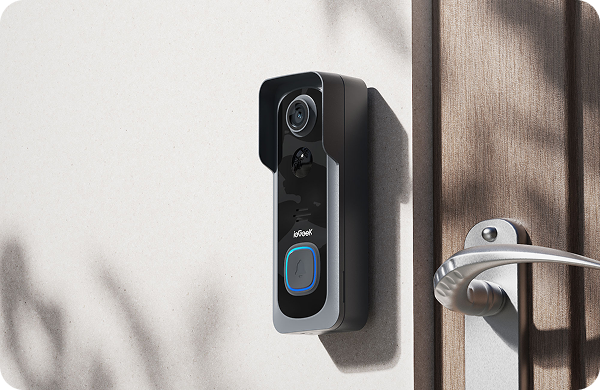
This is where smart hardware does the heavy lifting for you. The ieGeek Doorbell Camera Bell J1 handles this rule. It gives you free 7-day loop cloud storage for life. This means it automatically wipes older videos after a week, keeping you legally compliant without forcing you to pay annoying monthly subscription fees.

Handling Video Requests Gracefully
Under UK law, anyone can ask to see the video you recorded of them. This is called a Subject Access Request. If a neighbour asks for a clip showing them walking past, you have to hand it over for free within a month. Even trickier, you must blur out any other people in that video first. If they ask you to delete the clip, you must erase it immediately, unless the police need it.
A Safe Doorbell Setup Makes Compliance Easy
It even includes a fun voice changer and pre-recorded responses. These clever features let you answer the door without revealing who is home alone, ensuring your safe doorbell makes you feel safe.
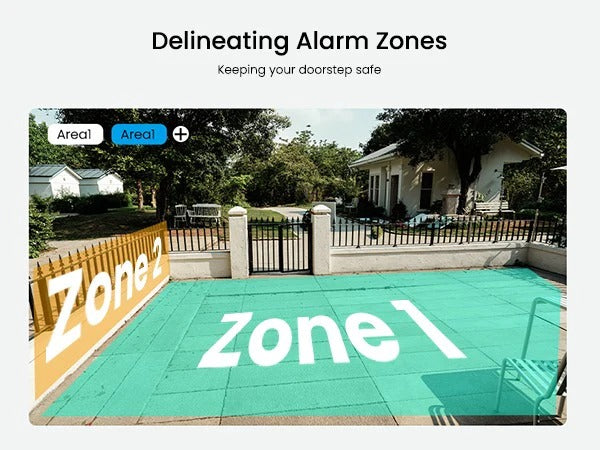
How to Use Privacy Masking for a Safe Doorbell Setup
One of the smartest ways to dodge legal trouble and keep the peace next door is a feature called “Privacy Masking.” Most high-quality cameras offer this simple digital tool. It lets you block out tricky parts of your video feed, turning a potential privacy headache into a safe doorbell setup.
Understanding Privacy Masking for Your Door Camera
Think of privacy masking as drawing a thick, black marker over your video feed. It creates a solid black box over a specific area, meaning your door camera will not record whatever happens behind it.
Point a camera at your driveway to watch your car. Sadly, the top left corner of the frame captures your neighbour’s front door. By drawing a digital mask over their door, you protect your car while respecting their privacy. They never have to worry about you recording their comings and goings.
Setting Up Zones on Your Doorbell With Camera
-
Open your app. Open the app linked to your wireless video doorbell.
-
You must find the settings. Tap into the main camera settings menu.
-
You wil then need to locate the tool. Look for options labeled “Privacy Masking” or “Privacy Zones.”
-
You can easily draw the shield. The app will pull up your live video feed. Just drag your finger to draw a box over the pavement or the neighbour’s fence.
-
Make sure you save it. Hit save, and your camera ignores that blocked spot.

Privacy Zones vs. Motion Zones
It still records the whole scene in the background. To stay on the right side of UK privacy laws, always use the privacy zone feature to black out public spaces.
Choosing a Legal Door Camera Setup for Your Entire Home
Most people start with a simple door camera by the front step. Soon, they realize the back gate and the garage need to be watched, too. Securing your whole property makes sense, but adding extra lenses means juggling more privacy rules. You have to plan your layout smartly to stay legal.
Planning a Complete Safe Doorbell and CCTV System
-
You should carefully monitor the back garden. You probably want to watch the dog playing or keep an eye on the back gate. Just point the lens downward, away from the shared fence.
-
It is important to secure the garage. Protecting your car and expensive tools is a solid reason to have one. A camera aimed sharply at the garage door works.
-
You need to watch your side alleyways. You want to stop sneaky intruders. Just ensure the camera does not accidentally capture the neighbour’s bathroom window next door.
Best Practices for Outdoor Coverage
-
You can easily skip the messy wires. Drilling holes for cables is a headache. Instead, grab some home security cameras wireless. You can stick them to a fence post and move them later if the angle bothers a neighbour.
-
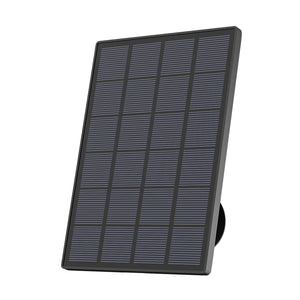
You can let the sun do the work. Climbing a ladder to swap batteries gets old fast. A solar-powered security camera runs indefinitely. It uses a solar panel to stay charged, keeping your home safe even while you relax on holiday.
-
You should always chat with the neighbours. The best legal defense is a friendly chat. Tell the neighbors you are putting up cameras to stop parcel theft. Show them the phone app so they can see their yard is not in the frame.
Expanding Beyond the Doorbell With Camera
If you need serious outdoor coverage, the ieGeek ZS-GX4S with Panel 5MP is a smart step up from a basic doorbell. It packs a super-sharp 5MP lens, grabbing details 2.5 times clearer than standard HD. Because it spins a full 360 degrees, just one camera can sweep your entire back lawn.
It runs on solar power, so there are no charging chores for you. Most importantly, it saves your video clips to a local SD card. This keeps your personal data safe, not floating on a remote server.

FAQs
Is it legal to have a door camera that records the public pavement?
Yes, but the law changes. When a door camera detects the public pavement, the household exemption is revoked. You become a data controller under UK GDPR. You must prove a security need, display clear CCTV warning signs, and regularly delete old video clips to protect pedestrian privacy.
Do I need my neighbour’s permission to install a doorbell with a camera?
No, their legal permission is not required. However, recording their windows or garden violates data protection rules. If your doorbell camera faces their yard, you must use privacy masking to black it out. Having a friendly chat beforehand is the best way to prevent messy legal disputes.
Can the police demand to see my doorbell wireless camera footage?
Yes, police can request your video if they are investigating a local crime. Sharing footage for police work is legal and encouraged. However, unless they show up with a specific court warrant, you hand over the video voluntarily; they cannot force you to surrender it otherwise.
Will a safe doorbell camera legally record audio?
Audio recording is a massive legal risk. While not strictly illegal, the ICO strongly warns against recording private conversations in public. To ensure you have a safe doorbell, turn off continuous audio recording. Only use the two-way talk microphone when you are answering the door.
What happens if I don’t put up a CCTV warning sign for the best doorbell camera UK?
Skipping the warning sign breaks UK data laws if your lens captures public space. The ICO can investigate you and require you to change your setup. In bad cases, or if a neighbour takes you to court for harassment, you risk heavy fines. Always display a clear sign.
Conclusion
A door camera is a fantastic tool for monitoring late parcels and keeping your family secure. However, catching the mail carrier should never mean accidentally spying on the street. By sticking to your property line, posting a simple warning sign, and using privacy masking, you remain within the law.
Do not let strict privacy rules scare you away from feeling secure. Instead, check your doorbell with the camera app on your phone. Adjust the view, stick a CCTV notice on your front gate, and enjoy peace of mind.
Author Intro
 |
Developed by the ieGeek content team, combining hands-on experience with smart devices and insights into real user needs. ieGeek is widely known for smart security, our solutions are also designed for a variety of real-life scenarios, including travel, outdoor monitoring, pet care, and family safety. We focus on delivering simple, dependable solutions that fit seamlessly into daily life. |