



Choosing between 2K and 4K is less about buying the largest number and more about deciding what the camera needs to show. If a visitor will normally stand a few metres from the lens, a well-positioned 2K camera can provide the detail most households need while using less storage. If one camera must cover a wide driveway, several entrances or a car park, 4K leaves more room to crop the recording later.
This guide compares 2K and 4K cameras in everyday security situations, explains their main differences and helps you choose the right resolution for the area you want to monitor.
Key Takeaways
-
A well-positioned 2K camera is usually sufficient for front doors, parcel areas and small gardens. The term 2K may refer to 2304 × 1296 or 2560 × 1440, depending on the camera.
-
A typical 4K camera records at 3840 × 2160 and contains around 8 megapixels. 4K becomes more useful when one camera covers a wide scene or footage needs to be cropped repeatedly.
-
Resolution does not guarantee better night vision; lighting, sensor performance and camera position remain important.
- Continuous 4K recording requires more bandwidth and storage than continuous 2K recording.
-
Choose the S5 for flexible solar-powered event monitoring, the S7 for AOV 24/7 recording in 3MP 2K, or the IE82 when several wired 8MP cameras and central NVR storage are required.

What 2K and 4K Resolution Mean in Security Cameras
Security camera resolution indicates the number of pixels used to form each frame. More pixels can preserve finer visual detail, but resolution alone does not determine whether a face or number plate will be clearly readable.
The term “2K” is used somewhat loosely in the security camera market. Depending on the model, it may refer to 2304 × 1296, 2560 × 1440 or another similar resolution. A 4K resolution security camera usually records at approximately 3840 × 2160, equal to around 8 megapixels.
Advantages and Limitations of 2K Security Cameras
For everyday home monitoring, many security cameras use 2K resolution to provide a practical balance between image clarity and file size. A visitor standing near a front door should appear clearly enough to distinguish clothing, carried items and general facial features. The same camera can usually show whether a parcel has been delivered or whether someone has entered a small garden.
For many homes, 2K also means:
- Lower bandwidth and storage requirements than 4K
- Smoother remote viewing on slower broadband connections
- Lower upfront costs in many product categories
- A longer recording history using the same amount of storage
Distance is the boundary. If a person or number plate occupies only a small part of a wide frame, enlarging the 2K image may expose softness before the required detail becomes clear.
Advantages and Limitations of 4K Security Cameras
4K starts to make more sense when a single camera needs to cover a larger area while retaining smaller details. A camera monitoring several parking bays can preserve more information about a person or vehicle appearing towards the far end of the frame.
Its main advantages include:
- More detail across wider monitoring areas
- Better image quality when footage is cropped or enlarged
- Greater potential to identify distant people, vehicles or number plates
- Useful across long driveways, multiple entrances and car parks
4K footage produces larger video files, uses more bandwidth and takes up more storage space. Continuous 4K recording may therefore require an NVR or higher-capacity storage.
How the Difference Appears in Real Security Situations
At a front door, the difference may be fairly modest. Both a well-positioned 2K camera and a 4K model can capture a visitor standing a few metres from the lens. The 4K recording may show finer details in clothing or carried items, but those extra details may not materially change the security outcome.
Across a wide driveway, the difference becomes more noticeable. A 2K camera may clearly show that somebody approached a parked car, while 4K footage is more likely to retain useful detail when that person is cropped from the wider image.

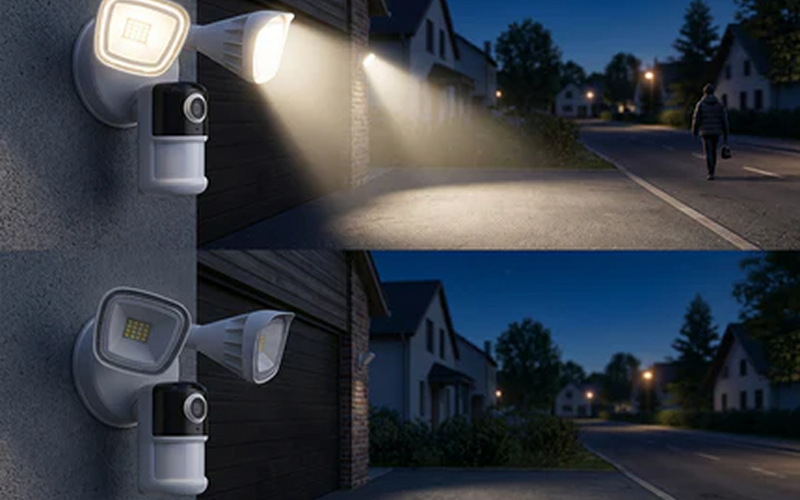
Night-time monitoring is less straightforward. A 4K specification does not automatically produce a brighter or clearer image after dark, as the performance of a night vision camera also depends on sensor size, lens aperture, infrared illumination, spotlights and nearby ambient lighting. A well-lit 2K camera can outperform a poorly illuminated 4K model at night.
4K vs 2K Security Camera Comparison
The table below compares the practical differences between 2K and 4K cameras rather than treating pixel count as the only measure of image quality.
|
Feature |
2K Security Camera |
4K Security Camera |
|
Typical Resolution |
Around 2304 × 1296 or 2560 × 1440 |
Usually 3840 × 2160 |
|
Image Detail |
Suitable for everyday home monitoring |
Retains more fine detail across wider scenes |
|
Digital Zoom Quality |
Moderate; detail falls away sooner |
Better cropping flexibility during playback |
|
Best Monitoring Distance |
Close to medium range |
Medium to longer range, depending on the lens and lighting |
|
Best Coverage Area |
Front doors, small gardens and compact driveways |
Wide driveways, multiple entrances and car parks |
|
Night Performance |
Can perform well with suitable lighting |
More pixels alone do not guarantee better night footage |
|
Storage Requirements |
Lower |
Higher |
|
Relative Cost |
Generally lower |
Generally higher |
Actual performance still depends heavily on camera placement. If a wide-angle lens makes a distant person appear very small in the frame, increasing resolution will only help to a certain extent. Moving the camera closer or narrowing the viewing angle may provide a greater improvement.
How to Choose Security Camera Resolution by Monitoring Scenario
Start with the area that needs monitoring rather than the resolution label. A camera a few metres from a front door has different demands from a system covering several entrances. Power, recording duration and connection type may be just as important as pixel count.
For wire-free areas, 2K solar security cameras can balance useful detail with manageable storage and power use. A wired 8MP system makes more sense when several cameras must record continuously to one central drive.
ieGeek S5 for Flexible 2K Home Monitoring
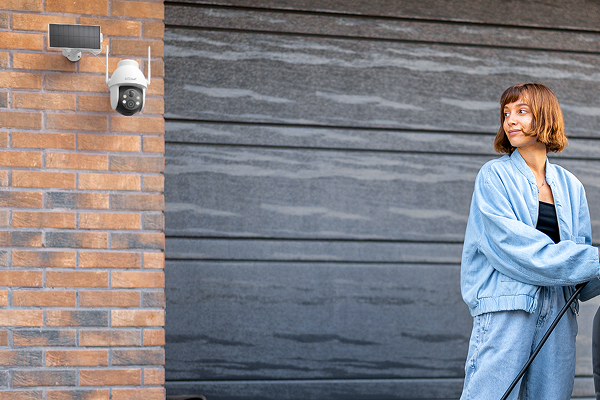
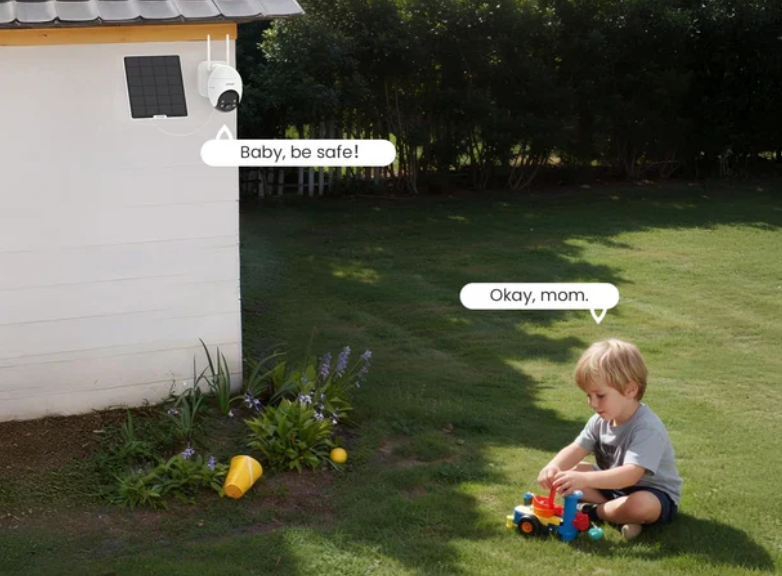
The ieGeek Solar Security Camera S5 is suited to close-to-medium-range areas such as front entrances, small gardens and rented properties. Its 3MP 2K sensor records at 2304 × 1296, providing enough detail to check visitors and everyday activity near the camera.
The PTZ function also allows users to adjust the viewing direction when different parts of a garden or entrance need attention.
Compared with a higher-resolution camera, the S5 places less demand on the network and storage. This makes it a practical choice for users who mainly watch live footage on a mobile or review short event recordings.
Best for: Front entrances, small gardens, rented properties and everyday home monitoring.

ieGeek S7 for 2K Continuous Recording
The ieGeek Wireless 24/7 Recording Camera S7 is designed for users who want to record for longer periods in 2K while keeping storage requirements manageable. Its 4MP 2560 × 1440 resolution retains more detail than a typical 3MP 2K camera, helping users review people, parcel deliveries and vehicle activity around entrances and driveways.
Its AOV 24/7 recording provides more context than short motion-triggered clips. Compared with continuous 4K recording, the 2K footage generally requires less bandwidth and storage, making it a more practical option for users who want a longer recording history without moving to a larger 4K surveillance system.
Best for: Continuous monitoring of entrances, driveways and vehicle activity.

ieGeek IE82 for 4K Multi-Camera Surveillance
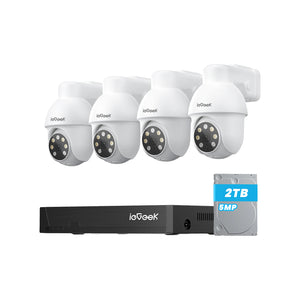
The ieGeek POE System IE82 is better suited to larger homes or commercial premises that need genuine 8MP 4K recording across multiple cameras. Its higher resolution retains more crop-ready detail across wide driveways, multiple entrances and parking areas, where people or vehicles may appear farther away from an individual camera.
PoE connections carry power and data through network cables, providing a more stable setup for several high-resolution cameras than separate Wi-Fi connections. The included 2TB NVR also centralises continuous recordings rather than relying on individual MicroSD cards.
However, the system requires network cabling, so installation is more involved and the overall cost is higher than with a single 2K wireless camera.
Best for: Larger homes, long driveways, multiple entrances, car parks and multi-camera surveillance.
What to Check When Installing a Security Camera
Even the right resolution can underperform if the installation position is poorly planned. Testing the camera before drilling permanent mounting holes can help reveal problems with viewing distance, signal strength and framing.
Test the Real Viewing Distance Before Mounting
Stand where a visitor, vehicle or intruder is most likely to appear and record a short test clip. Review the original footage at normal size, then crop the area containing the subject. A person who looks clear in a full-screen live view may lose important facial detail once the recording is examined more closely.
Night-time testing matters too. Headlights, reflective number plates and bright exterior lights can create glare that may not be obvious during a daytime test.
Check Wi-Fi at the Exact Installation Position
Before mounting the camera permanently, open the live view at the intended position and check how quickly footage and recorded clips load. A weak signal can delay live viewing, notifications and remote playback, even when the camera saves footage locally. Local continuous recording depends mainly on reliable power and sufficient storage. If remote access remains unstable at the mounting point, improve Wi-Fi coverage or consider a wired system for a more predictable connection.
For Wi-Fi cameras, a stable connection matters most for live viewing, alerts, remote access and cloud uploads, while local microSD recording is less dependent on Wi-Fi. If the Wi-Fi signal remains unreliable, a wired security camera system may be the more dependable option.
Match the Viewing Angle to the Target Area
A high-resolution camera is less useful if much of the frame is occupied by sky, walls or areas unrelated to security. Before mounting a home CCTV camera, use the live view to keep the entrance, driveway or parking area within the main part of the image.
This allows more of the available pixels to capture the people and vehicles that may need to be reviewed later.
FAQ
Is 2K enough for home security cameras?
For most front doors, parcel areas and small gardens, yes. A correctly positioned 2K camera can provide the detail needed to understand a nearby event while using less storage than comparable 4K footage. Choose 4K when one camera must cover a much wider scene or frequent cropping is expected.
Can the human eye tell the difference between 2K and 4K?
Yes, especially on a larger screen or when footage is enlarged. On a small mobile screen, the difference may be less noticeable during normal live viewing.
Are 4K security cameras worth it?
A 4K security camera can be worthwhile when monitoring a wide area or cropping recorded footage to examine people and vehicles in more detail. For close-range monitoring where frequent cropping is unlikely to be necessary, 2K is usually more cost-effective and requires less storage.
How far can a 4K security camera see?
A 4K security camera does not have a fixed viewing distance. The usable range depends on the lens, viewing angle, lighting, camera position and the level of detail you need to capture. Resolution alone does not determine how far away a camera can identify a face or number plate.
How can I confirm that a security camera is 4K?
Check the exact recording dimensions in the technical specifications. Many UHD 4K cameras record at 3840 × 2160, but some security products use slightly different 8MP dimensions while marketing the mode as 4K.
Conclusion
Choose 2K for checking visitors, parcels and nearby activity at close-to-medium range. Choose 4K when you need to monitor a wider area or crop footage while retaining more visible detail.
Recording duration, available storage and network bandwidth should also be considered before making your final choice. A well-positioned 2K camera may still provide more useful footage than a poorly positioned 4K model.
About the Author
 |
Written by the ieGeek team, a brand dedicated to making smart security simple and accessible for everyone. With experience in designing easy-to-install security cameras, we aim to provide practical advice based on real user scenarios. Our goal is to provide reliable, easy-to-use technology that helps users stay connected and protected in different environments. |