



If your camera’s live view takes ages to load or the connection keeps dropping, a weak WiFi signal may be the cause. This is especially common with cameras installed overlooking driveways, beside garages or at the far end of a garden. A WiFi extender can help improve coverage, while “WiFi booster” is a broader term that may refer to several types of network devices.
This guide explains what those labels mean, how to improve your camera’s connection, and when it makes sense to consider another option.

Key Takeaways
- A WiFi extender is a specific device that receives and rebroadcasts an existing WiFi signal, while WiFi booster is a broader term that may also refer to repeaters or mesh devices.
- An extender works best when the router signal is still usable but becomes weak near the camera location.
- Better WiFi coverage can often come from reducing distance and obstacles, choosing the right WiFi band, and placing the extender between the router and the weak-signal area.
- 2.4 GHz WiFi is usually more suitable for compatible cameras installed further from the router, while 5 GHz can work well at shorter distances with fewer obstacles.
- One extender may not be enough when several cameras need wider coverage across a larger property.
- If home WiFi cannot reach the camera location at all, a 4G security camera can be a more practical alternative where a suitable mobile signal is available.
What Is a WiFi Extender?
A WiFi extender receives an existing wireless signal and rebroadcasts it into an area with weaker coverage. It is normally placed somewhere between the router and the device that needs a better connection.
The extender still needs a usable signal from the router. Putting it beside a camera in a WiFi dead zone will not help if it cannot receive a reliable signal from the router.
In a terraced house where the router sits near the front of the property and a camera is fixed beside a rear garage, an extender positioned closer to the back of the house may fill the final coverage gap without moving the router.
What Is a WiFi Booster?
“WiFi booster” is a broader term rather than one clearly defined product type. Retailers may use it for an extender, repeater, mesh node or another device designed to improve wireless coverage.
Some boosters simply rebroadcast the existing signal. Others work as part of a mesh system. Before buying, check how the device works rather than relying on the word “booster” on the box.
A booster that relies on a wireless link to the router still needs a usable incoming signal; a wired access point can provide coverage without that wireless link.
WiFi Extender vs Booster: Key Differences
WiFi extenders and boosters are both used to improve wireless coverage, but the terms do not always refer to the same type of device.
| Product Type | How It Works | Best Use | Main Limitation |
|---|---|---|---|
| WiFi Extender | Receives and rebroadcasts an existing WiFi signal | Extending coverage into one or two weak areas | Needs a reliable connection back to the router |
| WiFi Booster | Broad term for extenders, repeaters, mesh nodes and similar devices | General WiFi coverage improvement | Performance varies because it is not one specific technology |
WiFi Booster vs WiFi Extender in Practice
In a WiFi range extender vs booster comparison, the extender has a more specific role: it takes the router’s existing signal and carries it further into an area with weaker coverage. A product sold as a “WiFi booster” may work in the same way, but it could also be a repeater, mesh node or another type of network device.
This means two products both labelled as boosters may work quite differently. One may simply extend a single weak area, while another may be designed to improve coverage across several rooms or a larger property. For security cameras, checking how the device actually connects to the router is therefore more useful than relying on the product name alone.
Which Is Better for Security Cameras?
A WiFi extender is usually more suitable when one or two WiFi security cameras sit just beyond the router’s reliable range. A camera on a rear garage or at the end of a garden may only need the existing network extended a little further.
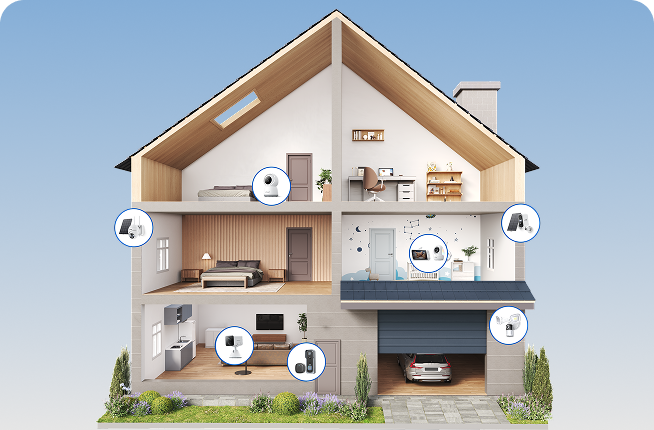
If you have cameras on several sides of the house, it’s worth looking at coverage across the whole property. Cameras at the front entrance, side passage and rear garden may not all benefit from one extender, so a mesh system or additional access points can provide wider and more even coverage.
How to Improve WiFi Coverage for Security Cameras
Before buying extra equipment, find out where the signal starts to weaken. A change of position may be all you need.
Find the Weak Signal Area
Check the WiFi signal at the camera location rather than assuming the whole area has poor coverage. Before mounting the camera, test its live view with the camera near the router, then move the camera to the intended installation point and test again. A router app or WiFi analyser can also show how the signal changes as you move towards the camera.
If the connection only becomes weak near the garage or end of the garden, you may only need to extend coverage into that area when deciding how to choose the best garden camera for the location. If the signal is poor much earlier, moving the router or improving the wider network may be more effective than adding an extender beside the camera.
Reduce Distance and Obstacles
WiFi becomes weaker with distance, but walls and large objects can shorten the useful range even further. Solid brick walls in older UK homes, concrete, foil-backed insulation and metal garage doors can all affect the signal.
Where possible, move the router or extender closer to the WiFi camera and keep it out of cupboards and away from large metal objects and thick external walls. Even moving an extender to a socket on the other side of a wall can sometimes give the camera a more reliable connection.
Choose the Right WiFi Band
2.4 GHz usually reaches further and passes through walls better than 5 GHz, so it can suit cameras installed further from the router.
Check which band your camera supports before adjusting the router settings. The ieGeek ZS-GX4S PTZ outdoor camera uses 2.4 GHz WiFi and a 4 dBi WiFi antenna, although the signal still needs testing at the intended outdoor position. Its PTZ design can also cover a wider driveway or front garden from one installation point.
You can only change bands if the camera supports both. If 2.4 GHz is still weak at the camera position, the next step is usually to improve the network coverage itself.

Place the Extender Properly
An extender should sit between the router and the weak area, but not inside the dead zone. It still needs a reliable signal from the router before it can pass that connection on to the camera.
For a camera above a rear garage, an indoor plug socket near the back of the house may work better than one inside the garage itself. Test the camera connection after moving the extender and adjust the position if live view remains slow or unstable.
Use Dual-Band WiFi Where Suitable
Dual-band WiFi gives you more flexibility when the camera supports both bands and is close enough to use either 2.4 GHz or 5 GHz. A shorter, clearer connection may work well on 5 GHz, while 2.4 GHz can be more practical when the signal has further to travel.
For a camera above the driveway or beside the garage, being able to try both bands can be useful. The ieGeek ZY-E2 floodlight camera supports dual-band WiFi, so you can test each band where you plan to fit it. As a hardwired floodlight camera with 24/7 recording, it is also better suited to a permanent location where both continuous monitoring and lighting are needed.
If one band remains unstable, test the other before adding more network equipment. Choose the band that keeps live view running reliably, rather than whichever promises the highest speed.

When a WiFi Extender Is Not Enough
If there is no suitable extender position with a reliable router signal, improving the existing WiFi network may no longer be the most practical solution.
Multiple Cameras Need Wider Coverage
A single WiFi extender may not be enough when several outdoor security cameras need coverage across a larger property. As the number of cameras and installation areas increases, one extender may leave some locations with weak or inconsistent WiFi.
A mesh WiFi system or wired access points can provide broader and more even coverage for multiple cameras.
Remote Cameras Need Another Connection
Some camera locations are simply too far from the home network. A detached garage at the edge of a property, a farm building or a holiday cottage without broadband may have no usable router signal at all, leaving an extender with nothing reliable to extend.
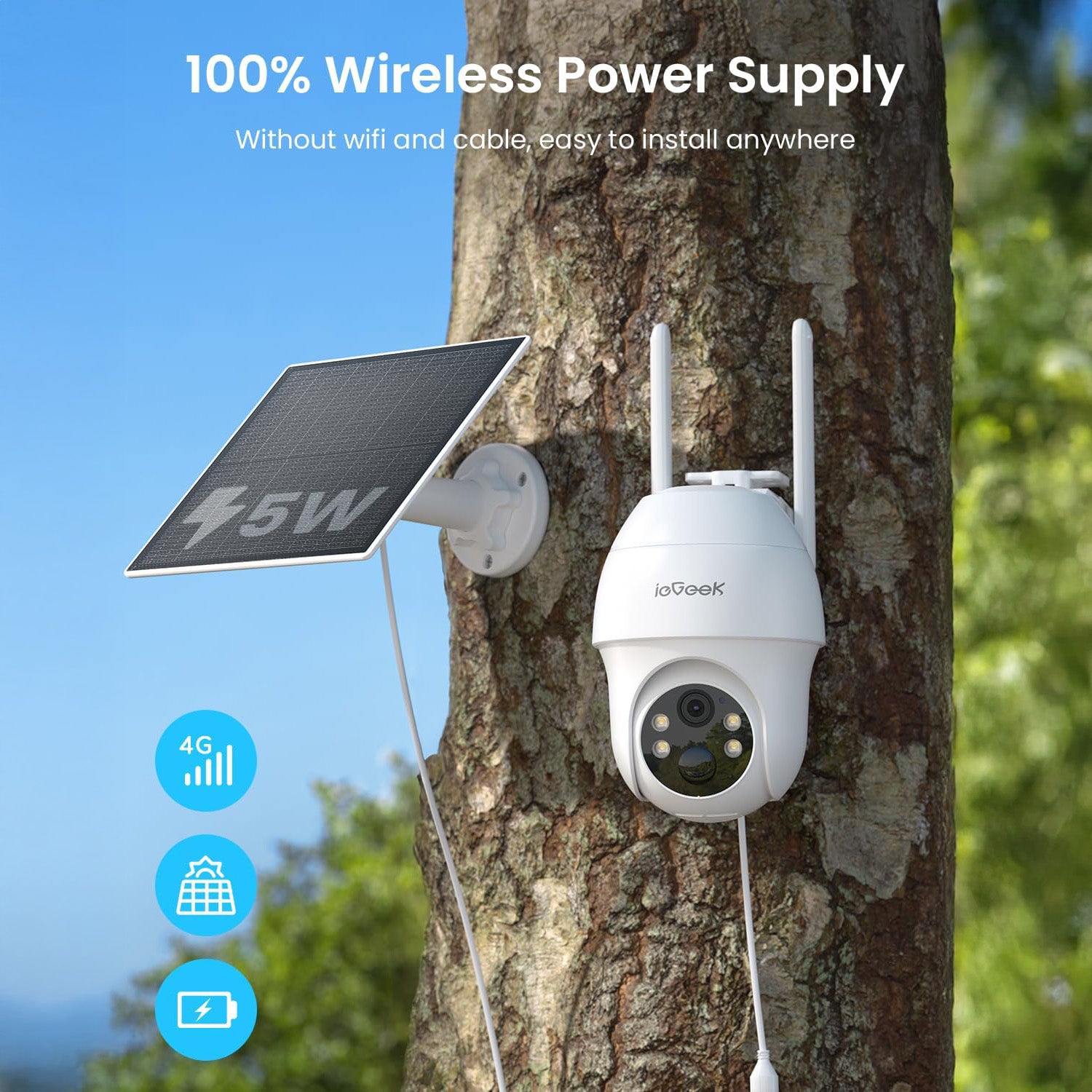
In these situations, a camera with its own mobile connection can be more practical. The ieGeek S11 4G LTE camera connects through a SIM card and 4G LTE rather than home WiFi, so it can operate in places beyond the router’s coverage. Its solar and battery power also suit outdoor locations where both network access and mains power are limited.
Rather than extending the home WiFi signal, the camera uses 4G to stay connected where there is suitable mobile coverage and an active SIM data plan.
FAQ
How far away can a WiFi extender be from the router?
There is no fixed maximum distance. A better rule is to place the extender roughly between the router and the weak-signal area, while keeping it close enough to the router to still receive a strong WiFi signal.
How do I tell if I need a WiFi extender?
You may need a WiFi extender if the WiFi works well in most of your home but becomes weak at the security camera location. Slow live view, delayed alerts or repeated disconnections in that area can indicate poor coverage, although broadband or camera faults can cause similar symptoms.
Where should you not place a Wi-Fi extender?
Avoid placing it inside cupboards, behind thick structural walls, beside large metal objects or in locations where the router signal is already extremely weak.
Do WiFi boosters work through walls?
They can, but performance depends on the wall material and the strength of the incoming signal. Brick, reinforced concrete and metal usually cause more signal loss than plasterboard.
Can I just plug in a WiFi booster?
You’ll usually need to set it up first. A plug-in WiFi booster still needs to be connected or paired with your router and placed where it can receive a usable WiFi signal. Simply plugging it into a dead zone is unlikely to improve coverage.
Conclusion
The main difference between a WiFi extender and a WiFi booster is often terminology. An extender is a specific device that rebroadcasts an existing network, while “booster” may refer to several types of WiFi coverage products.
For security cameras, placement matters more than the label. Find where the signal becomes weak, reduce unnecessary obstacles, use the band that suits the distance and place the extender where it can still receive a reliable router signal. Larger properties or truly remote cameras may need a mesh system, wired connection or 4G instead.
About the Author
 |
Created by the ieGeek editorial team, drawing on hands-on product experience and ongoing research in Smart Security solutions. As a brand focused on simple, reliable, and affordable wireless security systems, ieGeek combines practical insights with real-world use cases to help users make informed decisions. |