



A garden is more than an outdoor space, it’s where nature and home security often meet. Whether you want to monitor your property or capture wildlife after dark, a garden camera can give you a clearer view. From security cameras that watch over your home to a wildlife camera for garden visitors, the right model can make outdoor monitoring much easier.
In this guide, we’ll cover garden cameras for security and wildlife watching, the key features to compare, the best installation spots, and simple setup tips.
Key Takeaways
-
A garden camera can monitor entry points, record visiting wildlife, and make daily outdoor checks easier.
-
Look for clear video, night vision, smart motion alerts, weather protection, suitable power, and flexible storage.
-
Place the camera near the area you need to watch, then check the viewing angle, WiFi signal, and motion zones.
-
Keep the camera focused on your own property and use privacy settings if nearby homes or public spaces appear in view.

Why Use a Garden Camera?
A garden camera can serve more than one purpose. It can help protect your property, record visiting wildlife, and make everyday outdoor checks easier from your phone.
Home Security
A garden camera adds another layer of protection around your home. It can watch your outdoor space throughout the day, whether you’re indoors or away. Motion detection, night vision, and real-time alerts can notify you when unusual activity appears near a gate, rear door, or shed.
Many outdoor security cameras use a wireless design, which makes installation easier and avoids long cables across the garden. You can also view live footage from your phone and check an alert before going outside.
Wildlife Watching
A wildlife camera for garden use can reveal the animals that visit when you aren’t watching. Hedgehogs, foxes, songbirds, and squirrels may pass through your outdoor space during the day or after dark.
With night vision and motion-activated recording, a garden wildlife camera can capture nocturnal visitors and daytime activity. Some cameras can also record seasonal changes, such as flowers opening or leaves falling. You can observe nature from a distance while leaving the animals undisturbed.
Everyday Outdoor Monitoring
A garden camera can also support simple checks throughout the day. You can see whether a parcel has arrived, confirm that a gate is closed, or keep an eye on children and pets while they’re outside.
Remote viewing means you don’t need to walk into the garden each time you hear a sound. You can open the app, check the live view, and decide whether anything needs your attention.
Key Features to Look for in Garden Cameras
Finding the best garden camera means choosing the right features for your needs, whether you plan to use it for home security or wildlife watching. Here’s what to look for:
Clear Video Quality
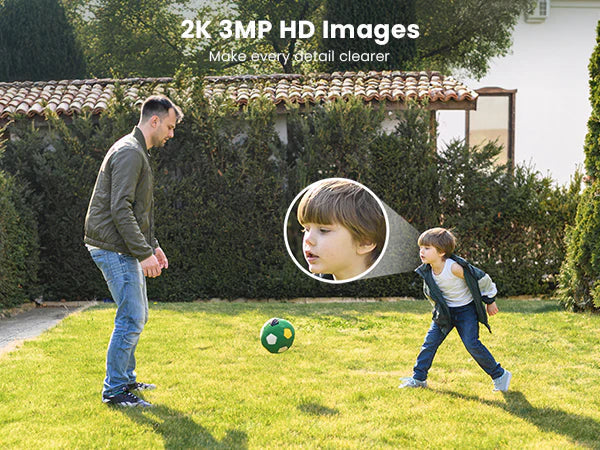
For sharp and detailed footage, choose a garden camera with 4K or at least 2K resolution. Higher video quality makes it easier to capture useful details, such as faces, number plates, clothing, or wildlife markings. A wide viewing angle can also cover more of your garden with fewer blind spots.
Night Vision
If you need the best night camera for garden wildlife, look for infrared or full-colour night vision. Infrared records discreet black-and-white footage, while full-colour night vision shows more detail in low light. Both options can help you spot nocturnal animals or unusual activity after dark.
Motion Detection and Alerts
Smart motion detection can distinguish between people, vehicles, pets, and passing wildlife, so you receive more relevant notifications. Whether you’re watching for security risks or animal activity, real-time alerts can reduce false alarms and help you check important events as they happen.
Weatherproof Design
Your garden camera needs to cope with changing outdoor conditions, including heavy rain, strong wind, and freezing weather. Look for an IP65- or IP66-rated model for reliable year-round use. A secure mounting position can also protect the camera and keep the view steady.
Wireless or Solar Power
Consider whether a wireless or solar-powered camera suits your garden better than a wired model. Home security cameras wireless offer easier installation and more flexible placement, while solar charging can reduce the need for manual recharging. Wired cameras provide continuous power but usually require more planning during installation.
Storage Options
Choose between local storage on a microSD card and cloud storage based on how you want to access your footage. Local storage gives you direct access and may avoid ongoing fees, while cloud storage provides remote access and an online backup if the camera is damaged or removed.
By choosing a garden camera with these key features, you can monitor your outdoor space more clearly and capture important moments, whether you’re protecting your home or using a wildlife camera for garden visitors.

Best Places to Install a Garden Camera
The right location depends on what you want to monitor. Place your garden camera near entry points for security or close to feeding and nesting areas for wildlife watching. A clear view will help you capture the most relevant activity.
Rear Door
Install a garden camera near the rear door to monitor one of the main entry points into your home. Position it high enough to avoid easy reach, but keep faces and movement clearly visible. A slightly downward angle can cover both the doorway and the area in front of it.
Side Gate
A side gate can provide direct access from the street to your garden. Placing a camera here lets you see who enters or leaves and can alert you when the gate opens. Avoid pointing it towards public paths or neighbouring property where possible.
Shed or Garage
Sheds and garages often contain tools, bicycles, and garden equipment. Mounting a camera near the entrance can record anyone approaching the door and help you check whether it has been left open. Choose a position that covers the entrance rather than a large area with little activity.
Patio or Garden Path
A patio or garden path is a useful location for everyday outdoor monitoring. The camera can record movement across the garden, watch children or pets, and show who is approaching the house. A wide viewing angle may cover the path and seating area with one camera.
Bird Feeder or Wildlife Area
For a wildlife camera for garden use, place it near a bird feeder, water source, hedge, or known animal route. Position the camera close enough to capture detail while leaving space so animals aren’t disturbed.
Angle the garden wildlife camera slightly downward and remove branches that could block the view. For night recording, avoid nearby surfaces that may reflect infrared light back into the lens.
Best ieGeek Garden Cameras to Consider
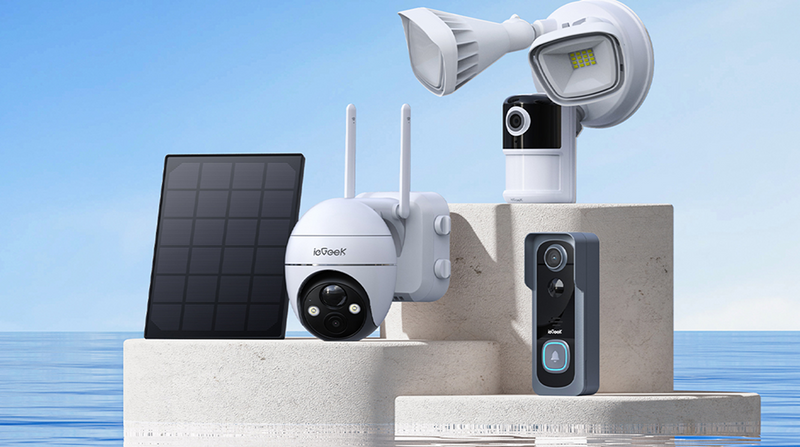
ieGeek offers several garden camera options for different outdoor areas, from solar-powered monitoring to motion tracking and bright security lighting. Here are three models to consider:
ieGeek ZS-GX4S with Panel 5MP
For gardens where access to power is limited, the ieGeek ZS-GX4S with Panel 5MP is a practical all-rounder, combining 5MP clarity with solar-powered operation. Whether you’re monitoring a rear entrance, watching hedgehogs near a hedge, or checking pets on the lawn, this camera captures clear footage during the day and in low-light conditions.
Its battery-powered, wire-free design allows for flexible placement anywhere in your garden without the need for complicated wiring. With pan-and-tilt control, you can adjust the viewing angle through the app and monitor a wider outdoor area. Plus, intelligent motion detection can identify human activity, helping you receive more relevant alerts.
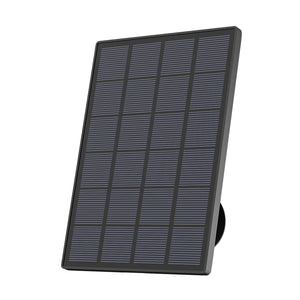
If you’re looking for a solar garden camera for both security and wildlife watching, the ZS-GX4S is a reliable choice with less need for manual charging.

ieGeek ZS-GQ4 Spotlight Camera
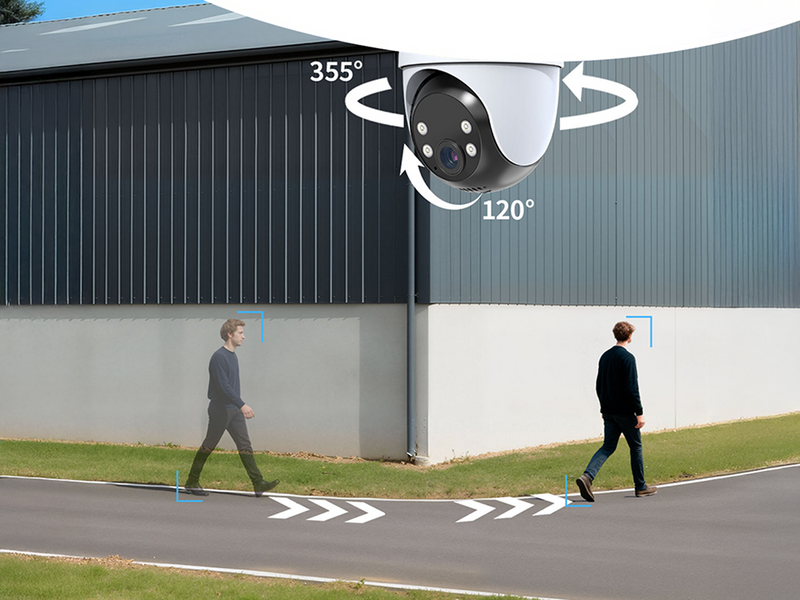
For larger gardens, the ieGeek ZS-GQ4 Spotlight Camera is a useful choice, delivering 5MP video and 360° motion tracking to cover more of your outdoor space. Whether you’re monitoring a garden path, patio, side gate, or shed, the camera can follow movement and capture clear footage as the subject crosses the area.
Equipped with pan-and-tilt functionality, the ZS-GQ4 offers wide-area coverage, allowing you to adjust the viewing direction remotely and check different parts of your garden. With built-in spotlights and full-colour night vision up to 50 ft (15 m), it provides detailed monitoring after dark. Its plug-in power supply also supports continuous recording for areas that need regular surveillance.
If you need a garden camera that can track movement across a wide space, the ZS-GQ4 is a suitable option for both daytime and night-time monitoring.

ieGeek ZY-E2 Floodlight Camera
The ieGeek ZY-E2 Floodlight Camera is a strong choice for garden security, combining 5MP resolution with two bright floodlights to monitor your outdoor space during the day and at night. Its motion detection can alert you to activity near rear doors, garages, paths, and garden gates, while the lights improve visibility in darker areas.
Designed for wider outdoor coverage, this camera features a 130° viewing angle, making it useful for monitoring larger entrances and open garden areas. AI subject tracking follows movement within the camera’s view, while remote access lets you check alerts and live footage through the app.
Whether you’re looking to illuminate a dark path, discourage unwanted visitors, or monitor your garden remotely, the ZY-E2 combines security lighting and video monitoring in one system.

How to Set Up a Garden Camera?
A well-planned setup gives your garden camera a clearer view and more reliable alerts. Follow these steps to improve security monitoring or capture wildlife activity around your outdoor space.
Choose the Right Position
Place the camera near the area you want to monitor, such as a rear door, side gate, shed, bird feeder, or animal path. Whether you’re watching for visitors or recording wildlife, the right location ensures the most important activity stays within view.
Avoid placing the camera behind glass or thick branches, as these can block the image and affect motion detection. For solar models, choose an area where the panel can receive direct daylight.
Set the Right Angle
Tilt the camera slightly downward to capture clear footage while reducing glare and unnecessary background movement. This angle allows you to see faces, animals, and activity on the ground more clearly.
For wildlife watching, point the lens towards feeding areas, water sources, or gaps in hedges. Make sure nearby walls, leaves, or reflective surfaces don’t block the view or affect night vision.
Check the WiFi Signal
A WiFi garden camera needs a stable connection for live viewing, recordings, and phone alerts. Test the signal at the installation point before fixing the camera permanently, especially if it’s far from your router.
Open the app and check whether the live video loads smoothly. If you already use an indoor security camera, don’t assume the same signal strength will reach the far end of your garden. Move the router or use a suitable WiFi extender if the connection drops.
Adjust Motion Zones
Use custom motion zones to focus detection on key areas, such as a gate, path, shed entrance, or wildlife feeding point. This allows the camera to monitor relevant activity while ignoring less important parts of the scene.
Exclude roads, moving trees, and neighbouring areas where possible. Whether you’re monitoring people or animals, well-placed zones reduce false alerts and make notifications easier to review.
Clean and Check the Camera
Outdoor cameras collect dust, rain marks, insects, and cobwebs over time. Wipe the lens gently with a soft cloth to maintain clear footage during the day and at night.
Check the mount, battery level, solar panel, storage, and WiFi connection every few months. With regular cleaning and simple checks, your garden camera can continue recording reliable footage throughout the year.
Garden Camera vs Regular Outdoor Camera
A garden camera and a regular outdoor camera may share many of the same features, including night vision, motion detection, and weatherproof protection. The main difference is how and where you use them.
|
Feature
|
Garden Camera
|
Regular Outdoor Camera
|
|
Main purpose
|
Garden security, wildlife watching, and daily outdoor monitoring
|
General home security around doors, driveways, and external walls
|
|
Common location
|
Lawns, patios, sheds, bird feeders, hedges, and garden paths
|
Front doors, garages, driveways, and main entry points
|
|
Wildlife use
|
Often positioned to capture birds, hedgehogs, foxes, and other animals
|
Usually focused on people, vehicles, and possible security risks
|
|
Viewing angle
|
May use wide-angle or pan-and-tilt coverage for larger garden areas
|
Often uses a fixed view aimed at one entrance or security zone
|
|
Night vision
|
Useful for both nocturnal wildlife and activity after dark
|
Mainly used to monitor people and property at night
|
|
Motion settings
|
Can focus on animal routes, feeders, gates, or paths
|
Usually focuses on doors, driveways, and areas people may enter
|
|
Power options
|
Battery and solar power allow flexible placement away from buildings
|
Wired, battery, and solar models are available
|
|
Best for
|
Users who want one camera for security and nature watching
|
Users who mainly need security around the outside of the home
|
UK Privacy Tips for Garden Cameras
By following these privacy tips, you can use a garden camera for home security or wildlife watching while limiting its impact on neighbours, visitors, and people using nearby public spaces.
Keep the View Within Your Boundary: Position your garden camera so it mainly covers your own doors, paths, sheds, and outdoor areas. Avoid pointing it towards a neighbour’s garden, windows, or other private spaces. A carefully placed camera reduces unnecessary recording while keeping the areas you need to monitor in view.
Use Privacy Zones Where Needed: If the camera can’t avoid showing part of a public path or nearby property, use privacy masking to block that section of the image. This helps ensure the garden camera doesn’t capture more footage than necessary.
Display a Clear CCTV Sign: Put up a visible sign if your camera records beyond your property boundary. The sign should let visitors and passers-by know that video recording is taking place.
Limit Audio Recording: Turn off audio unless you have a clear reason to use it. Microphones may record conversations outside the intended monitoring area, making audio more intrusive than video alone.
Store Footage Securely: Protect your camera account with a strong password and restrict access to people who need it. Whether you use a microSD card or cloud storage, keeping recordings secure reduces the risk of unauthorised viewing.
Delete Recordings Regularly: Keep footage only for as long as you need it. Set recordings to delete automatically where possible, and avoid saving routine clips that have no security or wildlife value.
FAQs
What is the best garden wildlife camera?
The best garden wildlife camera depends on your specific needs. For flexible placement and clear footage, the ieGeek ZS-GX4S is a practical choice, offering 5MP resolution, solar charging, and a wire-free setup. If you’re monitoring a larger garden, the ieGeek ZS-GQ4 provides pan-and-tilt coverage and motion tracking, making it easier to follow animals as they move across the area. For night-time wildlife watching, choose a model with clear night vision and place it away from lights that may disturb visiting animals.
How do garden cameras work?
Most garden cameras use WiFi and motion detection to capture and record wildlife or security activity in your outdoor space. They provide live viewing, phone alerts, and night vision, allowing you to monitor the garden during the day and after dark. Many models support cloud or local storage, so you can review previous recordings. Depending on the camera, it may use a rechargeable battery, solar panel, or mains power, giving you several options for different garden layouts.
How to set up a garden camera for wildlife watching?
To capture the best footage, place your camera near bird feeders, water sources, hedges, or other areas where animals are active. Adjust the angle slightly downward to record clear footage without branches or other obstructions. Check the WiFi signal for reliable live viewing and alerts. To reduce unwanted notifications, set motion zones around the main wildlife area. Finally, clean the lens regularly to maintain sharp and detailed recordings.
Is it legal to have a camera in your garden in the UK?
Yes, it’s generally legal to install a camera in your garden in the UK. Try to keep the camera focused on your own property and avoid recording neighbouring gardens, windows, or private areas. If it captures people beyond your property boundary, such as on a public path or nearby property, UK data protection rules may apply. Use privacy zones, limit audio recording, store footage securely, and delete recordings when you no longer need them.
Can a garden camera work without WiFi?
Yes, some garden cameras can work without WiFi, but the available features depend on the model. A camera with a microSD card may continue recording footage locally, although live viewing, phone alerts, and cloud storage may not work. A 4G camera or LTE camera can use a SIM card and mobile data instead of home WiFi. Standard WiFi garden cameras need a stable network connection for remote monitoring and real-time notifications.
Conclusion
A garden camera is a useful addition to any home, whether you need it for security or wildlife watching. With the right features, position, and setup, you can monitor your outdoor space for peace of mind or use a garden wildlife camera to discover the animals visiting after dark.
ieGeek’s range of garden cameras provides practical options for security and wildlife monitoring across different outdoor spaces. Ready to improve your garden monitoring? Explore the available models and choose the camera that best suits your home.
Author Intro
 |
Written by the ieGeek team, a brand dedicated to making smart security simple and accessible for everyone. With experience in designing easy-to-install security cameras, we aim to provide practical advice based on real user scenarios. Our goal is to provide reliable, easy-to-use technology that helps users stay connected and protected in different environments. |