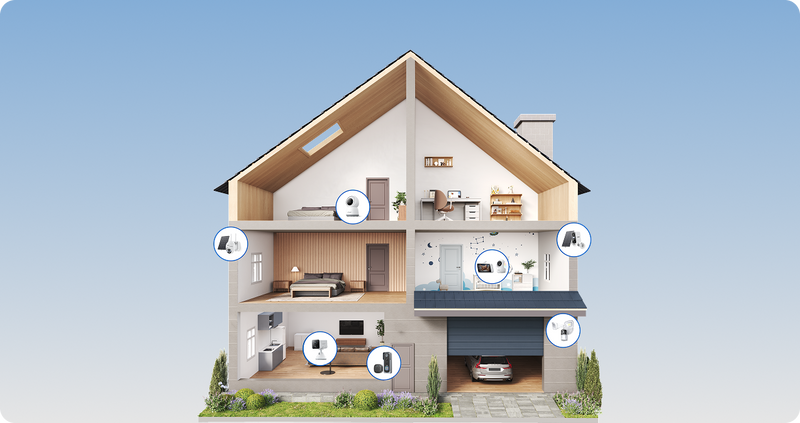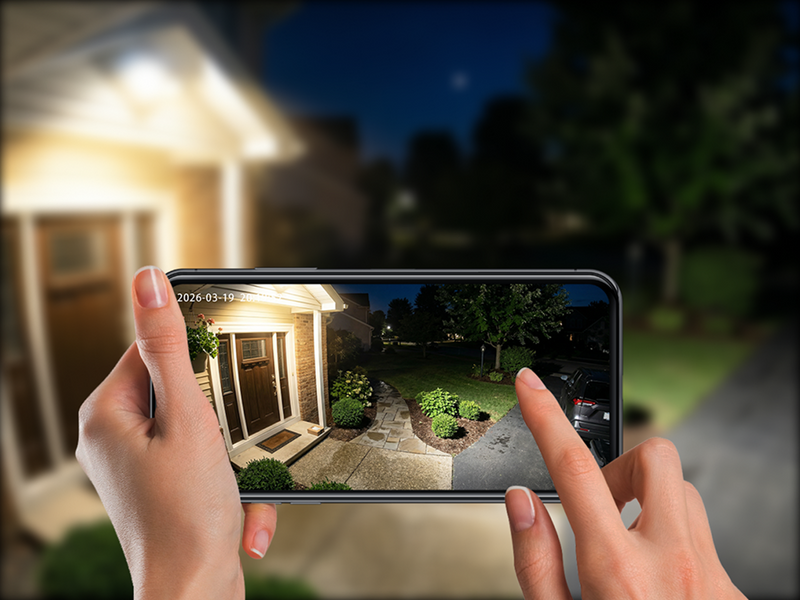




Modern home security has become more accessible than ever, and WiFi-enabled cameras are one of the biggest reasons why. Instead of running long cables through walls or relying on complex installations, many homeowners now prefer a WiFi on camera solution that can be installed quickly and managed through a smartphone.
But the real challenge is not whether a camera can connect to WiFi. It is whether the camera will still work well in the specific place you want to install it. Thick brick walls, weak router coverage, outdoor distance, and ongoing subscription costs can all affect the day-to-day experience. This guide explains how security camera on WiFi systems work, compares different power options, highlights their advantages and limitations, and outlines the key considerations for choosing the most suitable solution for your home.
Key Takeaways
-
WiFi cameras are best understood as network-connected security devices, not just “wireless” cameras. Power and data are separate decisions, and both affect installation.
-
UK homes often have thicker walls and more challenging garden layouts, so signal strength matters as much as image quality.
-
Battery models are the easiest to install, but they require charging and are better when flexibility matters more than continuous operation.
-
Solar cameras work best outdoors in locations with regular daylight. They reduce maintenance, but they are not always fully hands-off.
-
Storage, privacy, and subscription terms can change the real long-term cost, so they should be checked before purchase.

What Is a WiFi On Camera?
A WiFi on camera is a security camera that uses your home's wireless network to transmit video and communicate with a mobile app or monitoring platform. Unlike traditional wired CCTV systems that require network cables between devices, WiFi cameras send data wirelessly through your router while still offering features such as live viewing, motion alerts and video recording.
What Does "WiFi on Camera" Actually Mean?
The term WiFi on camera simply refers to a camera that connects to a wireless network rather than using an Ethernet cable for data transmission. Once connected to your home's WiFi, the camera can stream live footage, send motion notifications and allow remote access through a dedicated mobile application.
One of the most common misconceptions is that every WiFi camera is completely cable-free. In reality, WiFi only replaces the network cable—not necessarily the power cable. Plug-in WiFi cameras still require a nearby electrical socket, while battery-operated models run on rechargeable batteries, and solar-powered versions use compatible solar panels to help maintain battery charge.
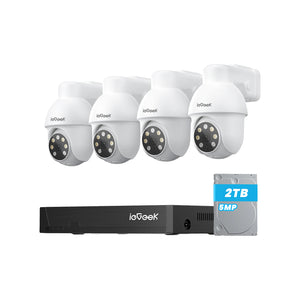
Another important point is that WiFi cameras can support different storage methods. Some save recordings to a microSD card inside the camera, while others upload footage to cloud storage or connect with a network video recorder (NVR).
For homeowners looking for a balance between flexible installation and dependable performance, modern wireless security cameras are available in a wide range of designs suitable for both indoor and outdoor monitoring.
How Does a Security Camera on WiFi Work?
Although WiFi cameras appear simple to use, several technologies work together behind the scenes to deliver secure remote monitoring. A camera captures video through its image sensor, compresses the footage into digital data and transmits it over your wireless network.
When connected to the internet, users can securely access live footage through a smartphone or computer from virtually anywhere. Many modern cameras also incorporate AI-assisted detection to distinguish between people, vehicles, pets or general movement, reducing unnecessary notifications caused by rain, tree branches or wildlife.
Can a WiFi Camera Work Without the Internet?
A common misunderstanding is that WiFi cameras stop functioning as soon as the internet connection fails. In reality, the answer depends on whether the local WiFi network and power supply remain available.
If your broadband service goes offline but your router continues operating, many WiFi cameras can still communicate across the local network and continue recording to an internal microSD card or connected NVR.
If the router itself loses power, wireless communication between the camera and the network is interrupted. Battery-powered cameras may continue recording locally if onboard storage is available, but live remote access will not be possible.
For users who require around-the-clock recording in areas with reliable mains power, plug-in solutions such as the ieGeek S7 Wireless 24 Hour Recording Camera offer continuous surveillance without relying on battery capacity, making them particularly suitable for entrances and garages.

Different Types of WiFi Cameras
Plug-in WiFi Cameras
Plug-in WiFi cameras receive constant power from a mains socket while using WiFi to transmit video. Because they are not limited by battery capacity, they are well suited to continuous recording, longer video clips and advanced AI features that require more processing power.
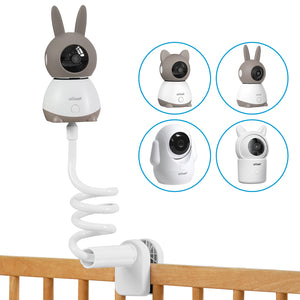
These cameras are particularly effective for indoor spaces, garages and entrances where a nearby power outlet is available. For families who want to supervise children, elderly relatives or pets while away, an indoor solution such as the ieGeek SC1 Pro Indoor Security Camera provides stable power together with remote viewing and two-way communication, making everyday monitoring both convenient and dependable.

WiFi Camera on Battery
A WiFi camera on battery combines wireless networking with rechargeable battery power, making it one of the most flexible security solutions for residential properties. Because there is no need to install power cables, these cameras can often be mounted within minutes, making them ideal for rented homes, detached garages, sheds and locations where electrical wiring would be difficult or expensive.
Battery-powered cameras typically remain in an energy-saving standby mode until motion is detected. Homeowners looking for practical outdoor protection can also explore dedicated Battery operated security camera solutions, which offer an effective balance between installation flexibility and reliable performance.
WiFi Camera on Solar
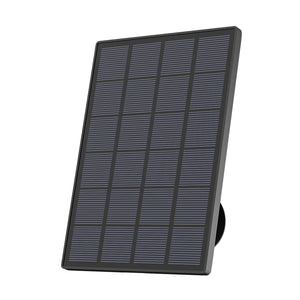
A WiFi camera on solar builds on battery-powered technology by adding a compatible solar panel that continuously recharges the internal battery using daylight.
However, solar charging should be viewed as a method of maintaining battery levels rather than providing unlimited power. Positioning the panel where it receives several hours of direct daylight each day is essential for achieving consistent performance throughout the year. Products such as the ieGeek ZS-GX4S 5MP Solar Security Camera are designed for this type of installation, combining rechargeable battery technology with solar charging to reduce maintenance while delivering reliable outdoor monitoring. Homeowners comparing different options may also find it useful to browse dedicated solar powered security camera solutions.
WiFi Camera vs Wired Security Camera
Both WiFi and wired security cameras provide effective surveillance, but they solve different problems. WiFi cameras prioritise installation flexibility and remote accessibility, while wired systems generally focus on maximum reliability, continuous recording and large-scale property coverage. Choosing between them depends on your home's layout, available infrastructure and long-term security goals.
For most UK households, WiFi cameras offer sufficient performance without the complexity of installing network cables throughout the property. Larger homes, commercial premises or locations requiring dozens of cameras may still benefit from a fully wired CCTV system.
Rather than viewing one option as universally better, consider how the camera will actually be used. A battery-powered WiFi camera may be perfect for monitoring a side gate or holiday home, while a plug-in or wired system may be more appropriate for areas requiring uninterrupted recording around the clock.
Key Benefits of WiFi Security Cameras
WiFi security cameras have become increasingly popular because they combine practical installation with intelligent monitoring features. Advances in wireless connectivity, AI detection and mobile applications mean homeowners can now build an effective surveillance system without major building work or extensive technical knowledge.
Easy Installation
Compared with traditional CCTV systems, WiFi cameras generally require far less installation work. Many models only need a secure mounting position, access to a WiFi network and basic setup through a mobile application. Battery-powered models eliminate the need for nearby electrical sockets, making them particularly useful for detached garages, fences, garden buildings and other difficult-to-wire locations.
Remote Viewing Anywhere
One of the biggest advantages of a security camera on WiFi is the ability to check live footage wherever an internet connection is available. Whether you're commuting to work, travelling abroad or simply upstairs while expecting a parcel delivery, remote access allows you to stay connected to your property through a secure mobile app.
Smart Motion Alerts
Modern WiFi cameras use increasingly sophisticated motion detection technologies to improve both accuracy and efficiency. Many systems can also distinguish between people, vehicles, pets and general movement, allowing homeowners to customise alerts according to their priorities. For example, a driveway camera may notify you only when a vehicle enters the property, while an indoor camera can focus exclusively on human movement.
Flexible Placement
Wireless connectivity makes it much easier to position cameras where they provide the best field of view rather than where network cables happen to reach. Homeowners can install cameras overlooking front doors, patios, side entrances, sheds or detached garages without planning complicated cable routes through the property.
For outdoor applications, purpose-built outdoor monitoring cameras are designed to withstand rain, dust and changing weather conditions while maintaining stable wireless performance. This flexibility allows surveillance systems to evolve as household security requirements change over time.
Integration with Smart Home Devices

Limitations You Should Know Before Buying
WiFi security cameras offer excellent flexibility and convenience, but they are not entirely maintenance-free. Like any connected device, their performance depends on factors such as network quality, power supply and correct configuration.
WiFi Signal Strength Matters
Even the best camera cannot perform well if the wireless signal is weak. Thick brick walls, insulated garages, metal doors and long distances between the camera and the router can all reduce WiFi performance. In many UK homes—particularly older brick-built properties—wireless coverage outdoors may be noticeably weaker than inside the house.
Battery Maintenance
Battery-powered cameras provide outstanding installation flexibility, but they require occasional maintenance. How often a battery needs recharging depends on several factors, including recording frequency, ambient temperature, motion sensitivity and the number of daily alerts. A camera monitoring a busy front path will naturally consume more power than one overlooking a quiet garden.
Upload Speed Affects Video Quality
Broadband download speeds often receive the most attention, yet upload speed is equally important for WiFi security cameras. Live streaming, cloud recording and remote playback all depend on the camera's ability to upload video to the internet. If the upload bandwidth is limited, users may experience delayed notifications, lower video quality or interruptions during live viewing.
Privacy and Cybersecurity
As internet-connected devices, WiFi cameras should always be configured with security in mind. It is equally important to consider privacy during installation. Cameras should monitor your own property while respecting neighbouring homes and shared public spaces where appropriate. The National Protective Security Authority (NPSA) also recommends keeping connected devices updated and following good cyber hygiene practices to improve resilience against online threats.
How to Choose the Right WiFi Camera for Your Home
With a wide variety of WiFi cameras available, selecting the right model is often less about choosing the most advanced specification and more about matching the camera to your property's layout and your everyday security requirements.
Indoor or Outdoor?
The installation environment is the first decision to make. Indoor cameras are designed for controlled environments where they can focus on monitoring family members, pets or valuable possessions.
Outdoor cameras, by contrast, must withstand changing weather conditions throughout the year. Look for durable housings with suitable weather-resistance ratings, reliable night vision and secure mounting systems. If you're planning to protect entrances, driveways or gardens, purpose-built outdoor monitoring cameras provide greater durability than indoor models placed outside temporarily.
Battery, Plug-in or Solar?
Power supply directly affects both installation flexibility and ongoing maintenance. Plug-in cameras are ideal where continuous recording is required and electrical sockets are readily available.
Battery-powered cameras offer greater freedom when installing cameras in areas without mains electricity, while solar-assisted models further reduce maintenance by replenishing battery charge during daylight hours. For homeowners seeking a practical balance between flexible installation and reduced charging frequency, products such as the ieGeek ZS-GX4S 5MP Solar Security Camera provide suitable options depending on the installation environment.
Resolution
Higher resolution produces clearer images, but selecting the highest available specification is not always necessary. Full HD (1080p) remains sufficient for many indoor applications, while 2K provides improved facial detail and sharper digital zoom for entrances and gardens. A 4K camera may be beneficial when monitoring larger areas or identifying distant objects, although it also requires greater storage capacity and more upload bandwidth.
Night Vision
Since many security incidents occur after dark, effective night vision is one of the most valuable camera features. Infrared (IR) night vision provides clear monochrome images in complete darkness and remains the standard option for many residential security cameras.
Storage Options
| Stage | What Happens |
| Video Capture | The camera records images through its sensor. |
| Data Processing | Video is compressed and encrypted before transmission. |
| WiFi Connection | The camera sends data through your home router. |
| Storage | Footage is saved to local storage, cloud storage or an NVR. |
For many households, combining local recording with optional cloud backup provides a practical balance between cost, convenience and resilience.
Weather Resistance for UK Conditions
FAQs
Does a WiFi camera need internet?
Can a security camera on WiFi record continuously?
How long does a WiFi camera on battery last?
Is a WiFi camera on solar reliable in the UK?
Can WiFi cameras work during a power cut?
Are WiFi security cameras secure from hacking?
Do WiFi cameras require a monthly subscription?
What's the difference between WiFi cameras and IP cameras?
Conclusion
For most UK homes, a WiFi security camera is a practical choice when you want flexible installation, app-based viewing, and less cabling than a traditional CCTV setup. The most important decision is not which camera has the longest feature list. It is which camera matches the actual conditions of your home: WiFi strength, wall construction, weather exposure, power access, and how much maintenance you are willing to handle.
If your priority is easy installation, battery models are worth considering. If your camera will be placed outdoors in a daylight-friendly position, solar can reduce charging frequency. If you want stable always-on monitoring, a plug-in camera is usually the safer choice. A well-matched setup is almost always more useful than a more advanced camera in the wrong place.
Author Intro
 |
Developed by the ieGeek content team, combining hands-on experience with smart devices and insights into real user needs. ieGeek is widely known for smart security, our solutions are also designed for a variety of real-life scenarios, including travel, outdoor monitoring, pet care, and family safety. We focus on delivering simple, dependable solutions that fit seamlessly into daily life. |