



PIR is widely used in battery-powered security cameras because it can detect activity without keeping the camera fully active all day. A PIR sensor watches for changes in infrared energy and can wake the camera when movement appears, making it useful around entrances, driveways, front paths and gardens. It often works with motion detection, AI analysis, PTZ controls and night vision, but each feature has a different role.
This guide explains what PIR means, how PIR motion detection works, how it differs from standard motion and AI detection, what can affect detection accuracy, and how to position a PIR security camera for more reliable alerts around a typical UK home.
Key Takeaways
-
PIR stands for Passive Infrared. It detects changes in infrared energy from moving warm objects rather than analysing the image itself.
-
PIR can wake a battery camera, start recording or send an alert without keeping the camera fully active all day, helping reduce unnecessary power use.
-
PIR does not identify what caused the trigger. AI detection can classify supported targets, while PTZ and lighting can help expand the view or capture clearer detail after detection.
-
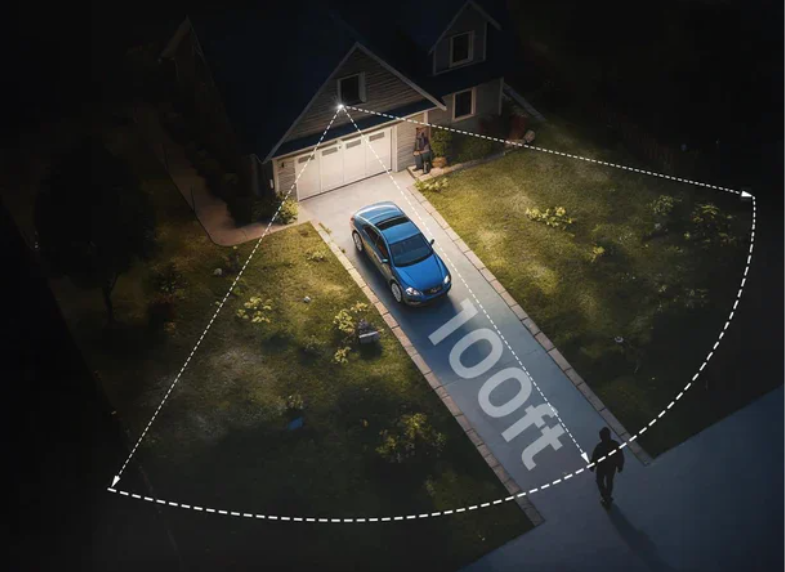
PIR detection is commonly intended for relatively short ranges, and performance may drop near the edge of the sensor’s coverage. Movement across the detection area is also generally easier to detect than movement directly towards the camera.
-
Very warm surroundings can reduce the temperature contrast PIR relies on, while higher sensitivity may improve detection at the cost of more unwanted alerts.
-
For more reliable results, keep important approach routes within the PIR range, avoid glass and strong heat sources, and test the camera from the routes people actually use after installation, such as the front path, side gate or driveway.

What Does PIR Mean in a Security Camera?
PIR stands for Passive Infrared. In a security camera, a PIR sensor detects changes in infrared radiation within its coverage area. People, animals and other warm objects naturally give off infrared energy, so when one of them moves through the detection zone, the sensor can recognise that change.
The word “passive” means the sensor only receives infrared energy from its surroundings rather than sending out a signal of its own. Its job is therefore to detect changes in heat patterns, not to create an image. That is different from infrared night vision in security cameras, which helps the camera see in low-light conditions or after dark once an event has been detected.
How PIR Motion Detection Works
PIR motion detection works by monitoring infrared energy in the area and responding when that energy changes noticeably.
Detecting Background Infrared
A PIR sensor continuously receives infrared energy from the area it monitors. Walls, floors, furniture and other objects all give off different amounts of heat, creating a relatively stable infrared background when the scene is quiet.
For outdoor security cameras, this background may include brick walls, paving, fencing, parked vehicles and garden surfaces. As long as that background remains fairly steady, the sensor does not treat it as a motion event.
Sensing a Moving Heat Source
When a person or another warm object moves into the area, the infrared background begins to change. The sensor detects the difference between the moving heat source and the surrounding environment as the object passes through its detection area. If the change is clear enough, the sensor recognises it as movement.
A person walking across a front path or driveway can therefore trigger PIR because their body heat creates a noticeable change compared with the surrounding ground, walls or other stationary objects.
The same principle can apply to somebody entering through a side gate or walking towards a garage, shed or back door.

Triggering Recording and Alerts
After detecting a strong enough change in infrared energy, the PIR sensor converts it into a signal and sends it to the camera. If the signal reaches the camera’s set detection threshold, the camera may wake from standby, start recording or send a notification to the user’s mobile phone.
When AI detection is also available, the captured image can then be analysed further to check whether the movement came from a person, vehicle or another supported target.
How PIR Works with Other Camera Features
PIR usually handles the first step: noticing that something has moved. From there, the camera may use AI, PTZ or lighting to get a clearer picture of what is happening.
Reducing Battery Use with PIR Wake-Up
Battery cameras do not need to keep the image sensor and recording system running at full power when the monitored area is quiet. PIR can remain active in a lower-power state and wake the camera only when movement is detected, helping reduce unnecessary battery use.
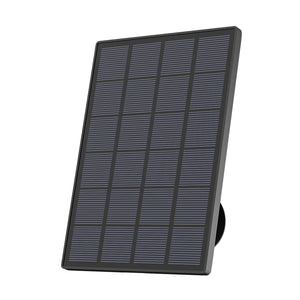
This approach is used on models such as the ieGeek ZS-GX4S 5MP solar security camera, which combines a PIR human sensor with human detection and detection-zone settings. The PIR sensor can wake the camera when activity appears, while the camera then records and analyses the captured scene. Solar charging helps replenish the battery, while PIR wake-up reduces power use during long periods without activity.
PIR with Remote PTZ Viewing
PIR and PTZ serve different purposes. PIR detects changes in infrared energy within its sensing area, while PTZ allows the camera lens to rotate so the user can check nearby areas after an event has been detected. A wider PTZ viewing range does not automatically mean a wider PIR detection range.

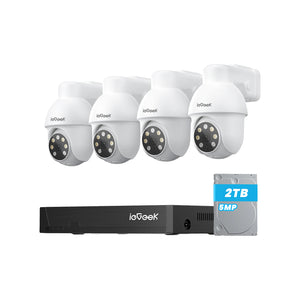
On a camera such as the ieGeek S5 2K PTZ outdoor camera, PIR motion detection can trigger an event first, while the 355° horizontal PTZ control lets the user adjust the view afterwards. If movement is detected near a parked car, the camera can then be turned towards the gate or another part of the driveway to see what is happening nearby.
Adding Visible Detail after PIR Detection
PIR can detect movement in darkness, but it cannot show details such as clothing colour, vehicle colour or what a person is carrying. Those details depend on the camera’s image sensor and available lighting.
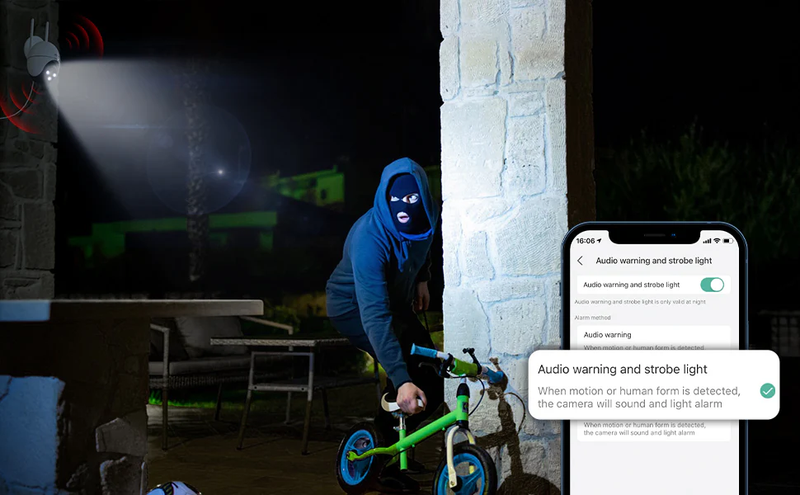
In a dark driveway or side passage, a floodlight camera can add that missing visual information. The ieGeek ZY-E2 floodlight camera, for instance, combines PIR and human detection with a 2600-lumen floodlight and colour night vision. PIR helps detect the activity, while the lighting and camera image make it easier to see what actually caused the alert.
In practice, PIR is more useful when it works alongside features that help save power, adjust the view and capture clearer detail after a trigger.

What Is the Difference Between PIR, Video Motion and AI Detection?
PIR, motion detection and AI detection can all be used to detect activity, but each one responds to different types of information.
|
Detection Method |
What Triggers It |
Target Identification |
Common False Alerts |
Best Use |
Main Limitation |
|
PIR Detection |
Changes in infrared energy |
Does not identify the target by itself |
Pets, warm vehicles, temperature changes |
Battery-powered event detection |
May react to different warm moving objects |
|
Video Motion Detection |
Changes between video frames |
Detects movement but not what caused it |
Branches, shadows, rain, changing light |
General movement monitoring |
Can react to non-security-related movement |
|
AI Detection |
Analysis of captured images |
Can classify supported targets such as people or vehicles |
Incorrect classification in difficult conditions |
Filtering and prioritising alerts |
Depends on image quality and supported categories |
PIR is useful for detecting heat-related movement with relatively low power use, while standard motion detection camera systems look for visual changes across the scene. AI detection adds another layer by analysing the image and identifying supported target types.
Depending on the camera, these methods may work separately or together to detect activity and reduce less useful alerts.
What Affects PIR Detection Accuracy?
PIR performance can vary with distance, movement direction, temperature and sensitivity settings. Camera height, surrounding surfaces and the layout of the property can also affect how well the detection zone covers the route people actually use.
Detection Distance
For many home security cameras, PIR detection is typically effective at around 5–10 metres. Detection becomes less reliable near the edge of that range, especially for smaller targets or slower movement, so important areas should not sit right at the maximum distance.
Movement Direction
PIR usually responds more reliably when a person moves across the detection area rather than straight towards the camera. Sideways movement creates a clearer change in infrared energy, while direct movement may be detected later.
Temperature and Weather
PIR depends on the heat difference between a moving target and the surrounding area. On very hot days, walls and paving can warm up and reduce that contrast, which may shorten the practical detection range.
Sensitivity Settings
Higher sensitivity can help detect smaller or more distant movement, but it may also increase unwanted alerts. Lower sensitivity reduces some false triggers, although activity near the edge of the detection area may be missed.
How to Position a PIR Security Camera
Because distance, temperature and surrounding conditions can affect PIR detection, camera placement has a direct impact on how reliably it works.
Cover the Approach Route
Place the camera where its PIR detection area covers the route people are most likely to use, such as the path to a front door, gate or parked car. Keep the key part of that route well within the sensor’s effective range rather than close to the outer edge, where detection may become less reliable.
Avoid Glass and Heat Sources
PIR cameras should generally not be installed behind glass because windows can interfere with infrared detection. Strong heat sources and rapidly changing temperatures can also affect performance.
Try to avoid positions directly facing:
- Heating vents or exhaust outlets
- Machinery that produces substantial heat
- Highly reflective surfaces in strong sunlight
- Windows between the PIR sensor and the monitored area
- Boiler flues or other regularly warm exterior outlets
- Areas where direct sunlight strongly heats brickwork or paving
Set the Height and Angle
Mount the camera high enough to cover the target area without pointing too steeply towards the ground. If the angle is too sharp, a person may enter the PIR detection area only when they are already close to the camera.
The lens and PIR sensor should both face the part of the path or driveway where early detection matters most.

Test the Detection Area
After installation, walk through the monitored route at different distances and note where the camera first sends an alert or starts recording. If it reacts only when you are very close, reposition the camera or adjust its angle before changing the sensitivity.
Repeat the test from the routes people normally use to check whether the camera detects movement early enough.
FAQs
What is a PIR used for?
PIR is used to detect movement by sensing changes in infrared energy from people, animals or other warm objects. In a security camera, it can wake the camera, start recording and trigger an alert when movement is detected.
Will a PIR detect a car?
Yes, a PIR sensor can detect a moving vehicle if it creates enough change in infrared energy. Warm engines and vehicle surfaces may make detection easier, although distance, temperature and movement direction can affect the result.
How long does a PIR security camera last?
If you mean battery life, a PIR security camera can often run for several weeks or months between charges, depending on the battery size and how often it is triggered.
Frequent recordings, live viewing, cold weather and high sensitivity can shorten runtime, while PIR standby and solar charging may extend it.
How far can a PIR security camera detect?
Many home security cameras have a PIR detection range of around 5–10 metres. The actual distance depends on the sensor, target size, movement direction, temperature and camera position.
How do I know if my PIR security camera is working?
Walk through the PIR detection area and check whether the camera sends an alert or starts recording. Test from several distances and approach routes; if it only reacts when you are very close or misses movement, adjust the camera angle, detection area or sensitivity.
Conclusion
PIR can help a security camera respond to movement while reducing unnecessary battery use. For better results, match the PIR range to the area you want to cover, position the camera carefully, and use features such as AI or lighting when you need more accurate alerts or clearer detail.
About the Author
 |
Written by the ieGeek team, a brand dedicated to making smart security simple and accessible for everyone. With experience in designing easy-to-install security cameras, we aim to provide practical advice based on real user scenarios. Our goal is to provide reliable, easy-to-use technology that helps users stay connected and protected in different environments. |