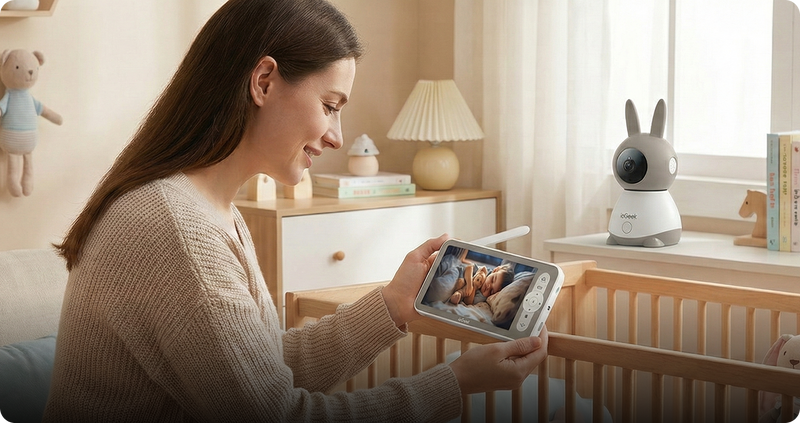





A baby sleep monitor consistently brings you peace of mind. However, a frozen screen at 2:00 AM rapidly transforms relief into fear. If your camera keeps lagging, crowded airwaves are probably to blame. Your 2.4 GHz WiFi highway is overloaded with too many devices.
Your video baby monitor stops working when phones and smart TVs take up too much of the signal. This guide shows you why your camera loses its connection and how to fix WiFi interference. We will also help you choose a reliable setup. Now, let’s explore!
Key Takeaways
-
Most baby monitors use the crowded 2.4 GHz WiFi band. They fight over space with your microwave and smart TV, causing annoying signal drops.
-
You do not need new equipment. Moving your router or changing its wireless channel usually stops the buffering.
-
WiFi monitors let you watch from your phone. Non-WiFi FHSS monitors offer a private, stable local signal.
-
The UK National Cyber Security Centre (NCSC) warns that smart cameras are easily hacked. Always change your default passwords immediately.
-
The ieGeek Baby Monitor Baby 1T and Double Baby Monitor Baby 5 use secure FHSS and dual-band technology. They deliver clear, reliable video every single night.

What Causes Baby Monitor WiFi Interference?
When your baby sleep monitor suddenly loses connection or the video becomes unclear, wireless interference can be one possible reason. Many WiFi baby monitors rely on the 2.4 GHz frequency because it provides a longer range and better wall penetration than higher-frequency connections. However, signal problems can also come from router distance, network congestion, device settings or physical barriers inside your home.
Common sources of wireless interference include:
- WiFi routers: If your router and baby monitor use a crowded channel, other nearby networks may reduce connection stability.
- Microwave ovens: Because they operate near the 2.4 GHz frequency, microwaves can sometimes affect wireless signals while running.
- Bluetooth devices: Some wireless accessories may contribute to congestion when many devices are active at the same time.
- Walls and furniture: Brick walls, concrete and metal structures can weaken signals between your baby monitor and router.
The good news is that you usually do not need to replace your baby sleep monitor immediately. Simple adjustments, such as repositioning your router, reducing interference sources or choosing a better location for your camera, can often improve connection reliability.
WiFi vs. Non-WiFi: Which Wireless Baby Monitor Is Better?
When you shop for the best baby monitors UK families trust, you will notice two main camps: Wi-Fi-enabled and non-Wi-Fi-enabled. Both have real benefits. Your perfect choice depends on your daily routine.
-
WiFi Monitors: These connect directly to your home internet. You view the live camera feed through a mobile phone app. You can check on your sleeping baby from the office or while sitting out in the back garden. Yet, if your home internet connection drops or gets too congested, your video feed freezes.
-
Non-WiFi Monitors: These use a private, invisible dual-band connection (called FHSS) straight from the camera to a dedicated parent screen. They do not use the internet at all. Think of it like a video walkie-talkie. This means zero lag, zero buffering, and maximum privacy from hackers. However, you cannot watch the camera if you leave the house.
You do not have to pick just one. Modern systems give you both. For example, the ieGeek Double Baby Monitor Baby 5 uses an ultra-secure FHSS band link for the parent screen at home, plus dual-band WiFi for remote phone viewing. You get solid stability inside the house and complete freedom when you step out.
Comparison Table: Signal Stability at a Glance
Choosing the wrong wireless baby monitor can lead to a rough night. If your internet router crashes, a WiFi-only camera leaves you in the dark. In contrast, a hybrid monitor keeps you connected by using a backup signal.
Let’s see how these different options handle real-life household traffic:
| Feature | WiFi-Only Monitor | Non-WiFi (FHSS) | ieGeek Dual-Band + FHSS |
| Phone Access | Yes | No | Yes |
| Works Offline | No | Yes | Yes |
| WiFi Lag Risk | High | Very low | Low |
| Range | Limited by WiFi | Up to 1,000 feet | Up to 1,000 feet |

5 Practical Tips to Reduce Interference on Your Video Baby Monitor
You do not need a computer science degree to fix a lagging screen. When your video baby monitor freezes, simple tweaks often solve the frustrating issue instantly. Try these 5 simple fixes to boost your connection:
-
Switch to the 5 GHz Band: Think of 2.4 GHz as a crowded country lane and 5 GHz as a wide-open motorway. Log in to your internet router and move your phones and smart TVs to the faster 5 GHz network. This leaves the 2.4 GHz band completely clear for your baby monitors with cameras.
-
Change Your WiFi Channel: Your router probably uses the same channel as your next-door neighbour. Manually set your 2.4 GHz channel to 1, 6, or 11. These three specific channels never overlap, giving your monitor a quiet, private path to send video.
-
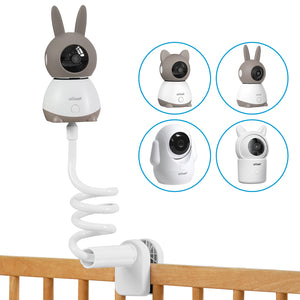
Maintain Physical Distance: Keep the everyday indoor camera unit at least 10 feet away from microwave ovens, cordless phones, and Bluetooth speakers. Furthermore, never hide the camera behind thick brick walls or large metal radiators, because these heavy materials absorb radio waves.
-
Try a Mesh Network: Older UK houses with thick stone walls easily block wireless signals. A mesh system places small internet boosters in different rooms. This clever setup bounces a strong, fresh signal directly up to the nursery.
-
Update the Firmware: Always check your phone’s app for the latest software updates. Camera companies regularly send out free patches that fix hidden connection bugs.
Taking just a few minutes to adjust your router settings transforms how your system performs. By clearing the invisible clutter, you ensure your connection stays stable and reliable.
Recommended ieGeek Baby Monitors for Stable Viewing
ieGeek designed these two monitors for busy UK families. They offer an easy setup, a highly reliable signal, and smart safety features. You do not need to pay for a costly professional installation fee.
For Smart App Tracking: ieGeek Baby Monitor Baby 1T
The ieGeek Baby Monitor Baby 1T is the perfect starter monitor for new parents. It provides intelligent alerts, crystal-clear 2K video, and a large parent screen.
-
Sharp 2K Video: You can easily see tiny facial details from across the dark room.
-
Full 360° View: Use the motorised pan-tilt controls to look in every direction around the nursery.
-
Smart AI Alerts: The camera instantly detects sudden crying and motion.
-
Daily Helpers: It continuously monitors room temperature, plays 18 lullabies, and supports two-way talk.
This monitor is great for parents who want to keep an eye on a single room. If you hear a soft noise at 3:00 AM, do not risk waking your baby by opening their squeaky door.
Check the 2K live feed on your phone. You can use two-way audio to softly shush them back to sleep, right from your own bed.

For Multi-Room Coverage: ieGeek Double Baby Monitor Baby 5
The ieGeek Double Baby Monitor Baby 5 offers premium tracking for growing families. If you have a busy toddler and a newborn, this system effortlessly watches both rooms simultaneously.
-
Split-Screen Display: The large 5.5-inch screen simultaneously displays two 2.5K UHD cameras.
-
Dual Connection: It uses ultra-private FHSS radio technology plus dual-band WiFi for a flawless, 1000-foot range.
-
Critical AI Safety: The smart camera instantly spots if your baby rolls onto their tummy or covers their face.
-
Auto-Tracking: The camera lens physically turns to follow a wandering toddler around the playroom.
The clever FHSS signal smoothly coexists with local WiFi traffic, easily reducing annoying interference. Mount one camera in the nursery and the second camera in the playroom.
The smart AI automatically alerts your phone if the toddler climbs over their cot rail, while you watch the newborn sleep safely. One single screen gives you complete peace of mind.

FAQs
Q: Why does my baby monitor lose signal when I use the microwave?
Invisible energy is released into the kitchen as you warm a midnight bottle. Microwaves instantly disrupt your video baby monitor’s signal because they share the crowded 2.4 GHz band. Changing your internet router to the 5 GHz band or moving your camera farther away can resolve this.
Q: Can my other security cameras cause my baby monitor to lag?
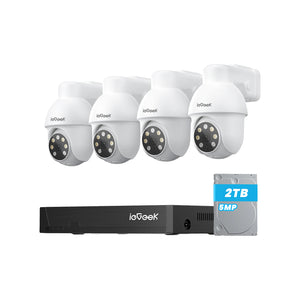
Yes, they certainly can. Your doorbell camera wireless system may interfere with the nursery camera’s signal if it uses the congested 2.4 GHz band. This digital traffic gridlock causes an irritating lag. Connect your exterior cameras to the 5 GHz band, which is quicker. You can halt buffering and restore seamless video by spreading your devices out.
Q: Is a baby wireless camera safe from hacking?
When a baby monitor with a camera setup is properly fastened, it is safe. Hackers target weak, pre-made passwords. Change your default password right away and update your software frequently. Select an FHSS-equipped monitor to create privacy between the nursery and your viewing screen, and to form imperceptible walls.
Q: How far can the signal travel?
The range of a typical wireless baby monitor inside is about 300 feet. But heavy furnishings and solid brick walls quickly reduce that distance. On the other hand, sophisticated FHSS monitors can readily reach up to 1,000 feet through walls. You may unwind in the backyard garden without ever losing contact with your soundly sleeping youngster upstairs.
Q: Do I need a subscription to use an ieGeek baby monitor?
Absolutely not. Without paying costly monthly fees, you can record video to a local SD card on iegeek baby monitor. Once you get the equipment, you’ll always have complete control. You can keep your daily tracking discreet, easy, and stress-free by watching previous nursery footage right on your phone whenever you need to.
Conclusion
The goal of your baby sleep monitor should be calm, not anxiety. Unfortunately, thick walls and crowded WiFi signals cause your screen to freeze. Because most UK routers cram too many devices onto a single WiFi channel, a simple tweak can fix most dropouts.
A reliable baby video monitor ensures you get more rest. If you need to look beyond the nursery, you can explore home security cameras wireless to cover your whole house.
Author Intro
 |
Written by the ieGeek team, a brand dedicated to making smart security simple and accessible for everyone. With experience in designing easy-to-install security cameras, we aim to provide practical advice based on real user scenarios. Our goal is to provide reliable, easy-to-use technology that helps users stay connected and protected in different environments. |