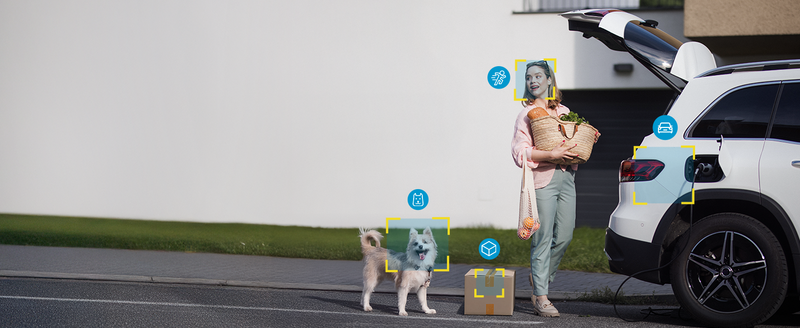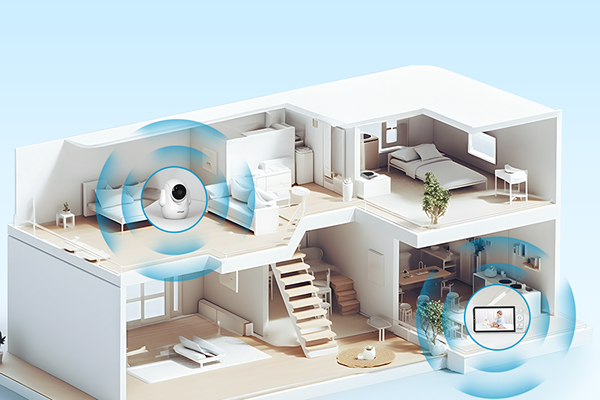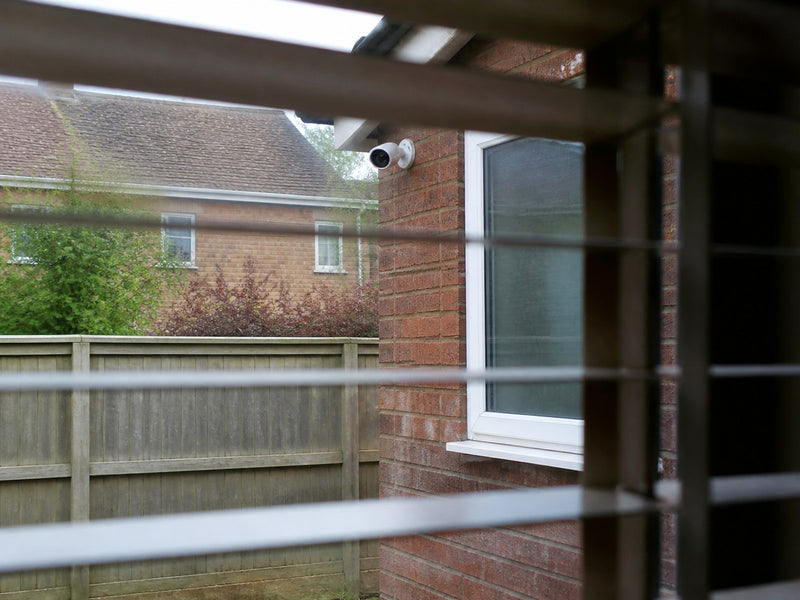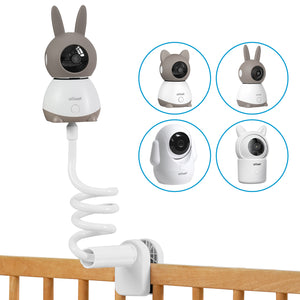



An IP camera is a digital security camera that captures video, processes it inside the camera and sends it over an Internet Protocol network. Unlike traditional analogue CCTV, which sends an analogue video signal to a digital video recorder (DVR), an IP camera can connect through Wi-Fi or Ethernet and deliver video to an app, network video recorder (NVR), base station or other compatible device.
These differences affect how you watch live video, save recordings and receive smart alerts. This article explains how IP cameras work, compares them with analogue CCTV and examines the main storage and setup options for UK homes.

Key Takeaways
- An IP camera processes video internally and transmits it over Wi-Fi or Ethernet, while an analogue camera sends its signal to a DVR for processing.
- IP does not automatically mean better image quality: modern IP and HD-over-coax cameras can both reach 4K, so the main differences are connectivity, smart functions and expansion.
- Local recording can continue without an internet connection if the powered camera can still save footage to its microSD card, NVR or base station, but remote viewing and cloud services will be unavailable.
- MicroSD cards suit individual cameras, NVRs and base stations simplify multi-camera management, and cloud storage can preserve uploaded footage if the camera is stolen or damaged but may require a subscription.
- One camera is sufficient for a single monitoring point; several areas that must remain visible at the same time need a multi-camera system with adequate channel and storage capacity.
- AOV continuous recording can provide a fuller timeline than short event clips for parcel disputes, vehicle damage or activity around the property.
How Does an IP Camera Work?
An IP camera turns the scene in front of its lens into digital video and transmits it through an IP network. The process generally involves four steps:
-
Capturing the image: The lens directs light onto an image sensor, which records the scene as raw visual data.
-
Processing the video: An internal processor converts the raw data into digital video. It can also adjust exposure, activate night vision and prepare the image for viewing or recording.
-
Encoding and transmitting the data: The camera compresses the video to reduce its file size, then sends it over Wi-Fi or Ethernet to a mobile app, NVR, base station or another compatible device.
-
Viewing, storing and controlling the camera: The receiving device displays or stores the footage. Because the network connection supports two-way communication, you can also control compatible cameras remotely, such as changing the viewing direction or starting two-way audio.
The ieGeek S5 Solar Security Camera shows how this works at home. Its 3MP image sensor captures video at 2304 × 1296, and the camera processes and transmits the footage over 2.4GHz Wi-Fi to the ieGeek Cam app. You can then check the live feed while away from home and use the app’s pan-and-tilt controls to rotate the camera up to 355° horizontally and 90° vertically. This allows one networked camera to monitor different parts of a garden or driveway without having to reposition it by hand.
IP Cameras vs Analogue CCTV: Key Differences
If you are asking what an IP camera is in practical terms, start with how it sends footage. An IP CCTV camera processes digital video at the camera and uses a data network; an analogue camera relies on a DVR and dedicated video cabling.
|
Comparison point |
IP camera |
Analogue CCTV camera |
|
Video transmission |
Digital video over Wi-Fi or Ethernet; PoE carries power and data through one cable |
Video signal over coaxial cable to a DVR, usually with separate power |
|
Video quality |
Commonly 2MP Full HD to 8MP 4K |
Older systems may be standard definition; HD-over-coax can reach 8MP 4K with a compatible DVR |
|
Smart features |
Camera-side AI detection, app alerts, two-way audio and PTZ control |
Smart functions are usually more dependent on DVR support |
|
Main advantages |
Remote access, flexible installation and easier expansion |
Stable wired transmission and reuse of existing coaxial cables |
|
Main limitations |
Wi-Fi and high-resolution streams require sufficient network capacity |
Direct DVR cabling is normally required for each camera |
|
Best for |
App access, smart detection and scalable coverage |
Existing coaxial systems and straightforward local recording |
When Is an IP Camera the Better Choice?
An IP camera is the better choice when a property has no usable coaxial system or cameras must be installed where running analogue cabling or connecting to mains power would be difficult. Within your home’s Wi-Fi coverage, a Wi-Fi IP camera transmits footage without a data cable, while battery power with solar-assisted charging can reduce the need for mains wiring. A 4G IP camera extends monitoring to locations without broadband, and PoE provides a stable wired option using one Ethernet cable for both data and power. IP also has a clearer advantage when you want remote viewing, smart alerts or room to add more cameras later.

When Is Analogue CCTV Still Worth Considering?
Analogue CCTV remains practical when your existing coaxial cabling is in good condition and continuous local recording is the main requirement. Reusing those cables can reduce installation work and cost. Modern HD-over-coax cameras can also provide high-resolution video, but the cameras must match the DVR’s supported resolution, signal format and channel capacity. If both new cabling and a replacement recorder are required, however, an IP system may offer greater flexibility for future expansion and smart features.
How Do IP Cameras Store Footage?
IP cameras can save footage on a microSD card, send it to an NVR or base station, or upload it to the cloud.
Local Storage With MicroSD Cards
A security camera with an SD card stores footage locally, making it a straightforward choice for one or two monitoring areas. Check the supported capacity, overwrite settings and whether a card is included. Continuous recording uses more storage space than event recording, while footage may be lost if the camera is stolen or damaged.
Centralised Storage With NVR or Base Station
An NVR security system or base station receives footage from multiple IP cameras and keeps it in one central location. You can manage the recordings together, and each camera does not need a separate storage card.
This approach works well when several entrances or outdoor areas need to be monitored. The ieGeek ZY-Q5 Security Camera System connects compatible cameras to an indoor base station over 2.4GHz Wi-Fi. It supports four compatible cameras as standard, four simultaneous live channels and a microSD card of up to 512GB in the base station. Storing event recordings indoors also reduces the risk of losing footage if an outdoor camera is removed or damaged. Recording can continue during an internet outage while the cameras remain connected to the powered base station, although remote viewing will be unavailable.

Cloud Storage
Cloud storage can preserve clips if a camera or card is damaged. However, it depends on your broadband connection, may involve subscription fees and limits how long recordings are kept. Use a unique password, update firmware and enable stronger account protection where available. The UK’s National Cyber Security Centre guidance for smart cameras recommends disabling internet remote viewing if it is not needed.
How to Choose the Right IP Camera Setup
Monitoring a front door is a different job from covering an entire property or keeping a complete record of activity on a driveway. When choosing outdoor security cameras, start with what you need to see and how much footage you want to keep.
Single IP Cameras for Specific Monitoring Areas
A single IP camera is enough when you mainly need to keep an eye on one spot, such as a front door where parcels are left, a side gate used as an access point or a shed containing valuable equipment. A fixed camera suits a clearly defined entrance, while PTZ provides more flexibility across a wider garden or driveway. Match the viewing angle, night-vision range and Wi-Fi coverage to the location rather than paying for a larger system than you need.
Multi-Camera IP Systems for Whole-Home Coverage
A multi-camera system becomes more practical when you need to watch the front entrance, driveway and back garden at the same time. A dedicated camera keeps each area visible, reducing the chance of missing activity while another camera is facing elsewhere. Count the monitoring areas first, then check that the NVR or base station offers enough channels, simultaneous live-view capacity and storage for the planned cameras. Keep in mind that running multiple high-resolution Wi-Fi cameras requires adequate local network capacity; broadband upload speed matters when streaming footage remotely or uploading it to the cloud.
IP Cameras for Continuous Outdoor Recording
Continuous recording is useful when footage may be needed to settle a parcel dispute, review damage to a parked vehicle or check how long someone stayed near your home. A short motion-triggered clip may capture only part of the incident, while AOV recording preserves a fuller timeline at a frame rate that depends on the recording settings.
The ieGeek S7 Wireless 24/7 Recording Camera keeps an ongoing AOV record that you can look back through in the app. Its 4MP video helps you inspect details during playback, while solar-assisted power can reduce manual charging when there is enough daylight. Support for up to 256GB of local storage also gives you more room to keep earlier footage.

FAQ
Is an IP camera better than CCTV?
An IP camera is a network camera, while CCTV refers to the complete surveillance system rather than a specific camera type. An IP-based CCTV system offers advantages such as remote viewing, smart alerts and flexible storage, but whether it is better depends on what you need to monitor and any equipment or cabling already installed.
Which camera is better, IP or HD?
They are not competing camera types. IP describes how video is transmitted, while HD describes its resolution. Both IP and analogue cameras can record HD video, so compare their actual resolution, sensor quality and recorder compatibility.
Are IP cameras safe?
They can be used safely when properly secured. Use a unique password, install camera and app updates, limit account sharing and avoid unnecessary port forwarding.
How do I check my CCTV IP?
Open the router’s connected-device or DHCP list and identify the camera by its name or MAC address. With an ieGeek camera, confirm the device name in the ieGeek Cam app and match it to the router’s device list where possible.
Can an IP camera work without internet?
Yes, if it supports local recording. The ieGeek ZY-Q5 can continue saving event footage to its powered base station when the internet is unavailable, provided the cameras maintain their local connection. Remote viewing resumes after internet access returns.
What is the maximum distance for an IP camera?
Copper Ethernet is normally limited to 100 metres per link. Wi-Fi has no fixed maximum because walls, distance and interference affect the signal. Test the live view at the mounting point before installing a 2.4GHz model such as the ieGeek S5 or ieGeek S7.
Conclusion
An IP camera is best understood as part of a connected security system rather than simply a higher-resolution alternative to analogue CCTV. Its real value lies in combining video capture, remote control and flexible recording within the same network. Analogue CCTV is not obsolete, but it is most worthwhile when existing cabling can still be used. Ultimately, the most effective system is the one that records the evidence you actually need without adding unnecessary cameras, storage costs or complicated installation work.
About the Author
 |
Created by the ieGeek editorial team, drawing on hands-on product experience and ongoing research in Smart Security solutions. As a brand focused on simple, reliable, and affordable wireless security systems, ieGeek combines practical insights with real-world use cases to help users make informed decisions. |