



Optical and digital zoom solve different CCTV needs. For most homes, a well-positioned 2K or 5MP camera with digital zoom provides a practical and cost-effective way to check visitors, parcels, pets and nearby activity. It also allows users to inspect part of a wide recording without paying for a more complex optical lens system. Optical zoom becomes more valuable when the camera must identify a person, vehicle or number plate at a considerable distance. It magnifies the subject through the lens before capture, while digital zoom enlarges detail already present in the recorded image.
This guide compares both options in everyday home-security situations and explains when affordable digital zoom is sufficient and when long-range optical magnification is worth the additional cost.
Key Takeaways
- Digital zoom is sufficient for many everyday home CCTV tasks, including checking visitors, parcels, pets and nearby garden activity.
- A well-positioned 2K or 5MP camera gives digital zoom more useful detail to work with, particularly at close to medium range.
- Digital zoom is usually the more affordable option and can preserve the original wide recording for later inspection.
- Optical zoom is worth the additional cost when reliable long-range identification is more important than wide-area context.
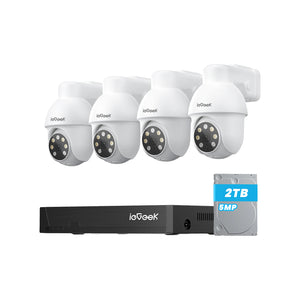
- The ieGeek S5 suits flexible everyday monitoring, the ZS-GQ4 adds 5MP detail and stronger entrance lighting, and the ZS-GX4S combines 5MP footage with adjustable wide-area coverage.

The Short Answer: Which Zoom Is Better for CCTV?
For most everyday home CCTV uses, digital zoom offers the better balance of price, convenience and useful detail. A 2K or 5MP camera can provide enough room to enlarge visitors, parcels, pets and activity around a front door, small garden or standard driveway, provided the camera is positioned well.
Optical zoom is the better specialist option when reliable identification is required at a long distance, such as at a remote gate or the far end of a long driveway. It preserves more captured detail at higher magnification, but the camera is usually more expensive and the zoomed view covers less of the surrounding area.
The right choice is therefore not simply the zoom type with the highest specification. It is the option that matches the monitoring distance, required detail and available budget.
How Optical and Digital Zoom Work in Security Cameras?
Both types of zoom make a subject appear larger, but they capture and preserve detail in different ways.
Optical Zoom Adjusts the Camera Lens
Optical zoom moves elements inside the lens to change its focal length. The selected subject occupies more of the image sensor, allowing the camera to retain clearer facial features, vehicle markings and other useful details.
For example, a security camera with a suitable optical range can make a distant gate occupy more of the frame before recording. This may preserve more usable detail, although zooming in narrows the surrounding view and the result still depends on lighting, focus and camera placement. The trade-off is a narrower field of view, which may remove nearby paths, doors or entrances from the image.
Optical components can also make the camera larger and more expensive.
Digital Zoom Crops the Recorded Image
Digital zoom selects part of an image and enlarges it without using a moving optical lens. It cannot create detail that the camera did not capture, but it can make existing detail easier to inspect.
With a well-positioned 3MP or 5MP camera, moderate digital zoom is often sufficient for checking a visitor's clothing, the position of a parcel, a pet near a gate or activity around a parked car. Higher-resolution footage gives users more pixels to crop before softness becomes distracting.
Digital zoom also offers practical advantages: cameras can remain compact and affordable, and users can enlarge different parts of the original wide recording during playback. Strong enlargement may still cause softness or pixelation, so the best results come from using moderate zoom and installing the camera at an appropriate distance.

Hybrid Zoom Combines Both Methods
Hybrid zoom applies optical magnification first and digital enlargement afterwards.
Image quality remains strongest within the optical range because the lens captures more genuine detail. Once digital enlargement becomes dominant, clarity gradually declines.
When comparing CCTV cameras, check how much of an advertised hybrid zoom range is genuinely optical rather than relying on the overall zoom figure alone.
How Optical and Digital Zoom Perform in Real CCTV Situations
The differences become clearer in everyday monitoring situations, where distance and the amount of detail required usually determine which type of zoom works best.
Identifying Faces at Different Distances
At a front door, a visitor's face may already occupy enough of a 2K or 5MP frame for digital zoom to be useful. Details such as clothing, hair and glasses may become easier to inspect.
Someone crossing the far end of a large garden may occupy only a small number of pixels. Enlarging those pixels cannot recreate facial details that were never recorded.
At the far end of a large garden or a remote gate, the subject occupies fewer source pixels. In that specific situation, optical zoom can be more suitable because the lens magnifies the subject before capture.
Reading Number Plates on a Driveway
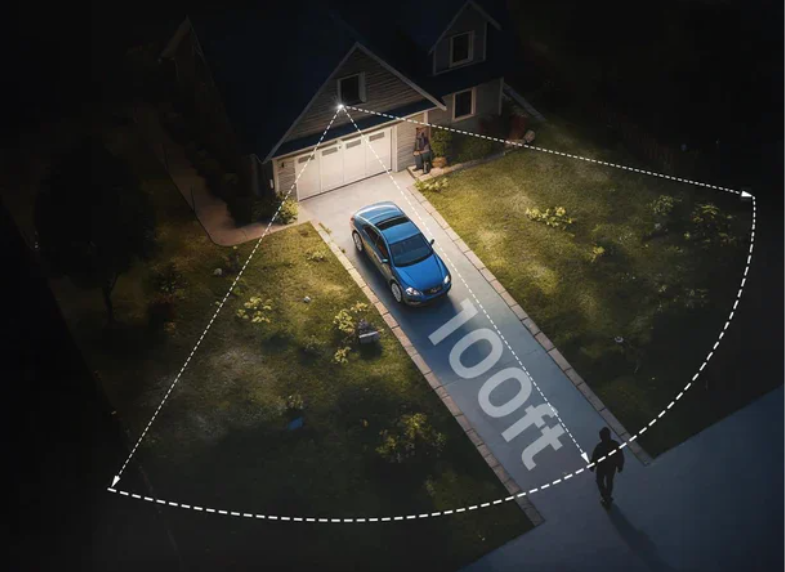
A high-resolution CCTV camera may capture a readable number plate on a short driveway when the vehicle is close, moving slowly and positioned at a suitable angle to the lens. Digital zoom can then enlarge characters already present in the footage.
Longer driveways are more challenging because distance, movement, headlights and reflections can make the registration difficult to read.
Optical zoom records more pixels across the number plate before capture, although suitable lighting and careful camera positioning are still important.
Checking Details in Recorded Footage
Digital zoom is particularly useful during playback. A homeowner might enlarge the doorstep to check where a parcel was left, or crop footage from the garden to see whether a pet escaped through an open gate.
Higher camera resolution provides more pixels for this type of inspection, so a crop from a 5MP recording will usually retain more detail than the same crop from a 1080p image.
However, unreadable lettering or indistinct faces will simply become larger rather than clearer.
Monitoring Wide Areas Without Losing Context
A wide-angle CCTV camera can cover an entire garden or driveway, but individual subjects will appear smaller within the frame.
Optical zoom provides a closer view by narrowing the image, which can remove surrounding activity from view. A PTZ camera can turn towards different areas, although it records only the direction in which it is facing at that moment.
When digital zoom is used during playback, users can inspect one section of the footage while keeping the original wide recording available. This can be useful when maintaining an overall view of the property is more important than identifying distant subjects.

Optical Zoom vs Digital Zoom Comparison
The digital zoom vs optical zoom comparison below summarises how each type affects image detail, viewing range and everyday CCTV use.
|
Feature |
Optical Zoom |
Digital Zoom |
|
How it works |
Changes lens focal length before capture |
Crops and enlarges detail already captured |
|
Best suited to |
Long-range identification and specialist surveillance |
Everyday home monitoring and footage review |
|
Typical home uses |
Remote gates and long driveways |
Front doors, parcels, pets, gardens and standard driveways |
|
Detail at high magnification |
Retains more captured detail |
Gradually softens as enlargement increases |
|
Benefit of higher resolution |
Helpful but not the main zoom mechanism |
Provides more pixels for useful moderate cropping |
|
Wide-area context |
Zooming narrows the recorded view |
Playback zoom can keep the original wide recording available |
|
Camera design |
Often uses a larger or more complex lens assembly |
Works well in compact, straightforward camera designs |
|
Relative Cost |
Generally higher |
Usually more affordable |
|
Main Limitation |
Higher cost and reduced context while zoomed in |
Cannot recover detail missing from the source image |
Optical zoom delivers stronger long-range magnification, but digital zoom is the more practical choice for many homes. It offers useful close-to-medium-range inspection, preserves wide recorded context during playback and is commonly available in more affordable high-resolution cameras.
Choose optical zoom when the installation distance cannot be reduced and distant identification is essential. Otherwise, investing in better camera placement, 2K or 5MP resolution and suitable lighting may provide greater everyday value than paying for a larger optical zoom specification.
How to Choose the Right CCTV Zoom for Your Property
For most homes, the following digital-zoom cameras provide a practical balance of resolution, adjustable coverage, simple installation and price. They are designed for the distances that matter in everyday monitoring, including front doors, delivery areas, gardens and standard driveways.
A specialist optical zoom model is worth considering only when the camera must identify small details at a consistently long distance and cannot be installed closer to the target area.
ieGeek S5 for Everyday Home Monitoring
The ieGeek S5 solar security camera offers a cost-effective way to monitor front doors, smaller gardens and areas where running mains power is inconvenient. Its 3MP 2K image and 4× digital zoom are suitable for inspecting nearby visitors, pets, parcels and garden activity.
Remote pan and tilt provide flexible coverage, while the detachable solar panel can be positioned separately to receive better sunlight. For common close-to-medium-range home monitoring, this combination offers more practical value than paying extra for a specialist optical zoom lens.
Key Features
- 3MP 2K resolution
- 4x digital zoom
- 355° PTZ coverage
- 103° horizontal viewing angle
- 2.4GHz Wi-Fi
- 5000mAh rechargeable battery
- Integrated solar charging
- Colour and infrared night vision
Best for: Front doors, rented properties and small gardens requiring flexible everyday coverage.

ieGeek ZS-GQ4 for Entrance and Night-Time Detail Monitoring
The ieGeek ZS-GQ4 floodlight camera is designed for front doors, side entrances, narrow passageways and delivery areas. Its 5MP image gives the 4× digital zoom more source detail to work with, making moderate enlargement practical for nearby visitors, parcels and parked vehicles.
Built-in lighting and colour night vision can improve the usefulness of footage after dark, while 355° pan, 120° tilt and automatic tracking help follow movement around the monitored entrance. It is a value-focused option for users who need strong local detail and active lighting rather than long-range optical magnification.
Key Features
- 5MP resolution
- 4x digital zoom
- Built-in spotlight
- Colour night vision
- AI motion detection
- Two-way audio
- Automatic tracking
- IP65 weather resistance
Best for: Front doors, side entrances, narrow passageways and delivery areas requiring better night-time visibility.

ieGeek ZS-GX4S for Wide High-Resolution Coverage
The ieGeek Solar Security Camera ZS-GX4S can cover larger gardens and driveways with 355° pan and 120° tilt, so users can check activity in different directions rather than relying on one fixed view. Its 5MP image also provides more detail when cropping or enlarging nearby activity, while keeping a broader view of the property.
Key Features
- 5MP resolution
- 100° horizontal lens view
- 355° horizontal pan
- 120° vertical tilt
- Automatic tracking
- 4dBi Wi-Fi antenna
- 2.4GHz Wi-Fi
- Infrared and colour night vision
- 9000mAh rechargeable battery
- 3W solar panel
Best for: Front gardens, driveways and larger gardens requiring high-resolution, adjustable wide-area coverage.
How to Get Better Results from Digital Zoom
Digital zoom works best when the original footage is already clear. The following steps can improve everyday results without requiring a more expensive optical zoom camera.
Start with 2K or 5MP Footage
Higher-resolution footage provides more source pixels for cropping. A moderate crop from a clear 5MP recording will generally retain more usable detail than the same crop from a 1080p image, although lens quality, lighting and movement also affect the result.
Position the Camera for the Area That Matters
Install the camera close enough for visitors, parcels or vehicles to occupy a useful part of the original frame. Moving the camera closer or adjusting its angle often improves detail more effectively than applying stronger zoom afterwards.
Use Moderate Zoom for Everyday Checks
Digital zoom is most useful for enlarging details that are already visible, such as clothing, a parcel location, a pet near a gate or activity beside a parked car. Avoid treating the maximum zoom figure as the normal operating level.
Keep the Original Wide Recording
When the app supports playback zoom, retain the full wide recording and enlarge only the area needed during review. This preserves surrounding context that may be lost when an optical lens records a permanently narrower view.
Choose Optical Zoom Only for a Clear Long-Range Need
If the camera must identify a small subject at a remote gate or at the end of a long driveway, and it cannot be installed closer, optical zoom may be worth the higher cost. For ordinary close-to-medium-range home monitoring, good placement and high-resolution digital zoom are often the more economical solution.
FAQs
Do you lose image quality with optical zoom?
Optical zoom generally maintains image quality within its supported range because the lens magnifies the subject before capture. Poor focus, low light and camera movement can still reduce clarity.
Does digital zoom reduce quality?
Yes. Digital zoom crops the image and enlarges the remaining pixels. Moderate enlargement may remain useful, particularly with higher-resolution footage, but image quality declines as the zoom level increases.
Does higher resolution make digital zoom better?
Higher resolution gives digital zoom more pixels to work with. A crop from a 5MP image will normally retain more detail than the same crop from a 1080p image, but it cannot recover information that was never captured.
Is digital zoom as good as optical zoom?
Digital zoom can be adequate when the subject is nearby and already clear in the original image. Optical zoom is better for distant subjects because it captures more genuine detail before recording.
Is PTZ the same as optical zoom?
No. PTZ refers to pan, tilt and zoom controls, but the zoom function itself may be optical, digital or hybrid. Always check the individual camera specifications.
Conclusion
For most home CCTV users, digital zoom offers the better balance of useful detail, wide-area context, simple camera design and price. When paired with a well-positioned 2K or 5MP camera, it is usually sufficient for checking visitors, parcels, pets, front gardens and standard driveways.
Optical zoom remains the stronger specialist choice for reliable long-range identification, but many households do not need to pay for that capability. Before choosing, measure the actual monitoring distance and decide whether you need to identify a distant subject or simply inspect nearby activity more closely.
About the Author
 |
Written by the ieGeek team, a brand dedicated to making smart security simple and accessible for everyone. With experience in designing easy-to-install security cameras, we aim to provide practical advice based on real user scenarios. Our goal is to provide reliable, easy-to-use technology that helps users stay connected and protected in different environments. |