

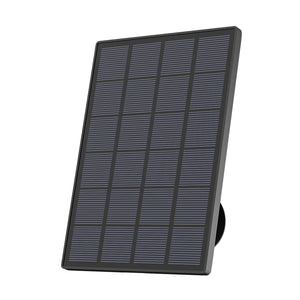


A highly rated camera may still perform poorly if it does not suit the property. A model designed for a well-lit front door may be unsuitable for a detached garage at the end of a garden, while a motion-triggered camera may disappoint anyone expecting continuous footage.
The top-rated home security cameras are those that match the required coverage, lighting, power supply, connection and recording method. Avoiding the following mistakes can help you choose a camera that works reliably once installed.
Key Takeaways
- Avoid choosing a camera based only on resolution, daytime footage or purchase price. Recording mode, power source, outdoor Wi-Fi and storage costs are equally important.
- Higher resolution does not guarantee useful evidence if the camera is mounted too far away, positioned at the wrong angle or unable to capture clear footage after dark.
- Motion-triggered cameras may miss the beginning of an incident, while AOV or continuous recording can preserve more context.
- Choose the ieGeek S11 for locations without dependable Wi-Fi, the S7 for wireless AOV recording, the ZY-E2 for dark areas needing floodlight illumination and the ZS-GX4S for wider PTZ coverage.
- Battery and solar cameras simplify installation, but frequent recording, camera settings, shade and winter conditions may affect operating time.
- Test the connection, night view and storage settings at the planned mounting position before installation.

6 Mistakes to Avoid When Choosing a Home Security Camera
Home security cameras differ in how they record, connect and perform after dark. Looking beyond the headline specifications makes it easier to identify whether a model suits the intended location.
Mistake 1: Focusing Only on Resolution
Higher resolution can preserve more detail, but it does not guarantee clear faces or number plates. Viewing distance, lens angle, mounting height and lighting also affect the result.
A 5MP camera mounted high above a wide driveway may show the whole area without capturing a recognisable face. A carefully positioned 2K camera covering a narrow entrance could provide more useful footage because the visitor occupies more of the frame.
Resolution should be considered alongside:
- Distance between the camera and target
- Width of the monitored area
- Daytime and night-time lighting
- Need to enlarge recorded footage
Mistake 2: Ignoring Night-Time Image Quality
A camera that produces clear daytime footage may still struggle to capture useful details after dark. Infrared IR cameras usually record night footage in black and white, while colour night vision uses ambient light or built-in LEDs to show details such as clothing and vehicle colour.
For a dark driveway or parking area, a floodlight camera can provide stronger illumination and a clearer colour image while also acting as a visible deterrent to anyone approaching the property.
Mistake 3: Assuming Every Camera Records 24/7
Many battery cameras enter a low-power state and record only when they detect movement. This conserves energy, but the clip may begin after someone has entered the frame.
For incidents that develop over time, 24/7 recording cameras using continuous or AOV recording can provide more context. If a parked car is damaged, the owner may need to see when another vehicle arrived and where it stopped, while a short event clip might capture only the final moments.
Check the recording mode before buying, as event, AOV and conventional continuous recording can differ in frame rate, image detail and power use.

Mistake 4: Choosing the Wrong Power Source
The recording mode and installation location should determine the power source. Battery and solar cameras suit areas where wiring is difficult, but frequent alerts or continuous recording can increase power use.
Hardwired models are generally more suitable for 24/7 recording and powerful floodlights, while solar cameras need sufficient sunlight and may charge more slowly in shaded areas or during the shorter days of winter.
Mistake 5: Overlooking Outdoor Wi-Fi Strength
A strong connection indoors does not guarantee reliable outdoor Wi-Fi. Brick walls, metal doors, insulation and distance from the router can all weaken the signal.
These obstacles are particularly important around detached buildings and large gardens. A camera beside a metal garage may lose its connection despite being close to the house, while live view can load slowly at the end of a garden.
Test the intended position before deciding whether a Wi-Fi extender or 4G camera is needed.
Mistake 6: Forgetting Ongoing Storage Costs
The purchase price does not always reflect the camera’s long-term cost. Cloud storage may require a recurring subscription, while local microSD storage has a fixed capacity.
Continuous recording and higher-resolution footage use more space than short motion clips, so check the supported capacity, overwrite settings and subscription requirements before buying.
Top Rated Home Security Cameras to Avoid Buying Mistakes
When comparing top-rated home security camera systems, focus on the problem each model is designed to solve. The best choice depends on whether Wi-Fi availability, continuous recording, night-time image quality or flexible coverage is the main concern.
Top Rated Home Security Cameras at a Glance
|
Model |
Best For |
Resolution |
Power |
Storage |
Main Limitation |
|
ieGeek S11 |
Areas without Wi-Fi |
3MP 2K, 2304 × 1296 |
Solar and rechargeable battery |
MicroSD up to 128GB and cloud |
Requires 4G coverage and a SIM plan |
|
ieGeek S7 |
Wireless AOV recording |
4MP, 2560 × 1440 |
9000mAh battery and 5W solar panel |
Up to 256GB |
Requires reliable 2.4GHz Wi-Fi |
|
ieGeek ZY-E2 |
Large, dark areas |
5MP |
Hardwired |
MicroSD up to 128GB and cloud |
Requires electrical wiring |
|
ieGeek ZS-GX4S |
Gardens and driveways |
5MP, 2976 × 1696 |
9000mAh battery and 3W solar panel |
Up to 128GB |
Uses 2.4GHz Wi-Fi only |
Top Pick for Remote Areas Without Wi-Fi: ieGeek S11
At the end of a garden or around a detached garage, warehouse or rural property boundary, distance from the router and obstacles such as thick walls or metal structures may make a standard Wi-Fi camera unreliable. The ieGeek 4G Cellular Camera S11 connects through 4G LTE with SIM card support, so it can operate without home Wi-Fi.
Its 360° PTZ function allows users to adjust the viewing direction remotely and inspect different parts of a parking area, farm or warehouse perimeter. Solar and rechargeable battery power reduce wiring and charging needs, while four LEDs support clearer colour footage at night.
Key features:
- 4G LTE connectivity with SIM card support
- No Wi-Fi connection required
- 360° PTZ coverage
- Four LEDs with colour night vision
- Solar and rechargeable battery power
- Motion detection and remote monitoring

Top Pick for 24/7 Recording: ieGeek S7
A standard motion-triggered camera may save only a short clip after an event begins, leaving out the earlier stages of a vehicle arriving or a person approaching. The ieGeek Wireless 24/7 Recording Camera S7 uses AOV 24/7 recording to provide a more complete record of activity around driveways, courtyards and shop entrances, reducing gaps caused by delayed motion triggering.
Its 4MP resolution and PTZ tracking help capture activity across a wider area. A 9000mAh rechargeable battery and 5W solar panel support wireless installation, although available sunlight, recording frequency and camera settings may affect operating time.
Key features:
- 4MP resolution at 2560 × 1440
- AOV 24/7 recording
- PTZ coverage with 360° tracking
- 9000mAh rechargeable battery
- 5W solar panel
- Up to 256GB local storage

Top Pick for Floodlight Security: ieGeek ZY-E2
Choosing a camera based only on its daytime image may result in limited detail after dark. The ieGeek Floodlight Camera ZY-E2 suits poorly lit garage entrances, long driveways and open parking areas, where its 2,600-lumen floodlight can illuminate a wider space.
PIR and AI human detection help identify relevant movement, while the 110dB siren can provide an audible deterrent.
Key features:
- 2,600-lumen floodlight
- Hardwired 24/7 recording
- PIR and AI human detection
- 110dB siren
- Dual-band Wi-Fi and Alexa compatibility

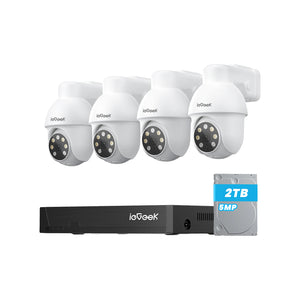
Top Pick for PTZ Coverage: ieGeek ZS-GX4S
A fixed-view camera in a large garden or driveway covering more than one direction may leave some areas outside the frame. The ieGeek Solar Security Camera ZS-GX4S combines 5MP resolution with 355° horizontal rotation, 120° vertical movement and automatic tracking, allowing the viewing direction to follow activity across a wider area.
Key features:
- 5MP resolution at 2976 × 1696
- 355° pan and 120° tilt
- Automatic motion tracking
- 4dBi antenna with 2.4GHz Wi-Fi
- Rechargeable battery with 3W solar panel

How to Match Camera Coverage to Your Property
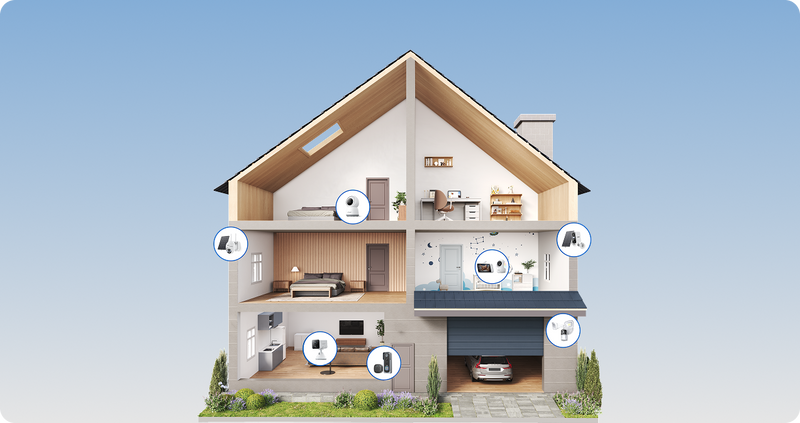
The right coverage depends on the property layout and the activity that needs to be recorded. Start with entrances and approach routes, then decide whether each location needs a fixed camera, PTZ coverage or a separate device.
Flats and Rented Homes
People living in rented homes usually benefit from cameras that require little drilling and can be removed when they move. A battery-powered video doorbell or compact indoor camera may be more practical than a hardwired outdoor system.
In a communal hallway, the viewing angle should focus on the entrance without unnecessarily capturing neighbouring doors or more of the shared area than is needed.
Small Homes and Fixed Entrances
A fixed-view camera works well when visitors use one clear approach. At a terraced home, a camera facing the front path can keep the entrance continuously in view. A PTZ model may add unnecessary complexity if the camera does not need to monitor several directions.
Homes With Gardens and Driveways
Larger outdoor areas may need a PTZ camera or several fixed models. The gate, driveway and paths leading towards the house should receive priority.
Mounting one camera too far from these areas may produce a wide overview without enough detail to identify a person.
Homes Requiring Vehicle Monitoring
A vehicle-monitoring camera should show both the parking position and the route used to enter the property. Placing it closer to the driveway usually provides more detail than relying on digital zoom from the house.
Test the view after dark because headlights may overexpose faces or number plates.
Checks to Complete Before Installation
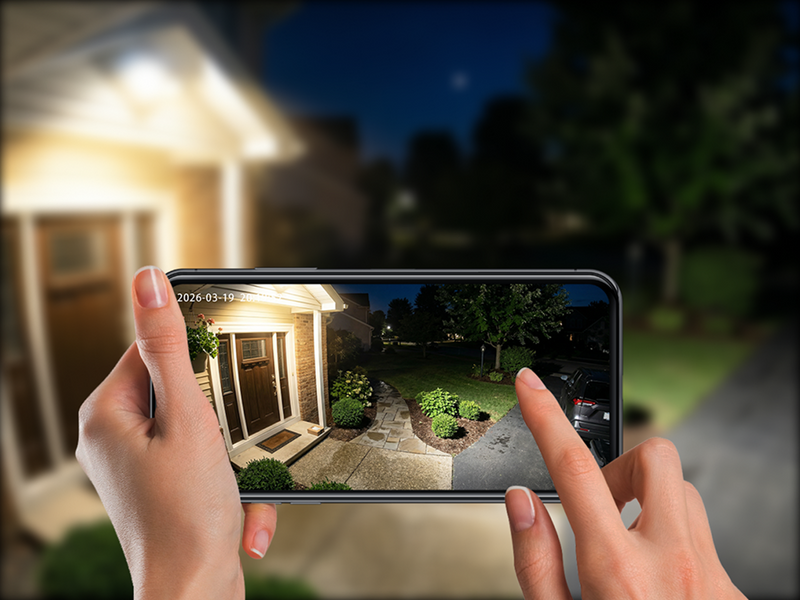
Before mounting the camera permanently, test it in the intended position during the day and at night. This allows you to check the connection, viewing angle and recording performance without having to move the camera later.
Test the Installation Position
Temporarily place the camera near the planned mounting point and test live view, alerts and playback. Walk through the detection area at different speeds to see when recording begins.
Moving the camera a short distance may improve its connection or detection angle.
Adjust the Camera Angle
Include the approach route without filling the frame with sky, walls or neighbouring property. A camera mounted too high may show the top of a visitor’s head while hiding facial details.
A slight downward angle usually provides better close-range coverage. Where possible, position an outdoor security camera so that it does not capture more of neighbouring properties, public areas or communal spaces than necessary.
Confirm Recording and Storage
Choose the required recording mode and check where the footage is saved. Confirm that the memory card is recognised, the correct recording quality is selected and older files are overwritten as expected when storage becomes full.
If cloud storage is used, check the clip history and subscription limits.
FAQs
Are wired or wireless cameras better?
Wired cameras generally suit continuous recording and powerful lighting. Wireless battery or solar cameras are easier to install where cabling is difficult. The better choice depends on the location and recording requirements.
What is the best home security camera system without a subscription?
The ieGeek S7 is a suitable option for homes that want AOV 24/7 recording and local storage without relying entirely on a cloud subscription. It supports microSD storage up to 256GB, although buyers should confirm which app features remain available without a paid cloud plan.
What are the best security cameras for home use?
The best option depends on the property. The ieGeek S7 suits driveways and entrances that need AOV recording, while the ieGeek ZS-GX4S provides PTZ coverage for larger gardens. Choose the ieGeek ZY-E2 for dark driveways that need floodlight illumination and the ieGeek S11 for remote areas without home Wi-Fi.
Where not to put security cameras?
Avoid bedrooms, bathrooms and other spaces where people expect privacy. Outdoor cameras should also be positioned to minimise unnecessary recording of neighbouring homes, gardens, communal spaces and public areas.
How many CCTV cameras per person are there in the UK?
There is no single verified figure because estimates include different combinations of public, commercial and residential cameras. Homeowners should instead calculate how many cameras are needed to cover key entrances without recording unnecessary areas.
Conclusion
Avoiding the six mistakes begins with choosing a camera for the property rather than simply comparing specification lists. Resolution only becomes useful when the camera also has the right recording mode, night-time performance, power source, network connection and storage method.
A final test at the intended mounting point can reveal weak Wi-Fi, poor angles or recording gaps before installation. This approach helps prevent paying for features that look impressive but provide little practical value.
About the Author
 |
Written by the ieGeek team, a brand dedicated to making smart security simple and accessible for everyone. With experience in designing easy-to-install security cameras, we aim to provide practical advice based on real user scenarios. Our goal is to provide reliable, easy-to-use technology that helps users stay connected and protected in different environments. |