



When a security camera captures an incident, simply having footage is not always enough. You need to see what actually happened, whether that means making out a person's face, checking a vehicle, or looking closely at activity around your property. That is where camera resolution starts to matter.
When comparing security cameras, 1080p, 2K, and 4K are three of the most common options. But how much difference does each resolution actually make? Is 2K enough for everyday home security, or is upgrading to 4K worth the extra storage and data requirements?
So, what is 2K resolution, and how does 2K video resolution compare with 1080p and 4K? Let's break down the differences to help you choose the resolution that best suits your property and security needs.

Key Takeaways
-
1080p provides enough detail for basic monitoring, especially in smaller indoor spaces, while using relatively less storage and bandwidth.
-
2K resolution offers more detail than 1080p and is commonly used in security cameras at 2560 × 1440 pixels, making it suitable for many everyday home security needs.
-
4K provides substantially more pixels and greater image detail, but it generally requires more storage and bandwidth than 1080p or 2K.
-
5MP is a separate resolution category from standard 2K and provides around 5 million pixels, offering more image detail and a taller frame than typical 2560 × 1440 cameras.
-
Resolution is only one factor in video quality. Lens quality, sensor size, frame rate, compression, lighting, storage, and network capacity can all affect the footage a security camera produces.
Why Resolution Matters for Modern Security?
The Resolution Hierarchy: From 1080p to 4K Ultra HD
To build a smart, cost-effective defense system, you must match a camera’s pixel power directly to your property’s layout. Here is how the four main industry formats stack up for everyday home security:
-
1080p (Full HD): Captures 1920 × 1080 pixels. It works effectively in indoor spaces but struggles at a distance.
-
2K Resolution (1440p): Packs 2560 × 1440 pixels. With 77% more detail than 1080p, it balances crisp images with low data use.
-
5MP Ultra HD: This format, with about 2592 × 1944 pixels, offers even more precise zooming than ordinary 2K.
-
4K (Ultra HD): This massive 3840 × 2160 pixels looks stunning but demands expensive storage and heavy Wi-Fi bandwidth.
Why Pixels Matter?
-
Reading Number Plates: A 1080p lens often captures car plates as blurry. A 2K camera resolves those letters clearly.
-
Identifying Faces: Picture a stranger lurking in your driveway. Because 2K packs 77% more pixels than HD, a blurry smudge becomes a recognisable portrait.
-
Crucial Zooming: Higher resolution lets you zoom in closely without the image turning blocky.
UK police studies reveal that clear CCTV footage can double the clearance rate for property crimes. For outdoor monitoring cameras guarding your garden, 2K video resolution is your practical minimum.
What is a 2K Resolution? Understanding Numbers
-
Professional Cinema (DCI Standard): The Digital Cinema Initiatives (DCI) define 2K as 2048 × 1080 pixels for digital cinema.
-
Consumer Electronics: In consumer devices and security cameras, 2K commonly refers to 2560 × 1440 pixels, also known as 1440p or QHD. This format contains around 3.7 million pixels in total.
-
Security Camera Variations: Some manufacturers may use the 2K label for resolutions such as 2304 × 1296 pixels. Therefore, the 2K label alone does not always indicate one exact pixel dimension.
-
Where 5MP Fits In: “5MP” is a selling point for many high-end cameras. This is approximately 2592 × 1944 pixels. This is still less expensive than pricey 4K formats, but it is far higher than a typical QHD image. It functions similarly to a supercharged 2K, providing greater vertical reach to capture deep front porches or lofty doorways with precision.
When checking a security camera, look at the actual pixel dimensions in its specifications to understand exactly what the 2K label means for that particular model.

1080p vs 4K vs 2K: What Is the Difference?
-
The Benefit: Very minimal internet speed is needed. It saves storage space and functions well on older Wi-Fi networks.
-
The Fatal Flaw: Video quality rapidly declines around 2 million pixels. An intruder’s face becomes a hazy smudge if they are within 15 feet away. It frequently malfunctions outdoors, but it works well as a close-range baby camera monitor.
-
The Benefit: It packs nearly 3.7 million pixels. You can easily read a license plate or recognize a face across a dark yard. It also uses smart software to shrink file sizes, keeping your home network fast.
-
The Trade-off: It uses slightly more memory card space than standard HD.
-
The Benefit: It offers exceptional zoom power for large agricultural estates thanks to its more than 8 million pixels.
-
The Hidden Cost: These giant video files quickly drain wireless batteries and clog your home network.
Choose exactly what you need. Use 1080p indoor security cameras instead of the bulky 4K setups for a typical home. 2K strikes the ideal, useful balance for everyday outdoor security.
Comparison Table: Resolution at a Glance
When you shop for new cameras, comparing the technical specifications side by side makes your choice obvious. According to a recent 2026 SafeHome industry report, 61% of households now use security cameras to actively protect their property, and capturing sharp video is their top priority.|
Resolution
|
Pixel Dimensions
|
Aspect Ratio
|
Key Features & Typical Applications
|
|
1080p (Full HD)
|
1920 × 1080
|
16:9
|
A widely used standard resolution for security cameras and other consumer devices. It provides clear images for basic monitoring while requiring relatively little storage and bandwidth.
|
|
2K
|
2048 × 1080 → 2560 × 1440
|
16:9 / DCI: 256:135
|
Provides more image detail than 1080p, with clearer text and finer visual details. In consumer security cameras, 2560 × 1440 is commonly marketed as 2K or 1440p, making it a practical resolution for home security and everyday monitoring.
|
|
4K (Ultra HD)
|
3840 × 2160 / 4096 × 2160
|
16:9 / DCI 4K: 256:135
|
Captures substantially more pixels than 1080p and provides greater detail across the frame. It can be useful for larger properties, wider monitoring areas, and footage where detailed digital zoom is important, but generally requires more storage nd bandwidth.
|
Which Resolution Should You Choose?
-
Choose 1080p: You only need to watch a small indoor nursery or hallway at close range. It is perfect if your home Wi-Fi is slow or if you are on a strict budget.
-
Choose 2K: If you want to guard a dark driveway or an open garden. It reads number plates up to 15 metres away and lets you zoom in without blurring. Because 2K requires about 4 Mbps of internet speed, it offers a balance of quality, affordability, and storage costs.
-
Choose 4K: A large farm or a busy commercial building can be protected. It records as much detail as possible for use as legal evidence, but storing the big video files requires a large local hard disk.
A 2K outdoor camera is the best option for most UK families. It doesn’t fill your memory card in a single day, runs seamlessly on regular Wi-Fi, and produces breathtaking detail. To safeguard what really matters, always review your camera’s specifications before making a purchase.
Recommended ieGeek High-Resolution Products
ZS-GX4S with Solar Panel 5MP
-
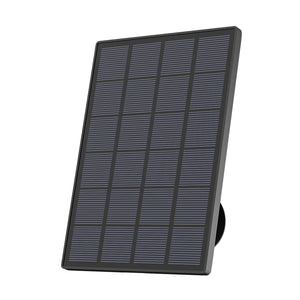
100% Wire-Free: It relies on an integrated 3W solar panel to offset the heavier 5MP battery drain, creating a net-zero power loop. By pairing higher resolution with H.265 compression, it limits bandwidth to a manageable 3-4 Mbps, neutralising the storage bloat that plagues 4K systems.
-
360° Viewing: You can pan, tilt, and zoom directly from your phone. You easily check the dark corners of your patio without leaving your warm couch.
-
Vivid Colour at Night: Instead of grainy black-and-white video, you see full-colour footage after dark. You instantly know the exact colour of a stranger’s jacket or a suspicious parked car.
-
Smart AI Filters: Ignore rustling bushes and neighbourhood cats. It buzzes your phone when someone approaches your property.
ZS-GQ4 Spotlight Camera
-
Bright Spotlight Defence: The moment it senses movement, a bright white light floods the area. This captures colourful night video up to 50 feet away while scaring off trespassers.
-
Auto-Tracking: The camera physically turns to follow anyone walking across your lawn. They cannot sneak out of the frame.
-
Continuous 24/7 Recording: It records everything all day long, ensuring you never miss a split-second event.
-
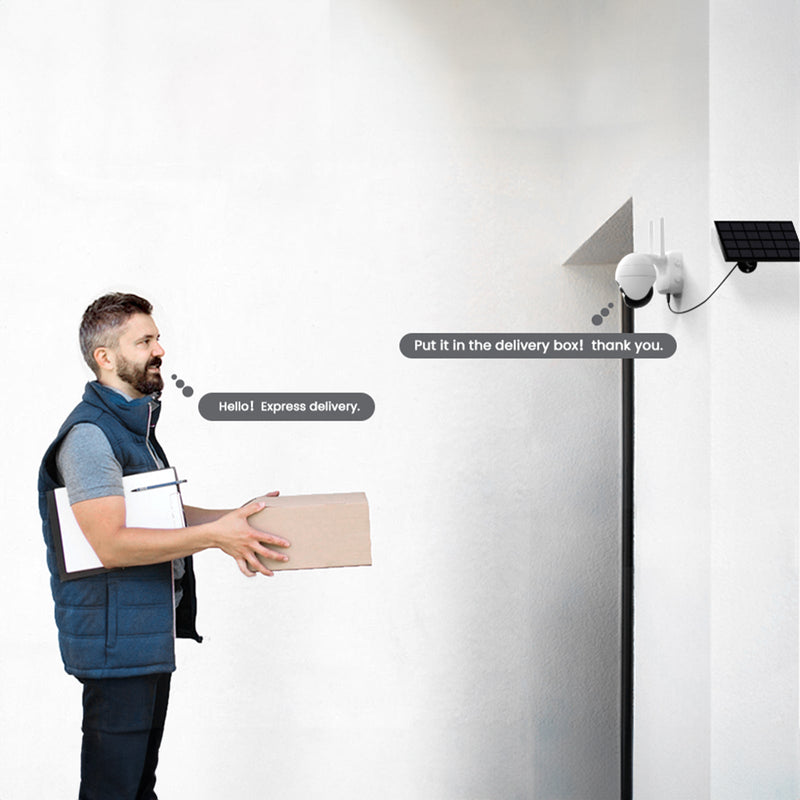
Two-Way Audio: You can politely tell a delivery driver where to hide a package using your smartphone microphone.

Practical Suggestions: Which Resolution Should You Choose?
The right resolution depends on what you need the camera to cover and how you plan to use the footage. Consider the monitoring area, viewing distance, available network capacity, and how much recorded video you expect to store.
Choose 1080p:
-
Suitable for smaller indoor spaces such as bedrooms, hallways, or nurseries where the camera has a relatively close view. It can also make sense when keeping storage and network usage low is a priority.
Choose 2K:
-
A practical option for everyday home security, especially for driveways, gardens, entrances, and other areas where you need to capture more detail across a wider view. It suits users who want a step up in image detail without moving straight to 4K.
Choose 4K:
-
Consider it for larger properties, wider monitoring areas, or situations where you expect to inspect recorded footage closely. The additional detail can be useful, but you should also account for higher storage and bandwidth requirements.
A 2K outdoor camera is the best option for most UK families. It doesn’t fill your memory card in a single day, runs seamlessly on regular Wi-Fi, and produces breathtaking detail. To safeguard what really matters, always review your camera’s specifications before making a purchase.
Key Technical Factors to Consider for 2K Video Resolution
-
Bitrate and Compression: Bitrate quantifies the speed at which video data is sent. For a 2K camera to keep faces crisp, it needs about 2-4 Mbps. Fortunately, these enormous files can be reduced by up to 50% without blurring the image.
-
Lens Quality: A powerful sensor is blind behind cheap glass. Look for a wide-angle lens with a large aperture (like f/1.6) to suck in as much light as possible on pitch-black nights.
-
Sensor Size: Larger sensors literally capture more light. Pairing a huge 5MP sensor with a bright spotlight completely banishes dark, grainy shadows.
-
Storage Benchmarks: With H.265 compression, a 2K stream requires about 2GB of conventional motion-triggered recording over 24 hours. Before overwriting, a typical 64GB MicroSD card can store data for about 30 days. You will run out of local storage in less than 96 hours if you deploy a 2K system without turning on PIR motion filtering.
-
Wi-Fi bandwidth: Streaming a live 2K feed requires a stable 4Mbps upload speed, which standard home broadband handles effortlessly.
-
Frame Rate: Always aim for 20-30 frames per second (fps). Anything lower makes a running trespasser look like a choppy, skipping slideshow.
FAQs
What is 2K resolution in terms of pixels?
In everyday security cameras, 2K typically means a crisp 2560 × 1440-pixel resolution. This effectively packs roughly 3.69 million tiny dots into your daily video. While Hollywood cinemas use a different 2048 x 1080 film standard, your modern home camera safely captures over a million more clear details than a basic 1080p screen.
Is 1440p 2K, or is it something else?
Yes, 1440p and 2K mean the same thing. The label “1440p” refers to vertical pixels, while “2K” refers to horizontal pixels. Whether you buy a laptop or an outdoor camera, both promise a remarkably sharp 2560 × 1440 pixels picture. Do not let different marketing stickers confuse your smart shopping choices.
Does 2K video resolution use significantly more data than 1080p?
Yes, 2K video resolution creates larger files, but it remains highly manageable. Modern devices use advanced H.265 compression to reduce data. Because most cameras only film when actual motion occurs, a standard 64GB memory card comfortably stores weeks of short activity clips without clogging your home internet or ever demanding expensive cloud upgrades.
Can I view 2K camera footage on a 1080p phone screen?
Yes. Your phone app automatically resizes the large video to fit your current screen. However, real magic happens when you pinch to zoom. Because the hidden original file packs nearly 4 million pixels, enlarging a distant face or number plate remains remarkably crisp rather than turning into a useless, blurry square mess.
Conclusion
Author Intro
 |
Developed by the ieGeek content team, combining hands-on experience with smart devices and insights into real user needs. ieGeek is widely known for smart security, our solutions are also designed for a variety of real-life scenarios, including travel, outdoor monitoring, pet care, and family safety. We focus on delivering simple, dependable solutions that fit seamlessly into daily life.
|