



Does a dark driveway or a quiet porch make you feel uneasy? You are not alone. UK crime data shows that burglars target thousands of homes each year, usually looking for hidden side gates. Thanks to wireless technology, security camera installation is now a fast, simple DIY job. Read on to learn how to pick the best spots, safely mount your cameras, and protect your home today.
Key Takeaways
-
Most home CCTV installation jobs are easy. You do not need to hire an expensive professional.
-
You can mount wireless cameras in just 20 minutes. Alternatively, wired systems take a bit longer but offer rock-solid stability.
-
Always mount your cameras 2 to 3 meters high. Angle the lens slightly downward to watch your doors.
-
According to the official ICO privacy guidelines, you should keep your camera view restricted to your own garden. If you accidentally record the public street, you must display a clear warning sign.
-
A security camera wireless setup powered by the sun suits renters who cannot drill into brick walls.

Planning Your Security Camera Installation
A little planning makes your new security setup incredibly strong. Before you even pick up a drill, take a 10-minute walk around your house. Try to think like a burglar. Look closely for dark, hidden corners or easy ground-floor windows.
Choosing the Right Locations
Not all camera spots give you the same level of protection. UK crime data and security reports indicate that 59% of intruders enter through the front door. Therefore, putting a camera right above your main doorframe is an absolute must!
-
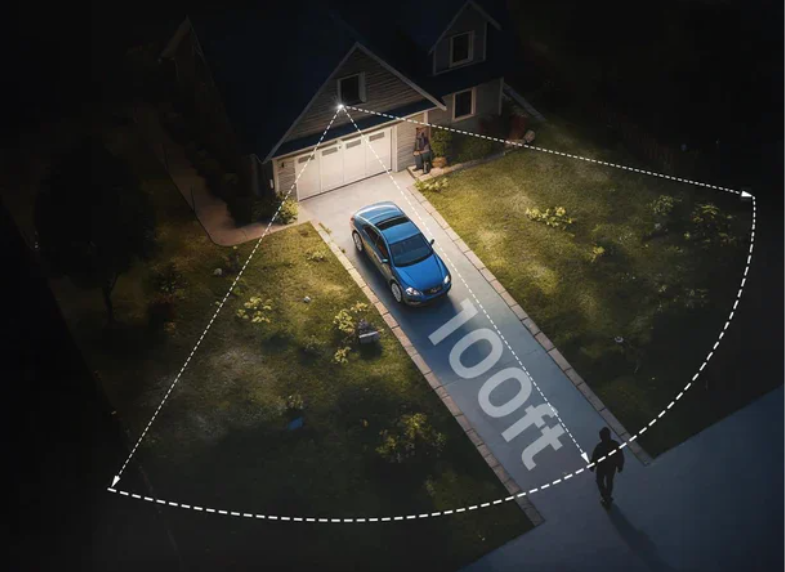
The Front and Back: Point your lens slightly downward to catch clear faces. A second camera watching your back garden gate provides excellent outdoor video surveillance.
-
The Hallway: Place a simple indoor camera facing your main stairs. If a thief sneaks inside, they must walk directly past this digital trap.
-
The Sweet Spot: Always mount your outdoor cameras at a height of roughly 2.5 meters. This specific height stops local vandals from easily smashing the lens with a broomstick, while still capturing crisp, useful details.
Essential Tools for DIY Setup
Getting your gear ready is surprisingly easy. If you choose a wire-free battery camera, you only need a few basic household items:
-
A standard power drill with a 6mm masonry bit for brick walls.
-
Your everyday smartphone can quickly download the viewing app.
-
A strong Wi-Fi connection. Always check your phone bars on the porch before you drill any holes!
On the other hand, a wired CCTV camera and installation takes a bit more effort. You will also need a long spool of Cat6 network cable, plastic wall clips to neatly hide the wires, and a special crimping tool to connect the plugs.
Wireless vs. Wired CCTV Camera Installation
Choosing between a wireless and wired setup is your biggest decision. Each system fits different lifestyles and needs.
| Feature | Wireless / Solar Camera | Wired PoE System |
| Setup Time | Fast DIY install in 20 minutes | Slower setup with cable routing |
| Best For | Renters and quick garden fixes | Large permanent family homes |
| Power Supply | Rechargeable battery or solar | Constant mains via Ethernet cable |
| Reliability | Good (relies on strong Wi-Fi) | Flawless (ignores internet drops) |
| Recording | Motion-triggered short clips | 24/7 continuous hard drive saving |
If you rent a flat or hate dealing with messy cables, you can mount a solar camera with zero fuss. However, if you own your house and want an unbreakable home CCTV installation, a wired system offers professional-grade peace of mind.
Many smart families use both: a quick wireless camera guarding the back patio and a tough wired camera securing the main front door.
Step-by-Step Home Security Camera Installation
Getting your new cameras onto the wall is the most exciting part of the process. Whether you choose a quick solar model or a heavy-duty wired system, taking it one careful step at a time guarantees absolute success.
For a fast, wire-free setup, always start with your smartphone. Download the mobile app. This lets you link the camera before you ever climb a ladder.
-
Test the Signal: Stand on your chilly front porch where the camera will live. Check your Wi-Fi bars. You need a strong signal, or your live video will constantly freeze.
-
Mark and Drill: Hold the plastic bracket flat against the rough brick. Mark the screw holes with a dark pencil. Drill gently, and then firmly tap in your wall plugs.
-
Click and Adjust: Snap the camera securely into place. Have a family member walk across your muddy driveway while you watch the live video feed in the app to find the perfect angle.
-
Draw Smart Zones: Use your finger to draw a digital detection box on your screen. This smart trick tells the device to ignore passing cars and only watch your private path.
For a permanent wired setup, planning your cable route is crucial. To keep your property completely safe, the National Security Inspectorate (NSI) officially recommends neatly hiding all exterior cables in tough plastic conduits to prevent thieves from snipping them.
-
Place the Brain: Put your Network Video Recorder (the main storage box) inside a hidden indoor cupboard near your internet router.
-
Run the Lines: Feed the long Ethernet cable from the box out to your exterior wall. Drill a small hole, push the cable through, and seal the edges with waterproof silicone.
-
Plug and Play: Connect your camera directly to the cable. Amazingly, a single cord safely carries both crisp video and electrical power!
Take your time and always double-check your angles before it gets dark. A carefully placed home security camera installation runs flawlessly for years, giving your family a powerful, unblinking shield against nighttime prowlers.

Practical Suggestions for Professional Results
A few extra tweaks easily separate a basic DIY job from a professional setup. Once your device is attached to the wall, taking 10 minutes to fine-tune your software makes a massive difference. These smart finishing touches keep your property secure and your neighbors happy:
-
Respect Privacy Laws: Always angle your lens away from neighboring gardens. Under the UK Data Protection Act 2018, if you accidentally record a busy public pavement, you must display a visible warning sign on your gate.
-
Use Digital Masking: If your camera unfortunately points directly at a neighbor’s kitchen window, do not panic. Most modern apps let you draw solid black digital squares over specific areas to block them out.
-
Seal Every Hole: Whenever you drill through a solid brick wall, generously squeeze waterproof silicone sealant into the gap. This simple pro tip keeps winter drafts from freezing you and creepy outdoor spiders from sneaking into your warm house.
-
Protect Your Cables: Always run outdoor wires through tough plastic conduit. This extra layer stops neighborhood foxes from chewing the exposed cables and makes your handiwork look incredibly neat.
-
Run a Midnight Test: Wait until it’s pitch-black outside, put on your coat, and walk down to the very edge of your driveway. Check the app on your phone to ensure the glowing night vision captures your face clearly.
-
Name Your Devices: Label your cameras clearly, such as “Back Gate” instead of just “Camera 1.” When your phone suddenly buzzes at dinner, you will know exactly where to look.
-
Tweak the Sensitivity: Start your motion slider on a medium setting. If falling autumn leaves keep waking you up with false alarms at 3 AM, turn the sensitivity down a little bit.
By following these final steps, your new digital shield will run flawlessly. You can finally relax, knowing you have built a highly reliable, professional-grade setup yourself.
Recommended ieGeek Easy Installation CCTV Solutions
Once you plan your layout, picking the correct hardware is wonderfully easy. ieGeek builds practical systems for everyday families, meaning you skip expensive engineers and those frustrating monthly cloud fees.
For Fast Wire-Free Setup: S5 with Panel
If you want your home security camera installation finished before lunchtime, the S5 with Panel is perfect. It runs in sunshine and connects in minutes.
-
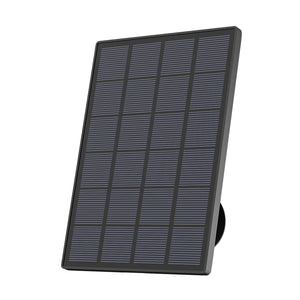
Solar-Powered: A detachable panel charges the battery year-round.
-
360° Pan-Tilt: Swipe your phone to rotate the lens and check dark corners.
-
2K HD Clarity: Capture incredibly crisp faces, far better than older 1080p lenses.
-
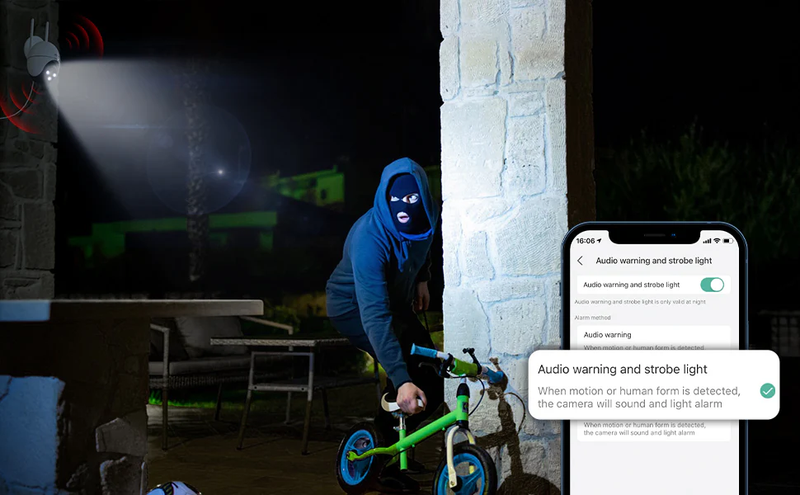
Smart AI Detection: The camera ignores blowing leaves and alerts you only when humans are present.
-
Local SD Storage: Save all your private videos onto a memory card for free.
Mount this camera on a distant wooden garden shed where normal power cords cannot reach. Renters absolutely love it because you unscrew it when you move! Explore more solar-powered security cameras for quick, easy fixes.

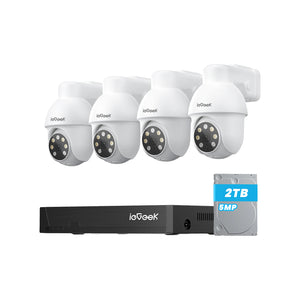
For Pro-Grade Stability: ieGeek POE System ie82
For a permanent, unbreakable shield, the ieGeek POE System ie82 delivers incredible 24/7 reliability. This single box provides a complete home CCTV installation.
-
8MP 4K Video: Read a tiny van number plate clearly from 10 meters away.
-
PoE Single-Cable Setup: A single cable safely delivers both electrical power and live video.
-
2TB Hard Drive: Store weeks of continuous video directly inside the heavy-duty box.
-
Auto-Tracking: The smart lens automatically spins to follow an intruder walking across the grass.
-
No Subscriptions: Every advanced feature remains completely free forever.
Run these neat cables through your dark loft space to protect your whole property. Because it ignores spotty Wi-Fi drops, it never stops recording during a storm. However, if you hate drilling holes, browse our wireless home security camera options instead.
Choosing the right equipment depends entirely on your house. Pick solar for a quick setup or wired for permanent peace of mind, and secure your family today!
FAQs
Do I need a professional electrician for security camera installation?
No, you do not need an expensive expert for your security camera installation. If you choose a wire-free battery model, you need a basic drill and your smartphone. Setting up one camera usually takes just twenty minutes on a quiet Saturday morning. However, massive commercial buildings still require professional electricians.
What is the average cost of installing security cameras?
The cost of installing security cameras in the UK can range from £100 to over £1,000, depending on the number of cameras, wiring requirements, and whether professional installation is needed. However, many modern wireless cameras are designed for simple DIY setup. ieGeek security cameras, for example, can typically be installed in minutes using the included mounting kit and mobile app, with no professional electrician or complex wiring required. This makes them a cost-effective option for homeowners looking to improve security without paying additional installation fees.
How do I hide the cables for a wired camera?
The neatest trick is to drop the thick wires straight down from your dark loft. If you cannot do that, tightly tuck the cables inside cheap plastic conduit pipes along the outside wall. You can even paint these tubes to match your house, making messy wires virtually invisible to visitors.
Will my camera work if the Wi-Fi goes down?
If a nasty storm knocks out your broadband router, your phone stops receiving live alerts. However, cameras with local SD cards keep recording those crucial motion clips silently. For maximum reliability, heavy-duty PoE systems save video directly to a massive internal hard drive, bypassing frustrating internet outages.
How high should I mount an outdoor security camera?
The perfect sweet spot sits between 2.4 and 3 meters high. This specific height stops jumping vandals from easily smashing the glass lens. Meanwhile, it stays low enough to capture clear, recognizable faces. If you mount it too high under the roof, you will only record the tops of hats!
Conclusion
Securing your front porch no longer requires an expensive expert. Today, modern solar-powered security cameras put robust protection right in your hands. In fact, official UK police advice states that visible cameras remain the strongest deterrent against fast, opportunistic crime.
Take a walk around your garden tonight to spot any hidden shadows. Then, grab your basic tools and mount your digital shield. Explore our home security cameras wireless options and secure your property before the weekend.
Author Intro
 |
Developed by the ieGeek content team, combining hands-on experience with smart devices and insights into real user needs. ieGeek is widely known for smart security, our solutions are also designed for a variety of real-life scenarios, including travel, outdoor monitoring, pet care, and family safety. We focus on delivering simple, dependable solutions that fit seamlessly into daily life. |