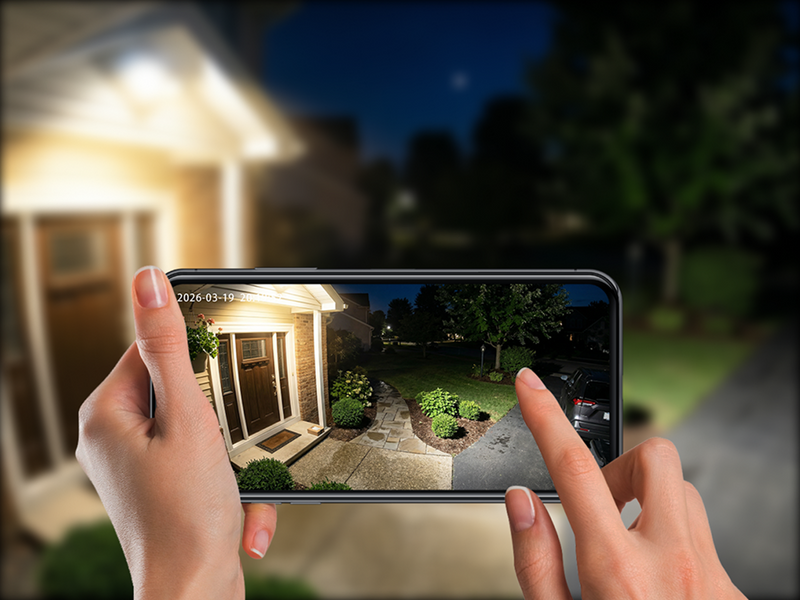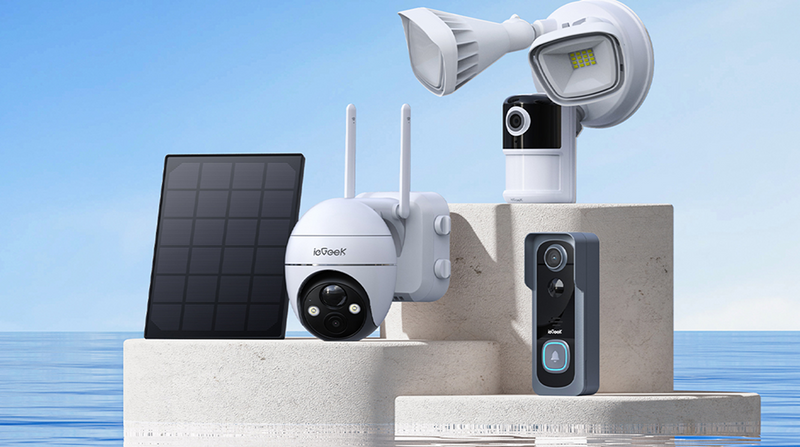




A budget-friendly security camera can provide excellent everyday home protection, but the cheapest option is not always the best value. A side entrance may only require a fixed 2K camera, while a driveway, larger garden, or detached garage could benefit from features such as PTZ control, higher-resolution footage, continuous recording, or 4G connectivity.
This guide looks at features that are worth paying for, compares affordable ieGeek cameras for different home security needs, and explains how to avoid the extra costs that can creep in through subscriptions, poor Wi-Fi, or upgrades you probably never really needed in the first place.

Key Takeaways
- A cheap security camera offers better value when the price matches the features you will use, rather than simply choosing the cheapest model available.
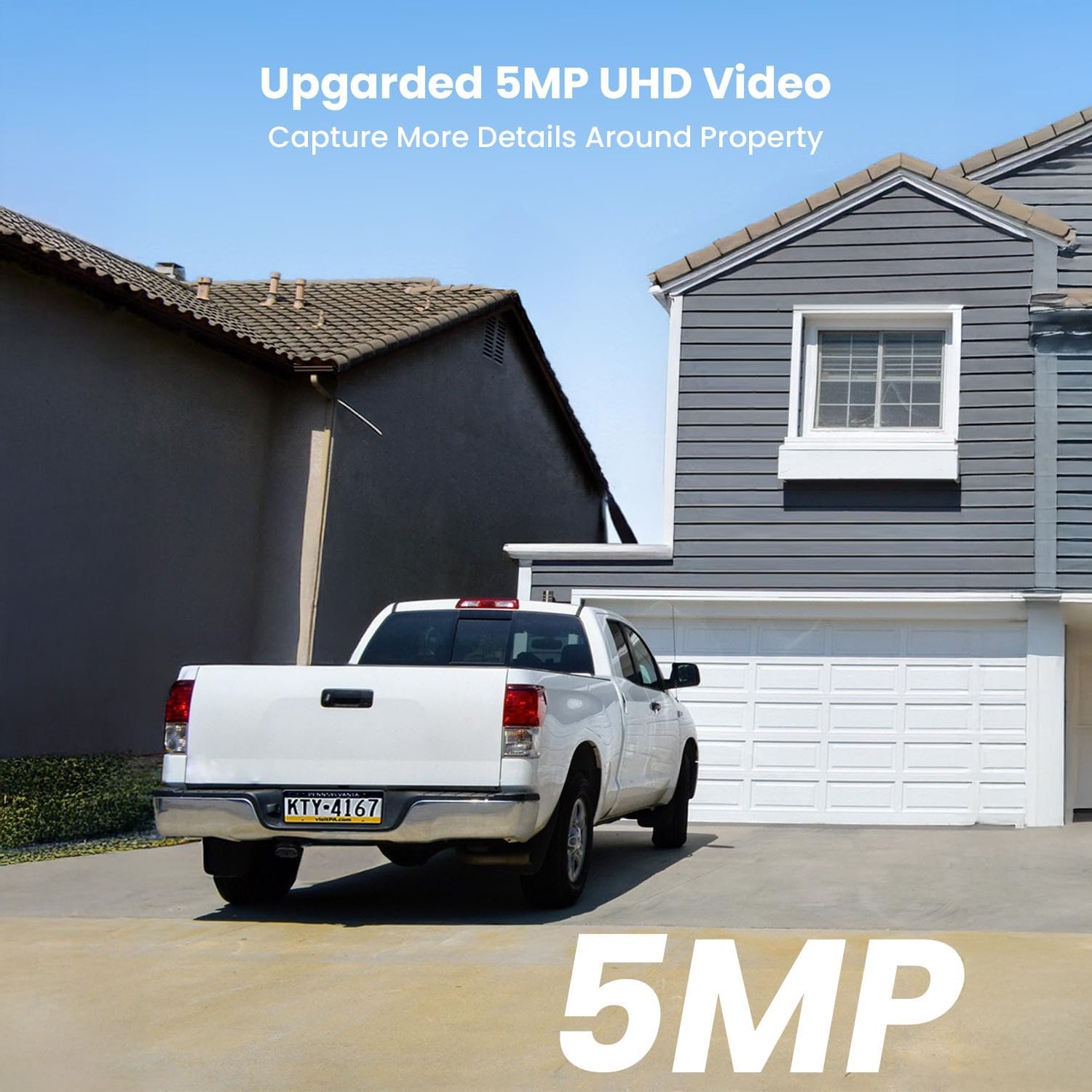
- 2K or 3MP is normally enough for smaller entrances and gardens. Paying more for 5MP makes more sense when people or vehicles are farther from the camera and finer detail matters.
- PTZ is worth the extra investment when one camera needs to cover multiple directions; 24/7 recording is more useful in busy areas where short motion clips can leave gaps in the footage.
- The ieGeek ZS-GX3S keeps the initial cost down for simple fixed coverage. Spending more on the ieGeek S5 adds PTZ flexibility, the ieGeek ZS-GX4S adds sharper detail, the ieGeek ZY-E2 adds continuous recording and floodlighting, while the ieGeek ZY-G4 adds 4G connectivity where extending home Wi-Fi would otherwise mean extra cost or installation work.
- Local microSD storage can reduce reliance on paid cloud plans. In contrast, mobile data, electrical installation, Wi-Fi extenders, and extra storage should all be included when comparing the long-term cost.
- Wi-Fi should be tested at the mounting point. If live view, playback or alerts are unreliable there, the final cost could involve moving the camera, adding a Wi-Fi extender or choosing a 4G model instead.
Which Security Camera Features Are Actually Worth Paying For?
The right features depend on the area you want to protect. There is little value in paying extra for impressive functions that sound useful on the box if they do not improve coverage, recording quality, or connectivity for your specific situation.
Video Quality and Night Vision
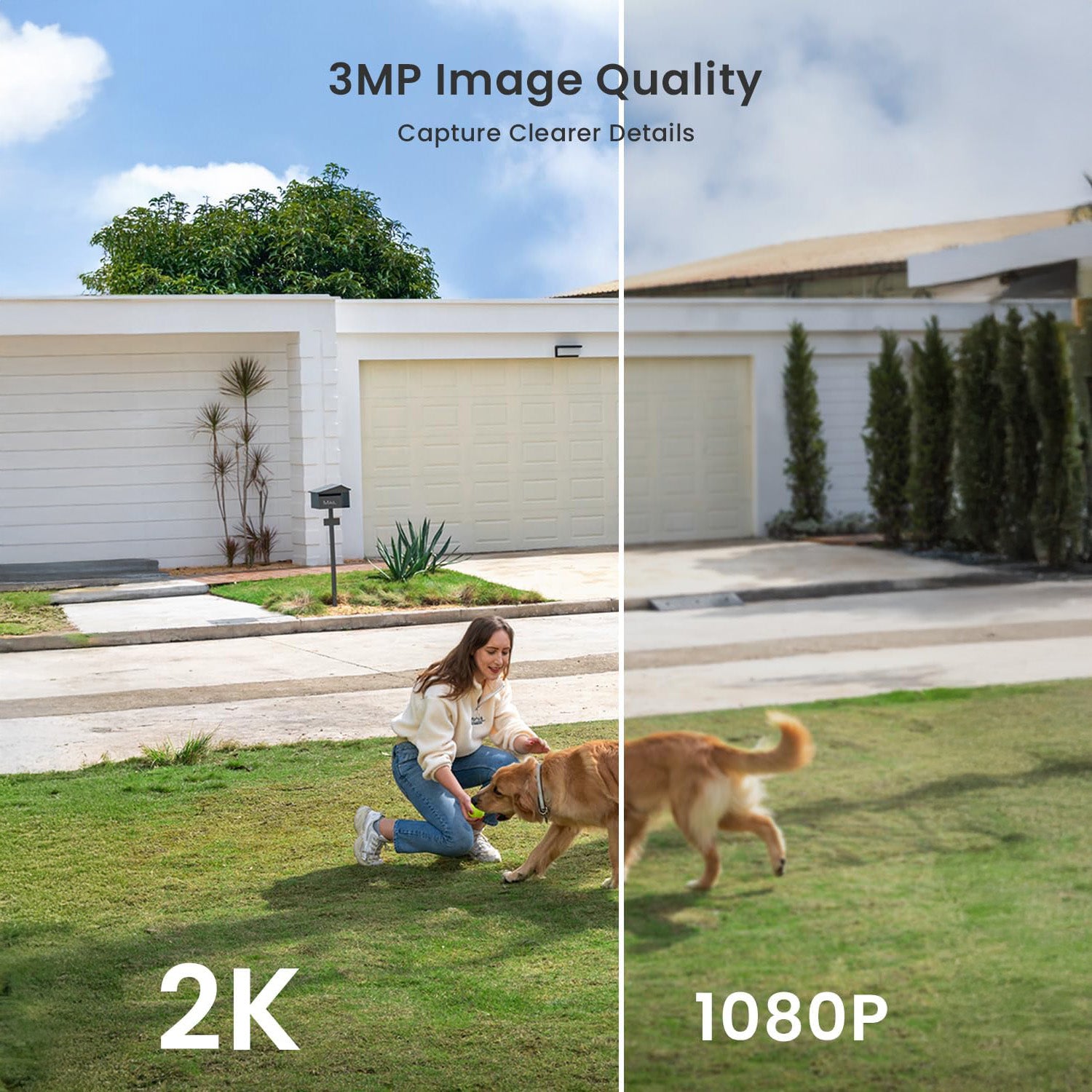
For a front door, side path or small garden, 2K or 3MP video is often enough for everyday monitoring. Higher camera resolution becomes more useful when people or vehicles appear farther from the camera, so a driveway or larger front garden may benefit more from 5MP footage.
The same principle applies to night vision. Infrared is generally enough for basic monitoring, while colour night vision or built-in lighting can help preserve details such as clothing or vehicle colours. If the area already has decent exterior lighting, however, paying extra for stronger illumination may not add much.
Motion Detection and Useful Alerts
Basic person detection may be perfectly adequate for a quiet side gate or small garden. Paying more for AI detection becomes more worthwhile around a driveway or front garden, where people, vehicles, pets and deliveries can all set off the camera.
But if all you really need to know is when people enter the area, a long list of extra detection categories may not justify spending more.
Local Storage and Subscription Flexibility
Local storage can be worth paying for if you want to keep the footage without relying on a monthly cloud subscription. A camera with microSD support can therefore cost less to run over time, even if it’s slightly pricier when purchasing.
Larger storage capacity is handy if you want to record 24/7, as that creates considerably more footage. For occasional motion clips, paying extra for a huge memory card simply means buying storage you rarely use.
Power Source and Recording Mode
Battery and solar power are worth paying for when the camera needs to go somewhere without a convenient mains connection, such as a garden, fence or shed. If power is already available at the installation point, the extra cost of solar may add very little practical benefit.
Recording mode depends on how much activity you need to capture. Motion-triggered recording is usually enough for a quiet entrance; 24/7 or AOV recording, though costing more, can be good for a busy driveway or garage entrance where activity between individual alerts matters.
Best Cheap Security Cameras for Different Home Security Needs
To find the most cost-efficient camera for your home, you need to be clear about which features you are after. The security cameras below cover different priorities, from straightforward fixed coverage to PTZ, 24/7 recording, and 4G monitoring.
| Model | Resolution | Power | Recording Type | Best for |
|---|---|---|---|---|
| ieGeek ZS-GX3S | 2K 3MP | Battery + solar | Motion-triggered | Small fixed outdoor areas |
| ieGeek S5 | 3MP 2304 × 1296 | Battery + solar | Motion-triggered | Gardens needing PTZ coverage |
| ieGeek ZS-GX4S | 5MP 2976 × 1696 | Battery + solar | Motion-triggered | Driveways and sharper detail |
| ieGeek ZY-E2 | 5MP | Hard-wired | 24/7 recording | Driveways and garage entrances |
| ieGeek ZY-G4 | 3MP 2304 × 1296 | Battery + solar | AOV 24/7 recording | Remote areas without home Wi-Fi |
ieGeek ZS-GX3S — Best Cheap Outdoor Camera for Basic Coverage
For a small and fixed area, paying extra for PTZ or continuous recording may be too much. The ieGeek ZS-GX3S battery security camera covers all basic functions like 2K video, motion detection, and solar-assisted power, making it a sensible choice when straightforward coverage is all you need.
Key Features:
- 2K 3MP video
- 120° fixed field of view
- Rechargeable battery with solar charging support
- AI detection for people, vehicles, pets and packages
- Two-way audio
- Designed for outdoor use
Best for: Budget-conscious users who want to monitor a side entrance, small garden, fence line or another fixed outdoor area.
Main trade-off: The viewing direction cannot be changed remotely, and the camera is better suited to motion-triggered monitoring than continuous recording.
ieGeek S5 — Best Affordable Solar Camera for Flexible Coverage
The main feature worth paying more for with the ieGeek S5 2K PTZ outdoor camera is its PTZ control. If you need your camera to keep an eye on different parts of a garden, being able to adjust its viewing direction remotely can cost you less than installing several fixed cameras.
Key Features:
- 3MP 2304 × 1296 video
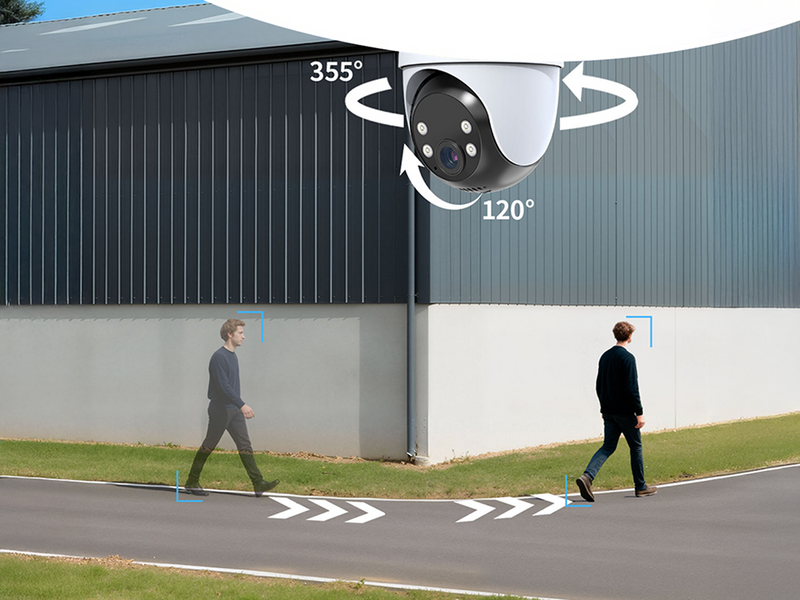
- 355° PTZ coverage
- 5000mAh rechargeable battery
- Solar charging
- PIR-based motion detection
- Four white lights and four infrared LEDs
- 2.4GHz Wi-Fi
Best for: Gardens and rear areas where flexible PTZ coverage is useful and fixed power is inconvenient.
Main trade-off: If one fixed view already covers the entire area, paying extra for PTZ may not be necessary.

ieGeek ZS-GX4S — Best Value for Sharper Outdoor Detail
The added values of the ieGeek ZS-GX4S PTZ outdoor camera include higher resolution and wider adjustable coverage. Those upgrades are more beneficial on a driveway or larger front garden, where people and vehicles may appear farther away from the camera, and the extra details can make recorded footage clearer.
Key Features:
- 5MP 2976 × 1696 video
- 355° horizontal and 120° vertical PTZ
- 9000mAh rechargeable battery
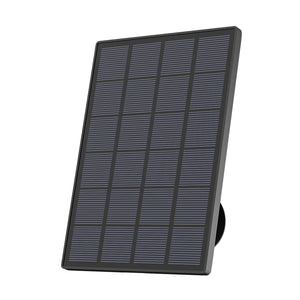
- 3W solar panel
- Up to 128GB microSD storage
- Infrared night vision up to 10m
- Colour night vision up to 8m
- PIR and human detection
- 2.4GHz Wi-Fi
Best for: Driveways, front gardens and larger outdoor areas where sharper footage and adjustable coverage both matter.
Main trade-off: Though higher resolution improves detail, the camera still mainly uses motion-triggered recording instead of 24/7 recording.
ieGeek ZY-E2 — Best Value for 24/7 Driveway Monitoring
This model justifies its price with its continuous recording feature. The ieGeek ZY-E2 24/7 recording camera with floodlight makes more sense on a busy driveway or garage entrance where you may want to see what happened between individual motion alerts. Its built-in floodlight can also remove the need for separate outdoor lighting in the same area.
Key Features:
- 5MP video
- 24/7 continuous recording
- Hard-wired power
- 2600-lumen floodlight
- PIR and human detection
- Colour night vision
- 110dB siren
- Dual-band Wi-Fi
Best for: Driveways, garage entrances and other frequently used fixed areas where continuous recording and night-time lighting are important.
Main trade-off: Hard-wired installation limits placement flexibility compared to battery and solar cameras.
ieGeek ZY-G4 — Best Value for 24/7 Monitoring Without Wi-Fi
If 4G connectivity and AOV 24/7 recording matters, ieGeek ZY-G4 4G 24/7 recording camera is a good choice for you. These features come in handy when a detached garage, farm entrance or holiday property has no reliable home Wi-Fi but still needs remote access and longer recording coverage. But if your home is fully Wi-Fi-covered, the additional mobile data cost would be harder to justify.
Key Features:
- 3MP 2304 × 1296 video
- 4G LTE connectivity
- AOV 24/7 recording
- Battery + solar power
- 355° horizontal PTZ
- AI person and vehicle detection
- Local microSD storage
- Smart, colour and black-and-white night vision
Best for: Detached garages, remote sheds, farm entrances, holiday properties and other areas without reliable home Wi-Fi.
Main trade-off: 4G normally requires a SIM card and mobile data, creating an ongoing cost that may be unnecessary where stable Wi-Fi is already available.
How to Choose an Affordable Security Camera Without Overpaying
The models above show where different features offer different value. The next step is deciding which ones are worth paying for in your property.
Start with the Area You Need to Monitor
When choosing an outdoor camera, if a single fixed viewing angle captures everything you need, a basic camera may be the most cost-effective option. PTZ functionality becomes more valuable when one mounting position needs to monitor multiple directions, while higher resolutions are better in larger spaces where important activity occurs farther from the camera.
A simple rule of thumb is to ask whether an additional feature will noticeably improve coverage, image quality, or reliability in that specific location. If the answer is no, it is probably not worth adding to the budget.
Check WiFi Coverage at the Installation Point
Outdoor Wi-Fi signals can weaken a lot when walls, distance, or outbuildings sit between the router and the camera.
Test the connection at the intended mounting location rather than relying on indoor signal strength. If the camera is beyond the practical range of your home Wi-Fi, a 4G security camera may be a more reliable and cost-effective solution than adding multiple Wi-Fi extenders.
Compare the Total Cost Before You Buy
The upfront cost is only part of the equation. Cloud subscriptions, microSD cards, mobile data plans, Wi-Fi extenders, and installation costs can all add to the total over time.
In some cases, a slightly more expensive camera can offer better long-term value if it already includes the storage or recording features you need.
How to Test WiFi for a Security Camera
Wi-Fi performance can vary a lot between the house and the camera’s mounting location, so it is important to test the connection where the camera will be installed.
Check the Signal at the Camera Location
Test Wi-Fi for the security camera at the exact installation location, with doors and windows closed. The signal may be strong near the house but noticeably weaker by the time it reaches a camera at the end of the garden.
Test Live View and Video Playback
Open the camera feed several times to check that it loads consistently. Recorded clips should also play without repeated buffering or connection errors. In practice, reliable video performance tells you more than a strong Wi-Fi symbol in the app.
Check Alerts and Connection Stability
Before finalising the installation, leave the camera running and test it in the real world. Walk through the detection area at different times and check whether alerts arrive consistently. Frequently delayed notifications, failed live views, or repeated disconnections may indicate that the connection is not reliable enough for long-term use.
FAQ
How many GB is 24 hours CCTV?
Storage use depends on resolution, bitrate, frame rate and compression.
At around 1 Mbps, 24 hours of continuous recording uses roughly 10.8GB; 2 Mbps uses about 21.6GB and 4 Mbps around 43.2GB. Motion-triggered recording normally uses much less.
Do cheap security cameras require a monthly subscription?
Not always. Many affordable cameras support local microSD storage, allowing footage to be saved without a monthly cloud plan. Check whether cloud history or advanced features require a separate subscription.
Is one expensive security camera better than several cheap cameras?
Not necessarily. Two fixed cameras can cover separate entrances better than one expensive model. A PTZ camera may be a better investment, as its adjustable viewing angle allows it to monitor a wider area from a single position.
Is it better to have wired or wireless security cameras?
Wired cameras are better suited to continuous recording and locations with reliable access to mains power. Battery- or solar-powered models offer greater flexibility and easier installation.
The right choice comes down to whether uninterrupted recording or installation convenience is more important for your setup.
Is 2K enough for home security cameras?
For most households, yes.
A 2K camera can provide clear, detailed footage for front doors, side entrances, pathways, and smaller gardens. Higher resolutions, such as 5MP, become more beneficial when monitoring larger areas or locations where people and vehicles are likely to appear farther away.
Conclusion
The most cost-efficient security camera is the one that does the job. Fixed 2K models can be enough for smaller entrances, while PTZ, 5MP video, 24/7 recording or 4G connectivity become worth paying for when they solve a specific coverage, recording or network problem.
The key is to match the camera’s capabilities to the installation environment. In most cases, this is the simplest way to avoid unnecessary expense and maximise long-term value. After all, there is little point in paying for a powerful camera if most of its advanced functions are never used.
About the Author
 |
Developed by the ieGeek content team, combining hands-on experience with smart devices and insights into real user needs. ieGeek is widely known for smart security, our solutions are also designed for a variety of real-life scenarios, including travel, outdoor monitoring, pet care, and family safety. We focus on delivering simple, dependable solutions that fit seamlessly into daily life. |