



When planning home security, you may focus first on front doors, windows and other clear entry points. The garage is often overlooked. Yet it can be one of the weaker areas around your property, giving intruders another possible route to your belongings or home. An attached or detached garage may hold a car, bicycles, power tools and outdoor equipment. These valuable items can make the space an attractive target. Installing a reliable garage security camera lets you monitor activity, record unexpected movement and respond to alerts through your phone. A visible garage cam may also discourage someone from approaching the door or driveway.
This guide explains how to choose the right camera for your garage. You’ll learn which features matter, where to position the camera and how to connect it to a smart home system. We’ll also cover practical ways to reduce false alerts caused by passing cars, animals or changing light. From an indoor camera watching stored items to a garage door camera covering the driveway, the right setup can close an important gap in your home security.

Key Takeaways
-
Choose a garage security camera with motion detection, night vision, a wide viewing angle and clear real-time alerts.
-
Place the camera inside the garage, above the main door or facing the driveway and side entrance to reduce blind spots.
-
Connect your garage cam to Wi-Fi and compatible smart devices for remote viewing, notifications and easier access control.
-
Adjust motion sensitivity and activity zones to reduce alerts caused by passing vehicles, animals or changing light.
-
Match the camera to the location: floodlights suit dark entrances, wireless models suit detached garages and PTZ cameras cover wider areas.
What to Look for in a Garage Security Camera?
Not all security cameras are created equal, and certain features are essential when protecting a garage. A garage security camera must handle common challenges such as low light, outdoor weather and wide areas that need monitoring. Let’s take a closer look at the main features to consider.
Motion Detection and Real-Time Alerts
One of the most important features of a garage security camera is motion detection. Motion-activated cameras detect movement inside and around the garage, then send a real-time alert when someone enters the area. This allows you to check the live view and act quickly if an unknown person approaches.
Some garage cam systems let you adjust the sensitivity of the sensors, reducing false alerts caused by passing vehicles, animals or wind. This is especially important for a garage door camera covering a busy driveway or the outer edge of your property.
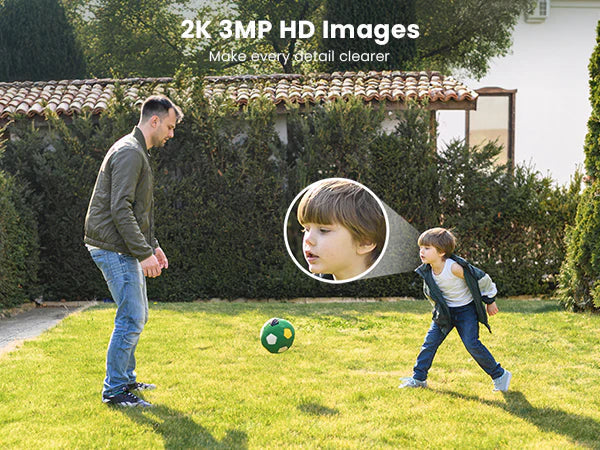
Clear Video and a Wide Field of View
Garages are often dark at night, and many don’t have enough lighting to illuminate the full space. An indoor security camera with clear infrared night vision can capture useful footage inside the garage, even when the lights are off.
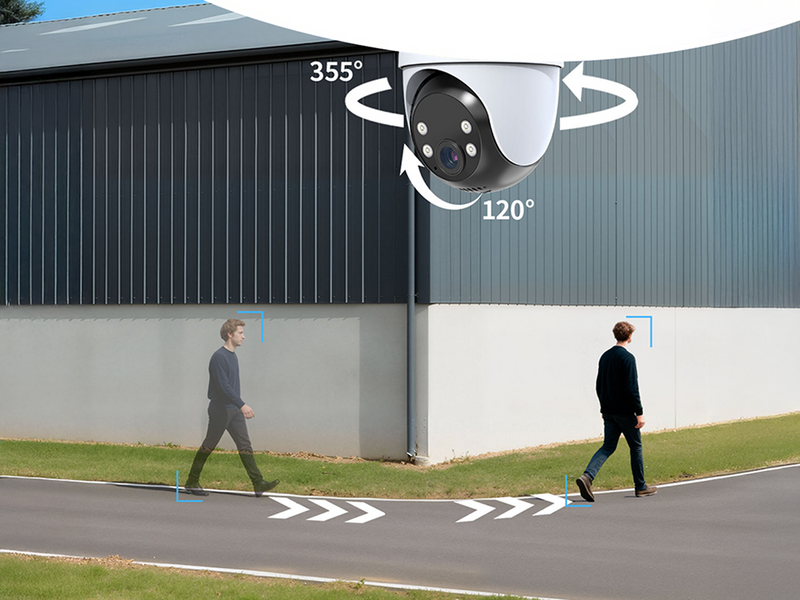
A wide field of view is also important because garages and driveways may cover large areas. A wide-angle lens reduces blind spots and lets one garage security camera monitor the interior, surrounding driveway and main entry points more effectively.
Two-Way Audio and Smart Controls
For added security, two-way audio lets you communicate with people near the garage. You can speak to a delivery driver or warn an unknown visitor that the area is being monitored. This is particularly useful when you’re away from home.
Smart app controls also allow you to open the live feed, receive alerts and speak through the camera from your phone. These remote controls give you a simple way to monitor the garage and respond to activity wherever you are.
Weather Resistance and Built-In Lighting
If you’re installing the camera outside, durability is essential. Choose from outdoor security cameras that are weather-resistant and designed to withstand rain, snow, dust and changing temperatures.
Built-in floodlights or spotlights are another useful feature for outdoor cameras. They illuminate dark areas when motion is detected and make people or vehicles easier to see. Motion-activated lighting may also discourage intruders by showing that the garage is being monitored.
Where to Place a Garage Camera?
A garage security camera becomes more effective when it’s installed in the right position. Good placement allows the camera to cover valuable items, main entry points and the routes people use to approach the garage. Let’s explore the main locations to consider for your garage cam.
Inside the Garage
Most indoor garage cameras should face the main door, parked vehicles and any internal entrance leading into your home. This means you can monitor activity when the garage door opens and check whether anyone moves towards stored tools, bicycles or other belongings.
Place the camera around 7–9 feet (2.1–2.7 metres) above the floor, where shelves and vehicles won’t block its view. A high corner often provides wider coverage while keeping the camera harder to reach.
Above the Garage Door
A camera installed above the garage door can monitor people and vehicles as they approach your property. This position gives the garage door camera a clear view of the entrance while also covering part of the driveway.
Many outdoor security cameras wireless options support flexible DIY placement because they don’t require long power cables. However, the camera should remain close enough to your Wi-Fi router to maintain a stable connection and send alerts without delay.
Facing the Driveway and Side Entrance
A garage cam can also face the driveway or a side entrance that isn’t visible from the front door. For example, you can position the camera so that it records vehicles entering the drive and anyone walking towards a side gate or rear garage door.
Aim the camera towards your own property and keep nearby roads, pavements and neighbouring homes outside the main viewing area where possible. This reduces unnecessary alerts and keeps the footage focused on the places you need to monitor.

How to Connect Your Garage Cam to a Smart Home System?
A garage security camera can become more useful when connected to your smart home system. This setup allows you to view the camera remotely, receive instant alerts and manage compatible devices from your phone. Follow these steps to connect your garage cam:
-
Check device compatibility: Confirm that the garage camera supports your Wi-Fi network, mobile operating system and any smart home platform you already use.
-
Download the camera app: Install the manufacturer’s app and create an account. The app will guide you through adding the camera and managing its main controls.
-
Connect the camera to Wi-Fi: Place the camera within range of your router, then follow the in-app steps to connect it to your home network. A stable signal helps the camera send alerts and load live footage without long delays.
-
Add compatible smart devices: Link the garage security camera with supported devices such as smart locks, alarms or garage door controls. For example, you may receive an alert when movement is detected near the door and then check whether the garage door is open.
-
Set up real-time notifications: Turn on alerts for motion detection, camera activity or other supported events. These notifications allow you to check the garage door camera and respond when unexpected activity occurs.
-
Test the complete system: Walk through the monitored area, open the garage door and check the live feed from your phone. Make sure the camera, alerts and connected devices respond as expected.
Most wireless garage cameras support DIY setup and only require mounting, Wi-Fi access and app configuration. Adjust the placement or network connection if the video loads slowly or alerts arrive late.
How to Reduce False Garage Camera Alerts?
False alerts can become frustrating, especially when they are triggered by harmless movement such as pets, wind or passing vehicles. However, you can adjust your garage security camera to reduce unnecessary notifications while keeping important activity covered.
-
Adjust motion sensitivity: Most garage cam systems allow you to change the sensitivity of the motion sensor. Lowering it can reduce alerts caused by small animals, moving plants or distant traffic. Don’t set it too low, as the camera may then miss a person approaching the garage.
-
Set focused activity zones: Limit detection to the garage door, driveway or side entrance. Excluding nearby roads, pavements and trees helps the garage door camera focus on movement around your property.
-
Use person detection when available: Smart detection can separate people from general movement. This reduces notifications caused by shadows, insects or changes in outdoor light.
-
Add lighting around dark areas: A floodlight or spotlight improves visibility at night and reduces unclear motion events. Better lighting also helps the garage security camera record people and vehicles more clearly.
-
Pair the camera with door sensors: A door sensor can notify you when the garage door opens. When this alert appears alongside camera footage, you can quickly confirm whether the activity is expected.
Top ieGeek Picks for Garage Security
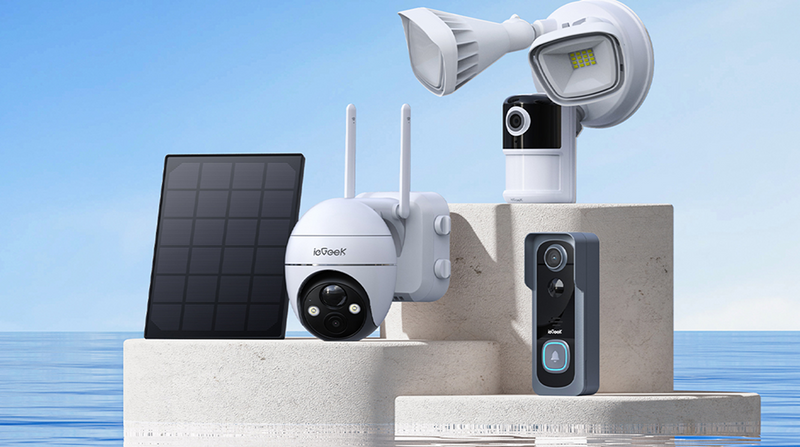
With several camera types available, choosing the right garage security camera may feel difficult. The following ieGeek models suit different garage layouts, from brightly lit entrances to wide driveways that need continuous monitoring.
ieGeek Floodlight Camera ZY-E2
The ieGeek Floodlight Camera ZY-E2 is suited to the area above a garage door or beside a dark driveway. Its wide view, motion-activated floodlights and real-time alerts help illuminate visitors and vehicles, while 5MP video provides clear footage around the entrance.

ieGeek Wireless 24/7 Recording Camera S7
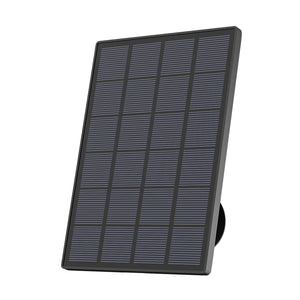
The ieGeek Wireless 24/7 Recording Camera S7 is a versatile garage cam for locations where running a power cable is difficult. Solar charging, wireless installation and 360° coverage make it useful for monitoring a detached garage, driveway or side entrance throughout the day.
ieGeek Spotlight Camera ZS-GQ4
The ieGeek Spotlight Camera ZS-GQ4 suits larger areas where a fixed garage door camera may leave blind spots. Its pan-and-tilt view, motion tracking and built-in spotlights allow the camera to follow activity and capture clearer colour footage around the garage at night.

FAQs
What is the best garage camera?
The best garage camera depends on where you plan to install it. For an outdoor entrance, choose a weather-resistant garage security camera with motion detection, night vision camera and built-in lighting. Inside the garage, clear video, a wide field of view and real-time alerts are usually more important.
Is a garage camera worth it?
Yes, a garage cam can be worth it if you store vehicles, tools, bicycles or other valuable items in the space. It allows you to check activity remotely, receive alerts when movement occurs and keep an often-overlooked entrance under watch.
Do I need a subscription for a garage camera?
You generally don’t need a subscription to view live video on supported devices. However, a Video Monitoring plan may be required to record, store and replay footage or access features such as smart detection and custom detection zones. Check the terms for your specific camera and region before signing up.
Can my neighbour have a camera pointed at my driveway?
In the UK, your neighbour may use a security camera, but data protection rules can apply if it records beyond their property boundary. They should limit the camera’s view, have a clear reason for recording and avoid capturing more of your driveway or home than necessary. You can speak to your neighbour first or contact the ICO if you remain concerned.
Is it better to have wired or wireless security cameras?
Wired cameras provide steady power and may suit garages that need continuous recording. Wireless cameras are easier to install and offer more flexible placement, which can be useful for detached garages or areas where running cables is difficult. The better option depends on your power access, Wi-Fi signal and recording needs.
Conclusion
Choosing the right garage security camera is an effective way to protect your property and stored belongings. A model with motion detection, night vision and a wide field of view can keep the garage covered throughout the day and night. Connecting your garage cam to a smart home system also lets you receive alerts, view live footage and manage security remotely.
The garage is often overlooked when planning home security, so it’s important to assess the entrance, driveway and interior before choosing a camera. Select a setup that matches your garage layout and provides the coverage, controls and smart features you need to monitor the area with confidence.
Author Intro
 |
Created by the ieGeek editorial team, drawing on hands-on product experience and ongoing research in Smart Security solutions. As a brand focused on simple, reliable, and affordable wireless security systems, ieGeek combines practical insights with real-world use cases to help users make informed decisions. |